What should you look for when buying?
If you and the new player both need to speak into the same microphone, your seating arrangement is the first thing to consider. For solo announcements, positioning and distance from the microphone matter most.
| Consideration |
What to check |
Who is it important to? |
| Two voices on the same microphone |
Decide where everyone will sit and check which pickup patterns are available. Shure explains that an omnidirectional pattern picks up sound from different directions without favouring one voice. |
If I want to capture both my explanations and questions from the second seat, I need a pickup pattern that suits our seating arrangement; for around 36% of consumers, capturing two voices at the table is the top priority. |
| Your own announcements despite room noise |
Point the microphone towards your seat and test it with your usual keyboard and fan noise in the background. Shure describes the cardioid pattern as one that can be directed towards a single sound source. |
If I’m explaining on my own, I want to be clear despite keyboard or room noise; for around 29% of consumers, picking up their own voice clearly is the priority. |
| Connection and positioning |
Check your computer’s connection, the cable you need and what’s included with the specific version. RØDE lists a USB-C-to-USB-A cable for the NT-USB Mini, while Sennheiser offers different Profile bundles. |
If I want to set up the microphone with my existing computer without any fuss, the cable and stand need to be suitable; around 21% of consumers prioritise easy connectivity and a compact footprint. |
| Controlling audio and mute |
Check whether mute, input level and headphone volume can be controlled separately. Sennheiser lists separate gain, mix and headphone controls for the Profile. |
If I want to monitor my own audio and control mute directly while explaining, easy-to-reach controls are important; for around 14% of consumers, this control is their top priority. |
USB microphones at Joybuy
This selection includes USB microphones for voice chat and explaining things, from models with several stated pickup patterns to options for one clearly targeted voice.
 No image available
USB gaming microphone with RGB lighting, 7-piece set
For gaming voice chat, with mute and headphone monitoring through a headphone socket.
USB condenser microphone; Type-C adapter; RGB lighting; 7-piece set.
View at Joybuy
 No image available
JBL Quantum Stream Studio USB-C
If two people need to use one microphone, check the stated pickup patterns and test how both seats sound.
Wired condenser microphone; USB-C; mute, LED indicator and monitoring mode.
View at Joybuy
 No image available
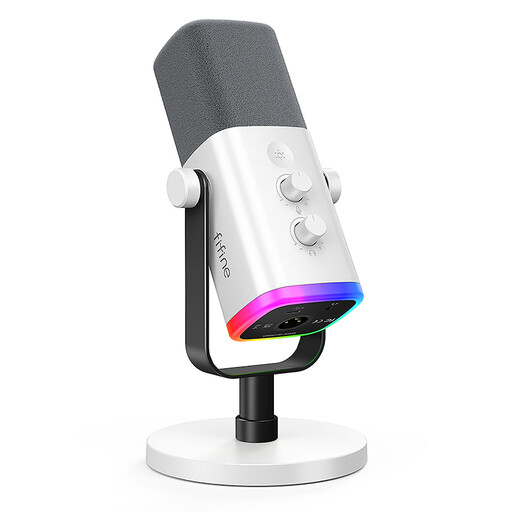
FIFINE AM8 White XLR/USB
For one clearly targeted voice, with direct control of gain and mute; if you’re sitting apart, the second voice won’t automatically be picked up as clearly.
Dynamic XLR/USB gaming microphone; gain control, mute button and headphone socket.
View at Joybuy
 No image available
FIFINE K688CT USB/XLR kit with boom arm
For one person speaking close to the microphone, who wants to position it on the desk and control mute and gain directly.
Dynamic USB/XLR microphone; boom arm; gain control, mute button and headphone socket. According to the product details, the C-clamp is designed for desks less than 2 inches thick.
View at Joybuy
 No image available
Razer SEIRÉN V3 MINI White
For one voice speaking towards the microphone; if you’re sitting apart, check that it can pick up both people clearly.
Ultra-compact USB microphone; tap-to-mute.
View at Joybuy
Frequently asked questions
Is a cardioid microphone enough for a teacher and a new player?
It can work if you’re sitting close together and speaking into the pickup area, but don’t assume it will suit seats that are far apart or facing each other. Set up the microphone at the table where you’ll actually use it and test both voices. For different seating arrangements, the HyperX QuadCast 2 and Logitech G Yeti Nano, for example, offer other pickup patterns.
How do I set up a USB microphone before my first game?
Connect it using a cable that’s compatible with your computer, select it as the input in your system and voice chat app, then make a short test recording from the seats you plan to use. RØDE explains how to select the input for the NT-USB Mini; the exact menus depend on your device and software.
What can I do if others can’t hear me or the new player clearly?
First, check the selected microphone input, its position, how far away you’re speaking and the input level on your device or in the software. Don’t confuse headphone volume control with recording level control: on the Sennheiser Profile, gain and headphone volume are separate functions.
What should I check about what’s included, returns and faults?
Before buying, check the cable and stand included with the specific bundle. For online purchases in Germany, consumers generally have a 14-day right to cancel; Verbraucherzentrale distinguishes this from the statutory warranty against the seller. A voluntary guarantee is separate.


