Joybuy products for voice recording
The Joybuy products below are mainly options for recording a teacher speaking close to the microphone. The selection includes desktop and boom-arm setups, as well as a wireless clip-on microphone; it is not a substitute for a coordinated microphone arrangement around the room when recording contributions from people in different places.
 No image available
FIFINE K688CTW dynamic USB/XLR microphone with boom arm, white
An option for recording one voice at close range, if the microphone can be positioned towards a fixed speaking spot.
The product name lists USB/XLR, a boom arm, a mute button, a volume control and a headphone socket.
View at Joybuy
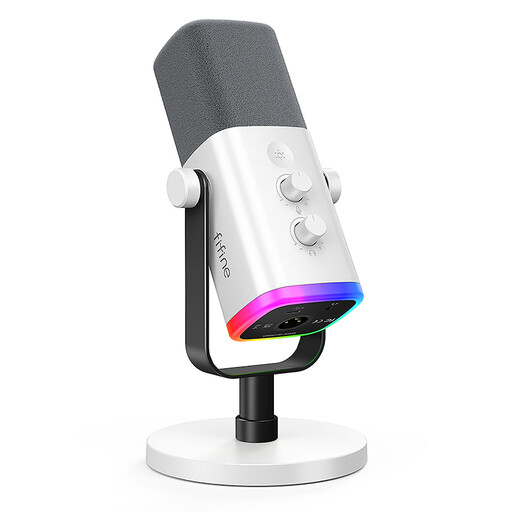 No image available
FIFINE AM8 White dynamic XLR/USB microphone
Could suit a teacher who is mostly seated, with a fixed speaking position at a desk.
The product name lists XLR/USB, a Gain control, a mute button and a monitoring socket.
View at Joybuy
 No image available
Dynamic USB/XLR microphone set with desktop stand
A possible desktop option if the teacher speaks close to the microphone and can use a fixed position.
The product name lists USB/XLR, RGB, Gain control, echo, mute and a desktop stand.
View at Joybuy
 No image available
SYNCO P2XT wireless USB-C microphone
A portable microphone option if the teacher wants to move around during the lesson.
The product name specifies a wireless USB-C microphone. For the stated Android use, USB-C with OTG enabled is required.
View at Joybuy
 No image available
USB condenser microphone with cardioid pickup pattern
Could be an option for recording one teacher’s voice if the microphone is positioned in front of the speaker.
The product name specifies a cardioid pickup pattern. On its own, this doesn’t indicate how clearly contributions from other seats will be recorded.
View at Joybuy
Frequently asked questions
Can I simply connect a USB microphone to my computer and start recording?
First, check that the cable and connection on the specific model are compatible with your computer. Select the microphone as the input device in your sound settings, then make a short test recording to check the position and level.
Will one microphone cover the teacher and all the participants?
A single microphone won’t reliably pick up every seat at an even level. Shure highlights the importance of positioning and level when recording multiple sound sources. Decide which positions need to be covered and test them in the room; if speakers are spread out, a setup with several microphones may be worth considering.
What should I consider before recording other people in Germany?
Before recording, check whether the speech is non-public and which legal basis applies to processing voices as personal data. Section 201 of the German Criminal Code (StGB) makes the unauthorised recording of another person’s non-public speech a criminal offence. The Federal Commissioner for Data Protection and Freedom of Information also points out that people must be informed when their personal data is collected. You can’t tell from the venue alone whether these requirements are met in a particular class.
Will I need any additional accessories to set up the microphone?
It depends on the specific model and the computer connection you have. Before buying, check that the supplied cable and stand suit your planned speaking position; if you need a portable setup, make sure you can position the microphone where you want it.
How should I store a microphone after a class?
Follow the instructions for the specific model and store the microphone and cable so that the connections and mount are ready for your next session. For the MV7+, Shure recommends keeping the microphone dry and not taking it apart.


