What to look for in a USB microphone for gaming podcasts
Start with what matters most to you: room noise, control while recording, guests or the option to connect to an audio interface later.
| Priority |
What to check before buying |
Who it matters most to |
| Voice clarity despite room noise |
Check the polar pattern and mount, then listen to a test recording made in your gaming setup. |
If your keyboard, computer or room echo could drown out your voice, I’d check the mic’s position and direction first. Around 33% of consumers prioritise controlling noise and echo. |
| Monitoring your voice and game audio |
Check for a headphone socket and controls for microphone level, headphone volume and monitor mix. |
If you want to balance your voice and game audio as you speak, look for suitable monitoring features. Around 27% of consumers prioritise this kind of live control. |
| Recording with guests |
Decide in advance whether one shared track will do; if you’re using several microphones, check that your chosen software supports them. |
If your guests need separate voices that you can edit individually, I’d choose your microphones and software together. Around 20% of consumers prioritise recording guests on separate tracks. |
| Easy to get started, with room to expand |
Check the computer connection and what’s included; only plan for XLR if you’re intending to use an audio interface or mixer. |
If you want to start recording over USB but keep another signal path as an option, check the features of the exact model. Around 20% of consumers mainly look for an easy start with flexible connectivity. |
USB microphones for solo gaming podcast setups
The Joybuy models below include dynamic USB/XLR microphones and USB options with controls for use at a solo setup.
 No image available
FIFINE AM8 USB/XLR
For a solo gaming podcast setup where you want to control gain and monitoring directly on the microphone.
Unidirectional polar pattern, USB and XLR, headphone monitoring, mute function and built-in mounting threads. A basic stand is listed; the product description says an XLR cable and microphone arm aren’t included.
Joybuy
 No image available
Razer SEIRĒN V3 MINI White
For compact PC recording when you want mute controls directly on your desk microphone.
USB-C connection, supercardioid polar pattern, tap-to-mute with LED indicator and adjustable desk stand; a USB-C cable is listed.
Joybuy
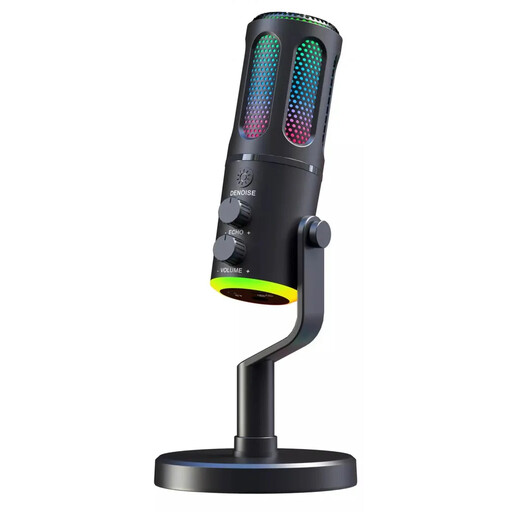 No image available
The G-Lab K-MIC-NEON
For recording on a PC or PlayStation when you want to control your voice and mute function at your desk.
Cardioid polar pattern, USB connection, headphone monitoring, volume control and mute button; described as a desk-stand model.
Joybuy
 No image available
Dynamic USB/XLR microphone kit
For a solo setup where you want to use gain, mute and headphone controls directly on the microphone.
Cardioid polar pattern, USB and XLR, gain control, headphone socket and mute function; the title mentions a desk stand.
Joybuy
 No image available
USB gaming microphone, 7-piece kit
For PC recording when you want headphone monitoring and a mute button on your desk microphone.
Condenser capsule, cardioid polar pattern, USB, headphone socket with monitoring and mute button. The title mentions a Type-C adapter and a 7-piece kit.
Joybuy
Frequently asked questions about USB microphones for gaming podcasts
Do I need an XLR microphone for a gaming podcast?
Not necessarily if you want to record straight to your computer over USB. Models such as the Shure MV7+ and RØDE PodMic USB also offer XLR for use with an audio interface or mixer; digital USB features don’t automatically work with the analogue XLR signal.
Can I use any two USB microphones for guests at the same time?
You can’t assume that will work. Check your specific software and microphone models: RØDE says Connect can be used with up to four supported RØDE USB microphones on one computer.
What should I adjust before my first recording?
Point the microphone towards your voice and listen to a test recording with your computer and keyboard running. Also check the level and monitor mix, if your model offers those features. A microphone won’t improve echoey room acoustics on its own.
What are my rights if a microphone I bought online is faulty?
For a consumer purchase from a retailer, the seller is responsible for putting the fault right, as explained by the German Consumer Advice Centre. This is separate from your right to cancel an online purchase and from a voluntary manufacturer’s guarantee.
What does the CE marking on a microphone mean?
For products covered by relevant EU regulations, the manufacturer uses the CE marking to declare that the product meets the applicable requirements; it isn’t an independent quality mark. The German Federal Network Agency lists accurate product and manufacturer details, along with any required notices, among the points it checks as part of its market surveillance.


