For a school workshop, a USB microscope with top lighting, adjustable illumination and a suitable stand is a good fit if you mainly want to show wing surfaces on screen. If you also need to see thin, translucent areas, look for a setup with transmitted light, and check that it’s compatible with your computer and software and has enough room for the specimen. BRESSER and Celestron base their magnification figures on specific screen conditions, so don’t compare products by their highest figure alone.
Which setup is right for you?
Teachers running a demonstration station
If you want to show wing structures on a computer screen to the whole group and save images for discussion, plan the connection, lighting and presentation together. Betzold describes connecting to a screen as a way to share and present observations as a group.
Those supervising group stations
When learners take turns examining specimens, a camera that’s easy to position and lighting that can be adjusted to suit the specimen are important. Depending on the model, BRESSER, reflecta and Celestron list stands or lighting options in their product specifications.
Workshops with different specimens
If you want to examine both wing surfaces and thin, translucent areas, decide on the type of lighting before choosing your device. Betzold lists top lighting and transmitted light as separate lighting options.
What should you look for when buying?
First, decide whether you want to examine the wing surface or shine light through a thin area. Then check how the device will work with the computer and workspace you plan to use.
| What you need |
What to check before buying |
Who will find this especially important? |
| Suitable lighting |
Adjustable top lighting; for translucent specimens, check specifically whether the setup offers transmitted light. |
If I want to show surface structures, I need lighting that I can adjust to suit the specimen. Around 33% of consumers prioritise suitable lighting. |
| A stable setup |
Compare the type of stand, height adjustment and working distance specified for the model in question. |
For a station used by different learners, I want to be able to position the camera consistently. Around 27% of consumers prioritise a stable setup. |
| School computer |
Check the operating system, USB connection, school software permissions and planned image display. |
If the device needs to work with the school’s existing computers, I want to check compatibility before the workshop. For around 20% of consumers, this check comes first. |
| Image recording |
Check photo and video resolution, software features and the conditions used to calculate the magnification figure. |
For saved images, I want to know whether the photo and video features suit my lessons. Around 20% of consumers prioritise recording their observations. |
Avoiding buying pitfalls
-
Using the highest magnification figure as a measure of quality
A magnification figure alone doesn’t tell you the field of view or the usable resolution. BRESSER bases the DST-1028’s magnification range on a full-screen display on a 27-inch monitor; Celestron also points out that monitor size affects magnification.
Check the field of view, sensor specifications, working distance and lighting for your specimen, rather than comparing only the highest figure.
-
Assuming top lighting and transmitted light are the same
Top lighting and transmitted light illuminate a specimen in different ways. A USB handheld microscope with top lighting won’t necessarily let you shine light up through a thin section of a wing.
Decide whether the surface or a translucent area is your main focus, then check that the device has the lighting you need. You may need a different microscope setup or additional camera accessories.
-
Assuming a USB connection means it’ll work with school software
The operating systems and software listed by BRESSER, reflecta and Celestron vary by model. A USB connection alone doesn’t confirm that a device will work with the school computer and its approved software.
Test the computer you plan to use before the workshop and check that the school approves the required software. Allow time to set everything up.
Key brands at a glance
BRESSER
BRESSER presents the DST-1028 USB digital microscope as a model for uses such as schoolwork and examining insects.
- For the DST-1028, BRESSER lists adjustable LED top lighting, a stand, a working distance that varies depending on magnification, and Windows 10/11 compatibility.
- Transmitted light isn’t listed as a feature for this USB model. Manufacturer specifications aren’t an independent test of image quality.
reflecta
The DigiMicroscope USB 200 and DigiMicroscope Flex are computer-connected handheld microscopes with different mounting options.
- According to reflecta, the USB 200 has a stand and Windows software; the Flex can be used as a handheld microscope or with a flexible suction-cup stand. The manufacturer lists PC, Mac and Android compatibility for the Flex.
- The specifications for each model don’t show how stable a stand will be in a particular school setting.
Celestron
The Handheld Digital Microscope Pro 44308 is a USB microscope with top lighting and an adjustable desktop stand.
- Celestron lists a 5-MP sensor, eight adjustable LEDs, and photo and video features for this model.
- The manufacturer’s specifications don’t confirm availability in Germany or support for every current operating system version.
Joybuy products
This selection includes a learning microscope set for biological observations. Before buying, check whether it supports the USB image display you want to use with your chosen school computer.
 No image available
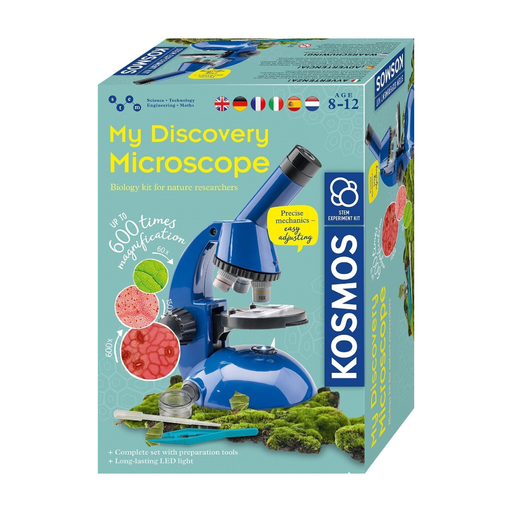
Kosmos 636050 Explorer Microscope Experiment Kit for children aged 8 and over
The set is described as suitable for biological observations in a learning environment. Check in advance that its connection and software will work with your planned screen demonstration.
The set contains parts with functionally sharp points or edges. Adults should change the batteries.
View at Joybuy
Frequently asked questions
Do I need top lighting or transmitted light to examine insect wings?
Top lighting is a good place to start if you want to examine the surface of a wing. To shine light through a thin area, you’ll need a setup with transmitted light; not every USB handheld microscope offers both. Betzold covers these lighting types in its advice on school microscopes.
Will every USB microscope work with a school computer?
No. Check the operating system and software requirements for the specific model. BRESSER lists Windows 10/11 for the DST-1028, while reflecta lists Windows systems for the DigiMicroscope USB 200. Compare these details with the school computer you plan to use and check which software the school has approved.
How should I compare magnification figures?
Compare the conditions they’re based on, not just the highest figure. BRESSER bases the DST-1028’s magnification range on a full-screen display on a 27-inch monitor; Celestron also points out that the final magnification depends on monitor size.
What should I prepare for a group station?
Set up the stand, lighting and image display on the computer you plan to use before the workshop. If activities involve material that may be biologically contaminated, teachers should follow the school’s risk assessment and relevant protective measures. The DGUV rule is expert guidance on prevention, not a blanket ban on looking at insect wings.
What should I know about statutory rights and guarantees?
For purchases made by private consumers, statutory rights against the seller are separate from a voluntary guarantee. The Verbraucherzentrale explains the difference; if the school is making the purchase, check the specific terms of the contract.


