Teachers demonstrating in the workshop
You want to show a laid-down blade to several pupils and handle the setup safely under supervision. DGUV Information 202-071 recommends securing workpieces carefully.


When examining a knife edge in a school workshop, the first priority is to make sure the blade can be laid down or secured safely and that the microscope can be focused with stable incident lighting. The working distance and mount need to suit the space; a USB connection and software are only useful if they work with the school computer in question.
You want to show a laid-down blade to several pupils and handle the setup safely under supervision. DGUV Information 202-071 recommends securing workpieces carefully.
You need a USB setup that can be moved between workstations while still producing a steady image on each table. With compact stands, it’s worth checking that they are stable at the intended workstation.
You need to check the USB connection, operating system, software installation and actual contents of the box against the school’s requirements. Operating system compatibility varies by model.
First, check whether the blade can be positioned safely in the intended space. Then compare the working distance, lighting and mount; finally, make sure the USB connection and software will work with the school computer.
| Buying priority | What to check | Who is it particularly relevant to? |
|---|---|---|
| A steady setup with room for the blade | Check the stand design, footprint, safe positioning and working distance at the intended magnification. | If I want to show or record the same edge repeatedly, I need the blade and camera to stay in position. Stability is the main priority for around 30% of consumers. |
| Seeing the edge despite reflections | Check the incident lighting and brightness controls; if reflections are a problem, also find out whether a polariser is needed. Compare photo and video resolution separately. | When looking at a reflective metal surface, I want to be able to adjust the lighting so reflections don’t make it harder to see. Around 30% of consumers focus mainly on image quality and reflection control. |
| Compatibility with the school computer | Check the USB connection or any adapter required, supported operating system, software and the school’s installation permissions. | If images are to be captured on a managed school device, the connection and any required software must work on it. IT compatibility is the main priority for around 20% of consumers. |
| Everything included in the box | Check whether a suitable stand, required software and any necessary adapters are included. | With a fixed procurement budget, I want to know in advance whether anything else is needed for a working setup. Around 20% of consumers say having everything included is their main priority. |
With the BRESSER DST-1028, the stated working distance changes with magnification: BRESSER gives 110 mm at 10× and 10 mm at 280×. A high magnification figure alone therefore doesn’t tell you whether the blade can be positioned and focused in your planned setup.
Check that the edge can be positioned safely and find out the working distance at the magnification you intend to use.
reflecta gives the DigiMicroscope USB 200 a 2 MP photo resolution and a 0.3 MP video resolution. For the DigiMicro 2.0 Scale, native and interpolated resolution should be considered separately; the figures don’t automatically describe the same type of capture.
Compare the resolution you need for your planned recording, and distinguish native sensor resolution from interpolated figures.
reflecta lists a stand as included with the DigiMicroscope USB 200. According to the manufacturer, no stand is listed with the Dino-Lite AM4113ZT.
Check what’s included and whether there’s enough space at the intended workstation before choosing a handheld device.
You may need to source a suitable mount separately for the AM4113ZT. Check in advance that it can be set up safely at the workstation.
The DST-1028 5MP USB digital microscope is an option for a desktop setup with incident lighting, connected to a PC.
The DigiMicroscope USB 200 combines a compact handheld device with an included mini stand, making it a possible option for lessons in different locations.
The DigiMicro 2.0 Scale is described as suitable for USB-connected surface inspection and documentation on a PC.
The AM4113ZT is worth considering if you need an adjustable polariser when examining metal surfaces.
A selection of Joybuy products related to microscopes for classroom use.
 No image available
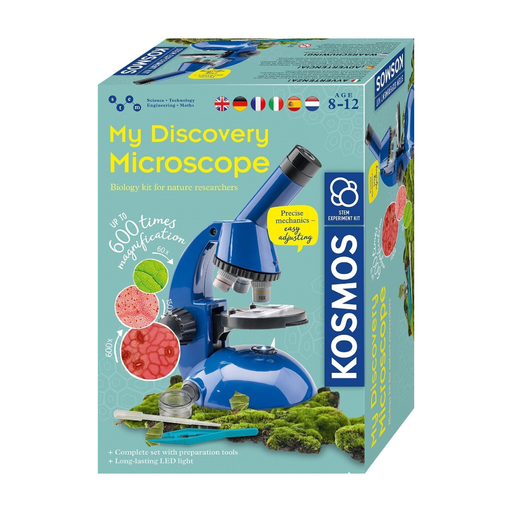
Described as a learning microscope for children aged 8 and over. Before using it to examine a knife edge, check that USB image transfer and incident lighting are suitable for the school computer and the opaque surface.
According to the product description, the kit requires two AA batteries, which aren’t included. Batteries must only be changed by adults; the product also carries warnings about small parts and functional sharp components.
Follow the teacher’s instructions to lay down or secure the edge safely, rather than holding it uncovered in front of the lens.
Lay down or secure the workpiece as instructed by the teacher, rather than holding an exposed edge in front of the lens to capture an image. DGUV Information 202-071 recommends securing workpieces carefully; the Safe School guidance covers instruction and supervision in technology rooms. This doesn’t mean that all knife work is automatically permitted for every year group.
It depends on the model and the school computer. For the DST-1028, BRESSER specifies Windows 10 and 11 and software available to download; for the USB 200, reflecta specifies Windows system requirements and a software download. Check the connection and installation permissions with the school’s IT team before buying.
For a consumer purchase from a business seller, European Union consumer information states that you have at least a two-year statutory guarantee against faulty goods from the date of receipt; an additional manufacturer’s warranty doesn’t replace it. If the school itself makes the purchase, check the specific contract rather than assuming this consumer rule applies.
CE marking is only required for products covered by relevant harmonised EU rules that require it; it isn’t an independent quality assessment. The German Environment Agency points out that end-of-life electrical equipment in Germany must be collected separately from household waste.