
Lieferung heute & morgen

Qualitätsgarantie

Willkommens-Angebote freischalten: KOSTENLOSE Lieferung | Bis zu 80 % RABATT | Kostenlose 30-Tage-JoyPlus-Testphase
App herunterladen
A USB mouse might seem like a straightforward accessory at first glance. In practice, however, the connection type, sensor, shape and button noise all determine whether a computer mouse works comfortably for you at the office, during your studies or when gaming. If you only focus on the price or flashy extra features, you often overlook important details.
A high DPI number describes how far the cursor moves for a given movement of the mouse. On its own, though, it doesn't tell you how consistently the sensor tracks. For office tasks, selecting text and browsing the web, 800 to 1600 DPI is usually sufficient. A mouse with DPI adjustment is useful if you switch between different applications or screen resolutions.
With a gaming mouse, additional DPI levels can come in handy. For occasional gaming, however, other factors are also important, such as button layout, polling rate and the shape of the mouse.
With a quiet mouse, manufacturers' claims usually refer to the left and right main buttons. The scroll wheel or middle button can still produce audible clicking sounds. If you use the mouse in a shared office, a library or late in the evening, you should therefore check carefully which controls the claim applies to.
An ergonomic mouse must suit your hand size, grip style and preferred hand. A symmetrical or ambidextrous mouse can be suitable for both left- and right-handed users, but it doesn't automatically offer specific relief. The cable also shouldn't be too short or get tangled on your desk. With a wired mouse, cable length, flexibility and the USB connector are therefore practical buying criteria.
A wired mouse is operated directly via the computer's USB port. It usually doesn't need a battery and works as a plug-and-play mouse for desktop PCs, laptops, Chromebooks or Macs. However, the cable can restrict your freedom of movement on small or cluttered desks.
A Bluetooth mouse connects without a cable, but requires a compatible Bluetooth module and a charged battery or batteries. If you use several devices, a mouse with Bluetooth, 2.4 GHz and USB-C connectivity can be more flexible. Before buying, you should check the supported operating systems. Not every model is compatible with every combination of macOS, Windows, iPadOS, Android or Chrome OS.
An optical mouse works with an optical sensor that tracks movement on the surface. An optical mouse usually works reliably on a clean, matt and level surface. Highly reflective or transparent surfaces can impair tracking.
For everyday tasks, 800 to 1600 DPI is often sufficient. A fixed resolution makes operation easier and keeps setup simple. A mouse with multiple DPI levels offers more customisation options, but requires an easily accessible DPI button or software configuration.
Three buttons – left button, right button and scroll wheel – are usually enough for office work, school, university and web browsing. Additional forward, back or DPI buttons can be useful for lengthy documents and gaming.
Also pay attention to:
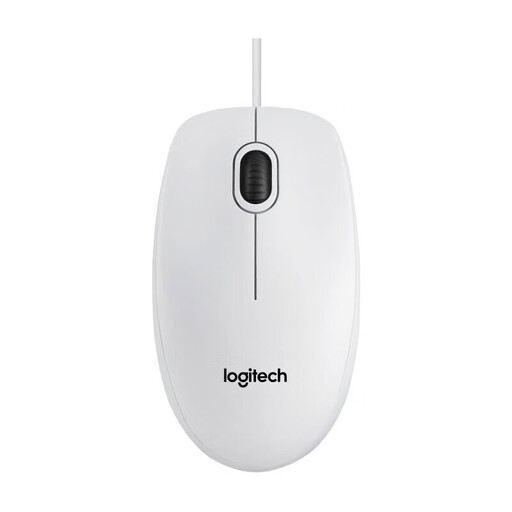
Why this product fits the profile: This PC mouse is aimed at users who want a simple USB connection and basic functions for the office, school or laptop.
The fixed 800 DPI resolution and three buttons keep the features straightforward. Plug-and-play reduces setup effort.
Optical sensor, symmetrical housing, USB cable and compatibility with Windows, macOS, Linux and Chrome OS.
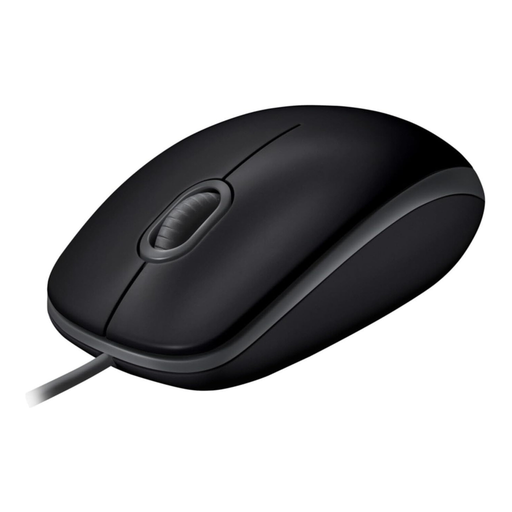
Why this product fits the profile: This mouse is designed for quiet workspaces and combines a symmetrical shape with optical tracking and a direct USB connection.
The product specification states a reduction in click noise of over 90 per cent for the supported buttons. The scroll wheel remains a separate noise criterion to consider.
Plug-and-play operation, optical tracking and support for Windows, macOS and Linux.
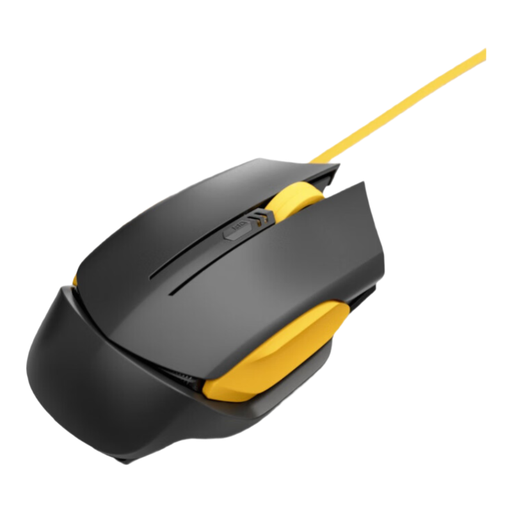
Why this product fits the profile: For long work or gaming sessions, this model offers an ergonomically designed shape, four DPI levels and a stated polling rate of 1000 Hz.
The four specific DPI levels are more transparent than a single maximum DPI figure. According to the product description, the cable is designed to minimise tangling.
Optical sensor, four DPI levels, 1000 Hz polling rate and sweat-resistant material according to product specifications.
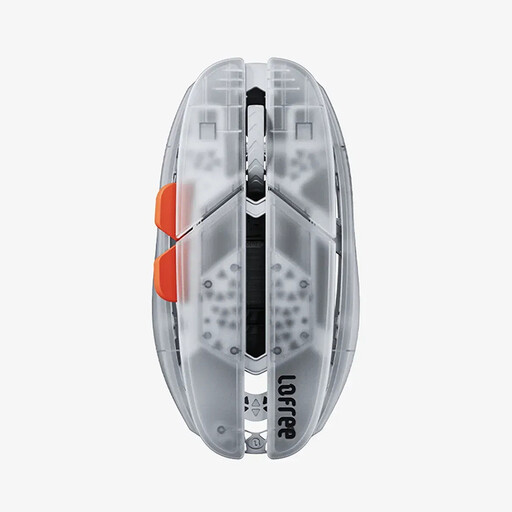
Why this product fits the profile: This tri-mode mouse can connect via Bluetooth, 2.4 GHz or USB-C, making it suitable for laptops, desktop PCs and compatible mobile devices.
The connection types and supported operating systems can be checked before purchase. For specific Mac configurations, the stated limitation regarding Boot Camp dual-system should be noted.
47 grams weight according to product specification, PAW3950 sensor, DPI configuration from 100 to 40,000 via software and up to 100 hours of Bluetooth operation.
We've put together a complete, regularly updated list of products that fully meet these strict selection criteria and the safety regulations in force in the EU.
That depends on the available port and the operating system. A standard USB mouse requires a suitable USB port or an appropriate adapter. Before buying, you should check the product's specifications for Windows, macOS, Linux or Chrome OS. With USB-C laptops, a USB-C adapter may be necessary.
The lifespan depends on switch quality, cable strain, frequency of use and cleaning. Don't pull the mouse out of the port by the cable, protect it from liquids and don't store it under tension. Manufacturer information on click ratings or warranty periods provides a concrete reference point, but is not a guarantee of actual service life.
A wired mouse draws its power through the USB port. Compared to a wireless mouse, there's no need for regular battery changes or recharging a battery. Power consumption is low during normal use; with mobile devices, however, it can still contribute to battery life.