
Lieferung heute & morgen

Qualitätsgarantie

Willkommens-Angebote freischalten: KOSTENLOSE Lieferung | Bis zu 80 % RABATT | Kostenlose 30-Tage-JoyPlus-Testphase
App herunterladen
A missing or faulty network port on your laptop or PC can severely disrupt your home office productivity or interrupt your evening stream. A USB network adapter is often the quickest and most straightforward solution. However, the market is confusing and full of technical promises that don't always deliver. Before you make a decision, it's crucial to understand the most common pitfalls to avoid paying for unused performance or incompatible technology.
As your Joybuy Product Recommendation Officer, I'll help you define objective criteria for your selection and find a suitable solution for your specific use case.
Many buyers are drawn to the big numbers on the packaging, but an adapter's true performance depends on other factors. Here are three typical issues that can lead to a bad buy:
To find the right adapter, you should focus on the technical features that are relevant to your use case.
Your first decision is choosing between a wired and a wireless connection.
Speed is a key factor, but it must be evaluated in the context of your needs.
The physical port and software compatibility are crucial for smooth operation.
Here are some recommendations tailored to specific user needs that take the aforementioned pitfalls into account.
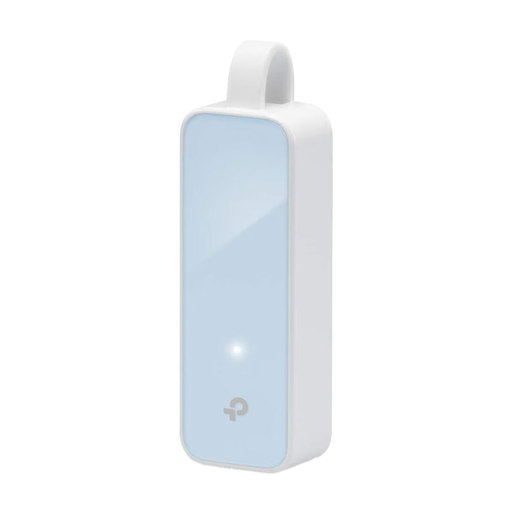
Why this model is a good fit: Ideal for users who need a simple and reliable wired internet connection for everyday tasks like browsing, email, or video calls. Its compact design makes it a practical companion for laptops without a LAN port.
The adapter doesn't promise exaggerated speeds. The 100 Mbps is an honest rating for standard applications. Thanks to broad plug-and-play support for Windows, macOS, and Linux, there's no need for complicated driver searches.
Very high compatibility and easy setup without additional software. The foldable design protects the USB plug during transport.
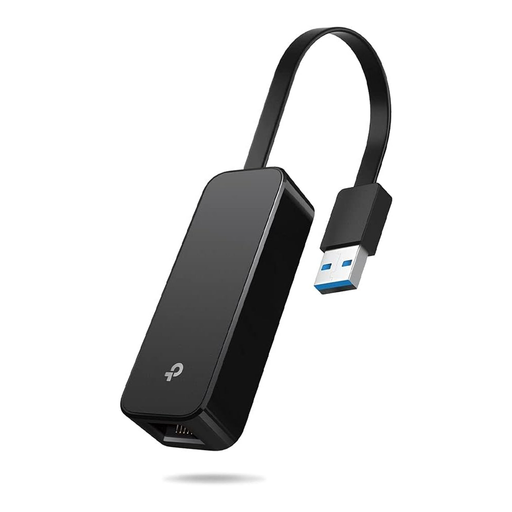
Why this model is a good fit: Perfect for users with high-speed internet connections who need a stable Gigabit connection for 4K streaming, online gaming, or large downloads. Its explicit plug-and-play compatibility with the Nintendo Switch also makes it interesting for console gamers.
This adapter delivers true Gigabit Ethernet performance, which makes a noticeable difference for demanding applications. It avoids the driver trap with driver-free installation on modern systems (Windows 10/11, Linux, Switch).
Offers maximum wired speed for modern devices. The foldable, portable design is ideal for mobile use with an ultrabook.
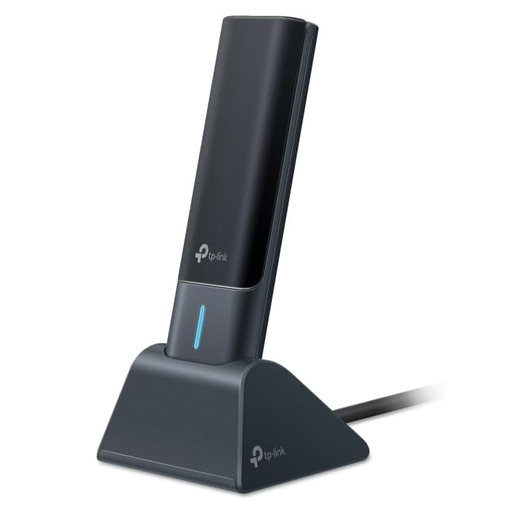
Why this model is a good fit: For tech enthusiasts and gamers who want to get maximum Wi-Fi performance from their Wi-Fi 6E router. Access to the exclusive 6 GHz band drastically reduces interference and latency, which is a decisive advantage in densely populated residential areas.
The high speed here is justified by Wi-Fi 6E technology, which offers real-world advantages. The external antennas and USB docking station counteract the overheating and weak-reception pitfalls common with compact, high-performance dongles.
Supports the low-interference 6 GHz frequency band for an extremely stable and fast connection. WPA3 encryption also provides an enhanced security standard.
We have compiled a complete, up-to-date list of products that fully meet these strict selection criteria and German safety regulations.
On most modern operating systems like Windows 10/11 and recent macOS versions, many common adapters are "plug and play". This means you plug the adapter in, and it works immediately. However, for very new technologies (e.g., Wi-Fi 6E) or when using older operating systems, it may be necessary to download and install the appropriate driver from the manufacturer's website.
As a rule, a wired connection via a USB LAN adapter offers a more stable data rate and lower latency (ping) than a connection via a Wi-Fi stick. This is particularly advantageous for online gaming, video conferencing, or downloading very large files. However, the absolute speed depends on the adapter's standard (e.g., Gigabit Ethernet) and the speed of your internet connection.
Yes, this is one of the most common use cases. A modern PC Wi-Fi adapter that supports Wi-Fi 6, for example, can significantly improve connection speed and stability compared to an older, built-in Wi-Fi card. It is a cost-effective and efficient method for upgrading your Wi-Fi without having to open up the device.