Collectors of large film projects
You want to store finished home videos, raw footage and several versions of a project together. What matters is the total size of the complete folder, not just the length of the finished film.


Choose a capacity that can hold the entire project folder, including your raw footage and any extra versions. If you regularly copy large folders, the write speed of the specific capacity variant matters more than a high read speed. Also check the ports and file system on the device you’ll use, and don’t keep important recordings on just one stick.
You want to store finished home videos, raw footage and several versions of a project together. What matters is the total size of the complete folder, not just the length of the finished film.
You regularly update large folders and want to keep the time it takes to transfer them to a minimum. Look at write tests and figures for the specific capacity variant, not just read speeds.
You might switch between computers with USB-A and USB-C, or want to play films on another device. The connection and file system need to be compatible with all the devices involved.
First, compare your total storage needs. Then consider write speed based on how often you copy files, and finally check that the ports and file system are suitable for the devices you plan to use.
| Consideration | What to check before buying | Who is it important for? |
|---|---|---|
| Project folders and large individual files | Check the total folder size and the size of your largest individual file. Check the capacity of the specific variant and the file system supported by the destination device. Microsoft Learn gives 4 GiB as the maximum individual file size for FAT32; exFAT has no such limit. | If you need to store raw footage and several project versions together, you need enough space for the whole folder. Around 33% of consumers put storage for complete film projects first. |
| Write speed when updating files | Compare write speeds and independent write tests for the exact model and capacity you want. | If you repeatedly copy large folders to your stick, you’ll want to assess its write speed, not just its read speed. Around 27% of consumers prioritise frequent large file transfers. |
| Connection and playback | Check the ports and supported file systems on all the devices you plan to use. Try opening a sample film file on the device you’ll actually use. | If your devices have different USB ports, you’ll want to move files between them without needing an incompatible connection and be able to read them on the destination device. Around 20% of consumers prioritise use across multiple devices. |
| Keeping recordings safe | Plan to keep a separate copy and test files by reading them back. For confidential recordings, also check how to unlock the stick and store its code safely. | If your home videos are irreplaceable or confidential, you’ll want to avoid losing them if your stick goes missing and, where necessary, protect them from unauthorised access. Around 20% of consumers prioritise backup or privacy. |
When you copy large project folders, you’re writing data to the stick; read speed doesn’t describe this process. COMPUTER BILD found significant differences in write speed across the USB sticks it tested.
Compare the write speed of the exact model and capacity you want. If you transfer files often, don’t rely solely on advertised read speeds.
A single film file can exceed a file system’s limit, even when there’s space available. Microsoft Learn gives 4 GiB as the maximum individual file size for FAT32.
Before formatting your stick, check the size of your largest file and which file systems your devices support. Back up any data you want to keep first.
The Federal Office for Information Security points out that the lifespan of storage media cannot be predicted precisely and that you should check whether your data can be restored.
Keep a separate copy and occasionally check that you can open your films and project files.
Keeping an extra backup and occasionally testing your files takes time, but helps you check that your recordings can be restored.
USB sticks in similar product ranges can differ in capacity, ports and write speed. Test results for one model won’t necessarily apply to another.
Check the full model name, capacity and ports before applying test results or manufacturer specifications to a product.
The Extreme Pro USB 3.1 Gen1 and Ultra Dual Drive Luxe are different product ranges. The latter focuses on USB-A and USB-C connectivity.
The Keypad Secure USB-A 128 GB is worth considering if you want a keypad lock to protect private recordings.
The High Speed Line is listed as a USB-A model in 64, 128 and 256 GB capacities; write speed specifications vary by capacity.
The JetFlash 890 has USB-A and USB-C connections, making it worth considering if you switch between devices with these ports.
The DataTraveler microDuo 3C and DataTraveler Kyson are different product ranges, designed for different connection and storage requirements.
The following Intenso and SanDisk models differ in areas including capacity, write speed and pack contents. Compare these specifications with the size of your complete project folder and how often you plan to use the stick.
 No image available
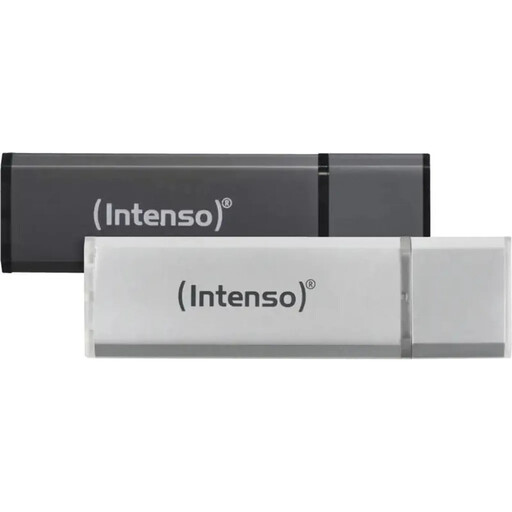
If you want to split your files across two separate sticks, the description says this set contains two storage devices, each with 32 GB.
USB 2.0; USB-A. Stated write speed: up to 6.5 MB/s. The description says it supports Windows and macOS.
 No image available
If your folder fits within 128 GB and you want to use the stick with a USB-A device, you can compare this model based on its specific write speed.
USB 2.0; USB-A. Read speeds of up to 28 MB/s and write speeds of up to 6.5 MB/s.
 No image available
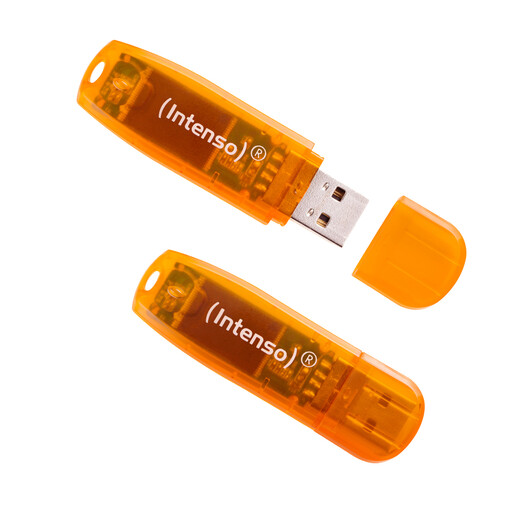
If you want to split your files across two storage devices, the product description lists two sticks with 64 GB each.
USB 2.0; USB-A. Stated write speed: up to 6.5 MB/s.
 No image available
If your project folder fits within the stated 64 GB, you can assess this model based on its capacity and stated USB 2.0 standard.
Capacity: 64 GB. USB 2.0.
 No image available
If your chosen files fit within 8 GB, you can compare this model based on its stated capacity and data transfer rate.
Capacity: 8 GB. Stated maximum data transfer rate: up to 100 MB/s; this does not specify a write speed.
Check the file system: Microsoft Learn gives 4 GiB as the maximum individual file size for FAT32; exFAT has no such limit. Before reformatting, back up any existing files and check that all the devices you plan to use support the new file system.
First, check the existing file system and whether both devices support it. Kingston Technology explains how to format a stick on Windows 11 and macOS 13 or later, and notes that formatting deletes stored data. Back up your files before reformatting.
Keep another copy and check that you can open the files again. The Federal Office for Information Security lists USB sticks as a possible personal backup medium, but also points out that their lifespan cannot be predicted precisely and that you should check whether your files can be restored.
Check the terms for the specific model. Kingston offers a five-year warranty and free technical support for the DataTraveler microDuo 3C. If your stick has a keypad, make sure you store the code safely too: for item 49429, Verbatim notes that a security update is required and the stick must be reformatted after 20 incorrect code entries.