What to consider when buying
Germany’s Federal Office for Information Security recommends keeping a separate, verifiable backup; for USB drives, the Federal Commissioner for Data Protection and Freedom of Information generally recommends encrypted storage. So don’t base your decision on size or connector alone.
| Buying priority |
What to check before buying |
Who it matters most to |
| Storage and backups |
Add up the sizes of all the recordings and versions you need to store at once; make a separate copy and try opening it. |
If I want to keep all my recordings and versions and restore them after a failure, I’ll plan for enough space and a second copy. Around 28% of consumers prioritise archiving and backups. |
| Confidentiality |
Check the unlocking process, target devices and secure management of your PIN or key. |
If my interview files contain confidential information, I want to restrict access if they’re lost while still being able to open them on the devices I intend to use. Around 28% of consumers prioritise protecting confidential recordings. |
| Low-profile design |
Check the USB port, the space around it and how far the stick actually protrudes; consider whether you want to leave it plugged in. |
If there’s very little space next to my device on the desk, I want a plugged-in stick to protrude as little as possible. Around 22% of consumers prioritise a space-saving design. |
| Switching between devices |
Check the connectors and support for external storage; check the file system and try opening a test file on the target device. |
If I transfer interviews between devices with different connectors, I want to be able to use the drive on every target device. Around 22% of consumers prioritise switching between devices. |
Suitable products at Joybuy
This selection includes USB sticks for PIN-protected storage, switching between devices with USB-A and USB-C, and keeping files in separate locations.
 No image available
Kingston IronKey Keypad 200, 32 GB
For interview files that need extra protection; a PIN is required to access them.
32 GB; hardware-encrypted storage with PIN access.
View at Joybuy
 No image available
Kexin 2-in-1 USB sticks, 32 GB, pack of 2
For workflows that involve transferring recordings between USB-A and USB-C devices; check that each target device supports them.
USB 2.0; USB-A and USB-C; 32 GB according to the product name; pack of 2.
View at Joybuy
 No image available
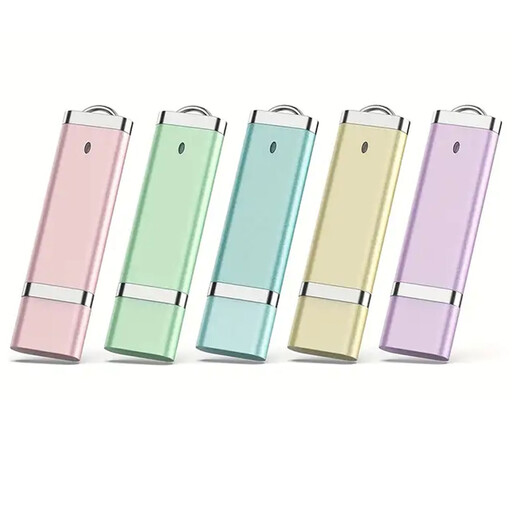
USB sticks, 16 GB, pack of 5
For keeping files separate or sharing different interview files when you need several storage devices.
USB 2.0; five sticks; 16 GB according to the product name.
View at Joybuy
 No image available
Kexin 2-in-1 USB sticks, 32 GB, pack of 5
For keeping several sets of files separate and switching between devices, provided their connectors and support are compatible.
USB 2.0; 2-in-1 Type-C version; five sticks; 32 GB according to the product name.
View at Joybuy
No image available
Kexin 2-in-1 USB sticks, 128 GB, pack of 5
For recordings where software encryption is part of your workflow; check in advance that you can unlock the files on the devices you intend to use.
USB-A and USB-C version; USB 3.1 Gen 1; five sticks; 128 GB according to the product name.
View at Joybuy
Frequently asked questions
How do I work out the right capacity for my interviews?
Add up the sizes of all the recordings and versions you want to keep on the stick at once, then check the available capacity. If you have large individual files, consider the file system too: Kingston gives the FAT32 file-size limit as just under 4 GB per file.
Can I plug a USB-A/USB-C stick straight into my recording device or smartphone?
Only if the specific device supports external USB storage and the connector, file system and, where applicable, unlocking process are compatible. Transcend lists USB OTG support as a requirement for mobile devices using the JetFlash 930C; test your own workflow with a file on the target device.
How do I back up interview files after copying them?
Keep a separate copy and check that you can restore and open files from it. Back up any existing data before changing the file system, as formatting will erase it.
Do I have to buy a hardware-encrypted USB stick for data protection?
The authorities’ guidance doesn’t require every buyer to choose a particular USB stick model. Those responsible for personal data must take appropriate security measures based on the risks; Germany’s Federal Commissioner for Data Protection and Freedom of Information generally recommends encrypted storage on USB sticks. Germany’s Federal Office for Information Security describes both software and hardware encryption.
Can I record or share a private conversation without authorisation?
Section 201 of the German Criminal Code makes it a criminal offence to record another person’s private spoken words without authorisation, or to use or make such a recording available to others. Using a USB stick doesn’t change that. Whether recording and further processing are permitted in a particular case depends on the relevant authorisation and, where applicable, the legal basis under data protection law; consent is not automatically the only possible legal basis.


