Writers with growing project folders
If you’re backing up research, images and earlier drafts as well as your manuscript, what matters is the size of the entire folder. The BSI recommends setting aside enough storage space for your backup.


For a manuscript and large project folders, a USB stick should have enough space for the entire folder and the backups you plan to keep. If you copy files frequently, the write speed of the specific model and your computer’s port matter more than read speed alone. The German Federal Office for Information Security (BSI) recommends checking that you can restore your files and disconnecting the storage device when you’re not backing up. Your USB stick should therefore never be your only copy.
If you’re backing up research, images and earlier drafts as well as your manuscript, what matters is the size of the entire folder. The BSI recommends setting aside enough storage space for your backup.
If you regularly copy large folders, it’s worth checking the write speed of the exact capacity model and your computer’s port. Kingston notes that the host port can limit the performance of the DataTraveler Max.
If you switch between devices with USB-A and USB-C, or carry confidential drafts with you, consider the connection and the level of protection you need. The BSI describes encryption as a way to protect portable storage devices if they’re lost or stolen.
First, work out how much space you need, including the backups you want to keep. Then compare write speeds, device connections and protection for confidential files.
| What matters | What to check before buying | Who will find this particularly important? |
|---|---|---|
| Space for folders and versions | Total size of all project files, plus room for the backups you plan to keep; remember to allow for usable storage capacity. | If I want to store research, images and earlier drafts on the stick as well as the text, I check the size of the whole folder. Around 33 % of consumers put having enough space at the top of their list. |
| Write speed | Compare the write speed of the specific capacity model and your computer’s port; don’t assume peak speeds are guaranteed transfer rates. | If I regularly copy large folders, I want to know how long it might take, so I check the write speed rather than looking only at the read speed. Around 27 % of consumers prioritise backup speed. |
| Connection and file system | Choose USB-A or USB-C to suit your devices; for individual files larger than 4 GB, check the file system and its compatibility. | If I switch between devices with different connections, I want to be able to use the stick without needing an incompatible port. Around 20 % of consumers put switching between devices first. |
| Confidential files | If you’ll be carrying drafts with you, consider encryption and make sure you can reliably access your files again. | For confidential manuscripts that I take with me, it’s important that my saved files are protected if the stick is lost, while still allowing me to access them again. Around 20 % of consumers prioritise protecting confidential content. |
Research materials, images and earlier drafts all add to the size of your backup folder. The BSI recommends allowing enough storage space for all the files you select.
Before buying, check the size of the complete folder and allow room for the backups you want to keep.
If there isn’t enough space, you may have to delete older backups or use another storage device.
When copying files to a stick, write speed is what matters. F.A.Z. Kaufkompass also points out that different capacity models in the same product range can have different speeds. Kingston notes that the host port can limit the performance of the DataTraveler Max.
Compare the write speed of the exact model with the port on your computer. Don’t treat advertised peak speeds as guaranteed sustained performance.
An unsuitable host port can limit performance, meaning longer waits when you copy files frequently.
Hardware faults or malware can also put connected backups at risk. The BSI recommends disconnecting the storage device when you’re not backing up.
Use the stick as an extra copy, disconnect it after backing up, and check that you can restore files from it.
You may need another drive or backup location to keep an additional copy disconnected.
With FAT32, an individual file larger than 4 GB may exceed the file system limit. Kingston lists NTFS or exFAT as alternatives and notes that NTFS may be read-only on macOS.
Check the file system, the size of your largest individual file and write compatibility across all the devices you’ll use. Back up any existing data before formatting, as formatting will erase it.
After formatting, you’ll need to copy your files over again, which takes time.
The DataTraveler range includes models with different connections and performance levels. Check the full model name before comparing specifications across models.
The JetFlash 930C is a USB-A and USB-C product range, with 128, 256 and 512 GB models.
The Dual QuickStick has both USB-A and USB-C connections, making it an option for switching between devices.
With the Extreme PRO USB 3.2 Solid State Flash Drive, the exact model matters: the 256 GB version described is listed as USB 3.2 Gen 1.
The models below include USB-A sticks for folders of suitable sizes, as well as dual-connector sticks for devices with USB-A and USB-C. Choose the capacity and connection to suit your backup needs.
 No image available
For a USB-A backup, provided the total measured size, including the space you want to keep in reserve, fits within the capacity.
 No image available
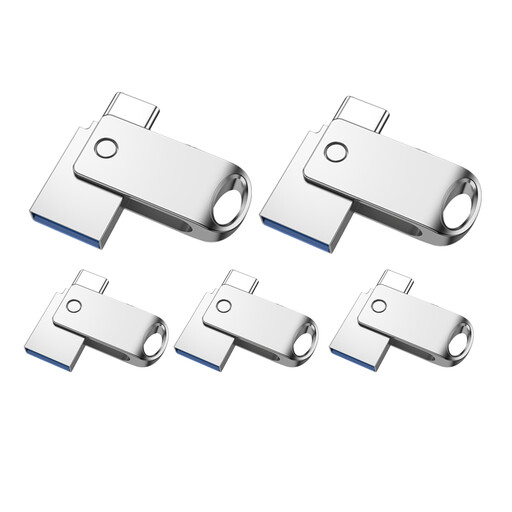
For switching between devices with USB-A and USB-C, if the stated capacity is enough for your complete folder.
 No image available
For switching between devices with USB-A and USB-C; check whether the stated capacity is enough for your entire backup folder.
 No image available
For a USB-A backup, if 32 GB is enough for the complete folder and the extra space you want to keep.
 No image available
For a USB-A backup, provided the measured folder size and the extra space you want fit within 64 GB.
A stick won’t protect you against losing or damaging the device if it’s your only copy. The BSI recommends making regular backups and checking that you can restore your files. It’s not possible to predict exactly how long a storage device will last.
Check that you can open or restore files from the backup, then disconnect the stick from your computer. The BSI recommends keeping the backup device disconnected when you’re not backing up.
If the individual file is larger than 4 GB and the stick is formatted as FAT32, the file system limit may be the cause. Kingston lists NTFS or exFAT as alternatives; check compatibility with all your devices. Formatting will erase any existing data.
For a consumer purchase in the EU, the seller is generally responsible for a legal two-year guarantee against faults, starting from the date you receive the goods. An additional manufacturer’s warranty doesn’t replace these rights. The EU’s Your Europe website also distinguishes between the legal guarantee and a voluntary commercial guarantee.
The GDPR doesn’t apply to an individual processing data solely for purely personal or household purposes. For professional or commercial projects involving personal data, the applicable data protection requirements must be assessed separately. Regardless, the BSI recommends encryption to protect portable storage devices if they’re lost or stolen.