What matters when buying?
First, decide how you’ll save different versions and restore them if needed. Then you can compare storage capacity, connectors and copying time to find what suits your project.
| What you need |
What to check before buying |
Who is this important for? |
| Restore earlier versions |
Set up a system for keeping separate versions and try restoring an older file. |
If I need to return to an older, readable version after making changes, having a tested way to restore it matters to me. Around 33% of consumers prioritise being able to find older versions. |
| Space for the project folder |
Check the folder size and decide how many versions you want to keep. |
I want to back up research, images and several project versions, not just the latest text file. Around 27% of consumers prioritise space for the entire project folder. |
| Connect to both devices |
Check for USB-A or USB-C on your work and recovery devices; open a test file on the device you’ll use to restore it. |
If I switch between my work and recovery devices, the stick needs to fit both. Around 20% of consumers are particularly mindful of switching between devices. |
| Protect confidential files |
If needed, check the encryption and unlocking methods for the specific model. |
I only take confidential files with me if I can manage the access code reliably. Around 13% of consumers prioritise protecting content they carry with them. |
| Estimate copying time |
Compare the stated write speeds and test results for the exact capacity you want. |
If I regularly back up larger folders, write speed matters more to me than an impressive read speed. Around 7% of consumers prioritise the time it takes to copy files. |
Joybuy products for manuscript files
This selection includes USB sticks for keeping separate manuscript versions, as well as models for USB-A and USB-C devices. For sets, check that the stated capacity and connectors suit your needs.
 No image available
Kingston DataTraveler Exodia M, 128 GB
For keeping manuscript versions organised separately; you’ll need a suitable system to manage versions and restore them.
Capacity: 128 GB.
Connector: USB-A; USB 3.2 Gen 1.
View at Joybuy
 No image available
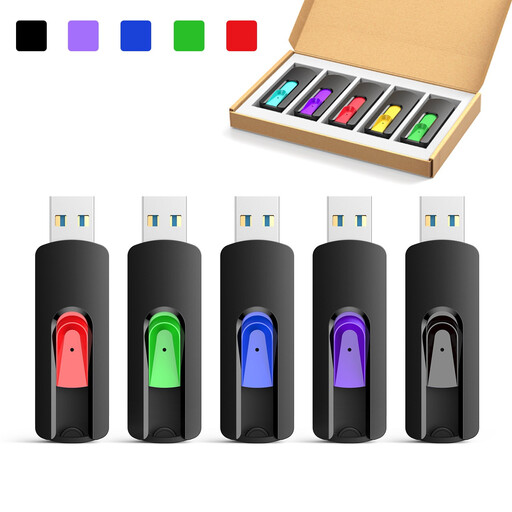
Kexin 5-pack of retractable USB 2.0 flash drives
A set with several storage devices could be useful for keeping separate copies; you’ll still need a separate versioning system for older files.
Capacities listed in the product title: 8 GB, 16 GB, 32 GB and 64 GB.
Interface: USB 2.0.
View at Joybuy
 No image available
Kexin 2-in-1 set, 2 × 32 GB
The two sticks can be used to keep separate copies; also test that you can restore an older version.
Capacity: two sticks, each with 32 GB.
Interface: USB 2.0; USB-A and USB-C.
View at Joybuy
 No image available
Kexin 5-pack of 2-in-1 USB flash drives, 128 GB
This set could be useful for keeping copies on several storage devices. Decide how you’ll organise and restore earlier versions.
Capacity listed in the product title: 128 GB.
Interface: USB 2.0; USB-A and USB-C.
View at Joybuy
 No image available
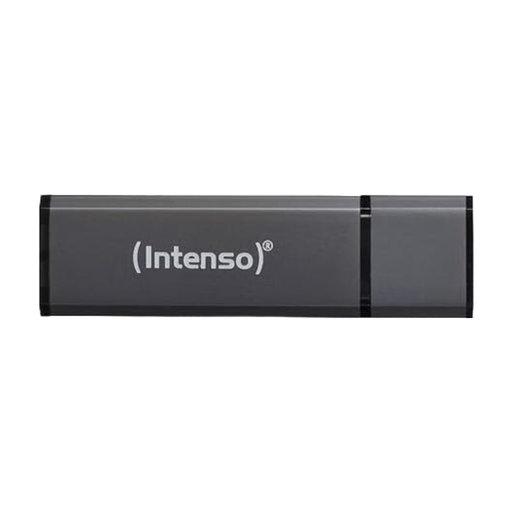
Intenso Alu Line, 128 GB
For a project folder with separate versions. If you copy files often or in large quantities, the stated write speed is worth considering.
Capacity: 128 GB.
Interface: USB 2.0, USB-A.
Write speed stated in the product description: up to 6.5 MB/s. Larger or frequent transfers may take more time.
View at Joybuy
Frequently asked questions
Does a USB stick automatically create older manuscript versions when you copy files?
No. Whether earlier versions are available depends on the system you have set up. Microsoft explains how File History can save and restore previous versions. Check that it includes your manuscript folder and test restoring a file.
How should I store a backup after copying it?
Disconnect the backup medium from your computer when it is not being used for a backup, and check that you can restore your files. The German Federal Office for Information Security recommends disconnecting the storage medium from the device when it is not being used for backups.
What happens if I enter the wrong code too many times on a Verbatim Keypad Secure USB-A #49429?
According to Verbatim, the stick must be reformatted after 20 incorrect code entries. Keep the code somewhere secure and maintain a separate backup that you can access independently.
Is a small USB stick suitable for a full Time Machine backup?
Not simply because it has a USB connector. Apple recommends that the backup volume has at least twice the storage capacity of the Mac and is used exclusively for Time Machine. Copying selected manuscript files is a different task from backing up an entire Mac.
Is encryption required for every personal manuscript in Germany?
You can’t conclude from this that encryption is generally required for every personal manuscript. The European Commission explains that the GDPR does not cover processing carried out solely for personal or household activities with no professional or commercial connection. For personal data processed professionally, data protection obligations depend on the specific context.


