Choose a USB stick based on the ports available and the rules for using the shared computer, then size its storage to suit your recordings and project files. If you regularly transfer large files, the write speed of the specific version matters; for confidential recordings, consider access protection. You should also keep a separate, readable backup of any files you can’t replace.
Who this choice matters to
Transferring recordings between devices
If you use the shared computer as well as other devices, the connectors need to match the ports available. The USB Implementers Forum explains that a connection operates at the speed of the slowest compatible component. Also check that the devices involved can read the file system. Microsoft’s file system comparison can help you account for limits on individual large files.
Keeping recordings you can’t replace
If you may need to recover your own recordings or project files later, choose a storage capacity that suits your files and keep a separate backup. The Federal Office for Information Security recommends checking regularly that a backup is complete and readable.
Taking confidential recordings with you
If you transfer recordings between workstations and don’t want everyone to access them, check the encryption and unlocking method of the specific model. The Federal Commissioner for Data Protection and Freedom of Information recommends encrypting USB storage media. You should also follow the rules for using the shared computer.
What to look for when buying
First check the connection, file access and permissions for using the computer. Then weigh up storage capacity, transfer times and security features.
| Buying priority |
What to check |
Who it matters to |
| Connection and access |
Check the ports, whether USB use is allowed and which file systems the devices you use support. |
If I want to open recordings on the shared computer and other devices, the connection and file access need to be compatible. Around 33% of consumers prioritise connection and access. |
| Storage and backup |
Consider the size of your recording and project folders, along with how much they’re likely to grow. Check that a separate copy is readable. |
If I need to be able to recover my own sessions later, a single stick isn’t enough as my only copy. Around 27% of consumers prioritise storage space and backup. |
| Write speed |
Compare write speeds or independent test results for the exact capacity you want, and take the computer’s port into account. |
If I regularly copy large recording files, I want to know how long writing them might take. Around 20% of consumers prioritise short transfer times. |
| Confidentiality |
Check the encryption, unlocking method and compatibility with the shared computer for the specific model. |
If I take confidential recordings with me, I want to restrict access to a locked stick without confusing security with everyday usability on the computer. Around 20% of consumers prioritise confidentiality. |
The USB interface alone doesn’t tell you how quickly files can be written. The file system also matters for a single file larger than 4 GiB: Microsoft sets a limit of 4 GiB per file for FAT32. Before formatting a stick, check that all the devices involved support the file system you want to use.
Common misconceptions
-
Relying on one stick as your only backup
It’s impossible to predict exactly how long a storage device will last. A separate copy is only useful if it contains the files you need and can be read.
Keep important recordings in a separate location and check your backup from time to time.
An extra backup requires another suitable storage device or a different storage location.
-
Assuming read speed is the same as transfer speed
A high read speed doesn’t tell you how quickly that same version writes files to the stick. This can mean longer waits when you’re working with large projects.
Compare the write speed or independent test results for the exact capacity you want.
Slow write speeds can make transferring large amounts of recording data take longer.
-
Assuming a dual connector means universal file compatibility
Two types of connector won’t solve problems with the file system or file size. Even with a suitable connector, a device may not be able to read the stick as intended.
Test access on the devices involved with a non-critical file before transferring important recordings.
-
Assuming encryption protects against every risk on a shared computer
Encryption can protect stored data on a locked stick from unauthorised access, but it won’t stop USB media from carrying malware between computers.
Follow the rules for using the shared computer, and treat its security separately from the protection offered by the stick.
Key brands at a glance
SanDisk
The 128 GB Extreme Pro and Ultra Dual Drive Luxe models cater to different connection and transfer needs.
- COMPUTER BILD gave the tested Extreme Pro a positive review for its read and write speeds.
- COMPUTER BILD noted that the tested Extreme Pro was bulky. The tested Ultra Dual Drive Luxe was very slow in comparison; these findings apply to the specific devices tested.
Verbatim
The Keypad Secure range includes models with a keypad for unlocking, which may be useful when carrying confidential files.
- Verbatim says that all data is encrypted in real time on the specific 128 GB USB-C model #49432.
- Verbatim notes that a security update is available for this model. Before using it, check how to install the update and whether the USB-C connector is suitable for your computer. COMPUTER BILD’s review covered a different 128 GB Keypad model.
Intenso
According to Intenso, the High Speed Line is available with USB-A and in 64, 128 and 256 GB capacities.
- Intenso gives a write speed of up to 100 MB/s for the 128 and 256 GB versions; these are manufacturer’s figures.
- COMPUTER BILD found that writing to a test device labelled High Speed Line USB 3.0 128GB was slow. Without confirmation that the versions are identical, these figures can’t be treated as measurements of the same model.
Kingston
According to Kingston, its DataTraveler ranges include USB-A models and dual models for USB-A and USB-C.
- Kingston’s comparison table gives the DataTraveler SE9 Gen 3 read speed of 220 MB/s and write speed of 100 MB/s.
- These are manufacturer’s figures for this range, not independent test results or a guarantee for other DataTraveler models.
USB sticks at Joybuy
This selection of USB sticks is designed for storing and transferring music recordings. Check that the connection and capacity suit your shared computer.
 No image available
Kexin 2-in-1 USB flash drive, 32 GB, USB-A/USB-C, pack of 2
Useful if you switch between devices with USB-A and USB-C ports; check whether USB use is allowed on the shared computer.
The title specifies USB 2.0, 32 GB, a swivel design and a pack of 2.
View at Joybuy
 No image available
Kexin 2-in-1 USB flash drive, 32 GB, pack of 5
This set may suit you if you want to keep several sticks separate for recordings or sharing files.
The title specifies USB 2.0 and a retractable design; the set contains five sticks, each listed as 32 GB.
View at Joybuy
 No image available
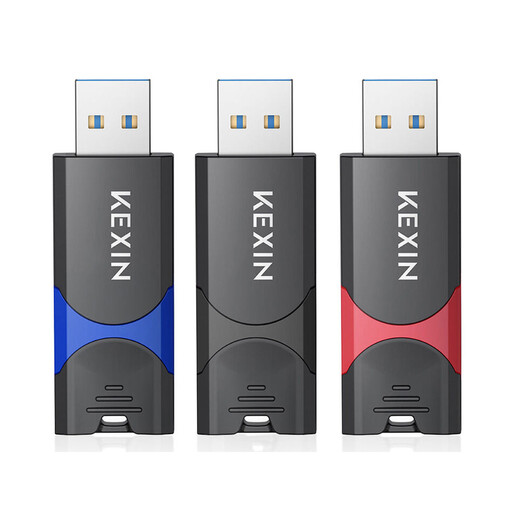
Kexin USB flash drive, USB 3.0, 128 GB, pack of 3
Useful for several separate storage or sharing needs, provided the shared computer has a suitable USB port.
The title specifies USB 3.0, 128 GB and three sticks. If you regularly transfer large files, check the write speeds for the exact version you want.
View at Joybuy
 No image available
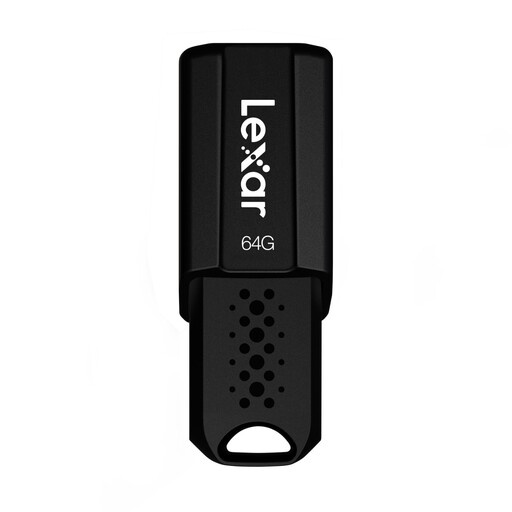
Lexar JumpDrive S80, USB 3.1, 64 GB
A suitable option for computer recordings if the capacity meets your needs and the connector fits your computer.
The product title states a read speed of up to 150 MB/s. This figure doesn’t describe write speed.
View at Joybuy
 No image available
Lexar D40E, 128 GB, dual USB 3.2 Gen 1 Type-C
A suitable option for computer files if the specified connector type is compatible with the shared computer.
The product title specifies 128 GB and dual USB 3.2 Gen 1 Type-C. Check the exact connector type before buying.
View at Joybuy
Frequently asked questions
Can I use a USB stick directly with a shared computer?
Only if there’s a suitable port and the computer’s rules or settings allow it. USB backward compatibility won’t unlock a disabled port; the file system also needs to be readable for file sharing.
What should I consider with a very large individual recording file?
According to Microsoft, FAT32 limits individual files to 4 GiB. Before reformatting, check that all the devices involved support the other file system you want to use, and back up any existing files first.
How can I keep my recordings readable and help prevent data loss?
Keep a separate backup and check from time to time that it’s complete and readable. Don’t remove the stick during a write operation, as an incomplete process can put your data at risk. The Federal Office for Information Security recommends checking that backups are complete and readable.
Does a manufacturer’s warranty replace my rights if a stick is faulty?
No. Your statutory rights against the seller and a manufacturer’s warranty are two different things; a warranty is a voluntary service with its own terms and conditions. The Verbraucherzentrale explains the difference. Keep your proof of purchase and the warranty terms.


