Choose a USB stick based on the ports on your recording and playback devices, and how much space your files need. A dual USB stick may be useful for switching between compatible USB-A and USB-C devices. If you regularly transfer large files, check the write speed of the specific version. For confidential recordings, consider an encrypted model. For irreplaceable files, the Federal Office for Information Security also recommends keeping a separate backup, as the lifespan of any single storage device cannot be predicted precisely.
Which USB stick is right for you?
People with irreplaceable recordings
If you want to store music without using the cloud, make sure you have enough space and keep a separate backup. The Federal Office for Information Security points out that the lifespan of storage devices cannot be predicted precisely.
Musicians using several devices
If you transfer recordings between compatible devices with USB-C and USB-A ports, you’ll need the right connectors and access to your files. A dual USB stick can make switching between devices easier, but it doesn’t guarantee that every device can record directly to it.
People with lots of large recording files
If you regularly copy large amounts of audio, compare the write speed of the specific capacity you’re considering. Advertised read speeds don’t necessarily tell you anything about write speed.
What should you look for when buying?
| What matters |
What to check when buying |
Who should consider it? |
| Storage space and backups |
Check the size of your folders and allow room for more files; keep a separate copy and occasionally check that you can still read it. |
If I don’t want to lose my recordings, I need enough space and another readable copy. Around 33% of consumers focus mainly on storage space and protection against data loss. |
| Ports and device compatibility |
Check for USB-A and USB-C ports, mass storage support and a file system supported by your device. |
If I transfer recordings between devices with different ports, they need to recognise the stick and let me access the files. Around 27% of consumers prioritise access across devices. |
| Transfer time |
Compare write speeds for the capacity you want and take the host device’s interface into account. |
If I regularly copy large amounts of recordings, I want to know how long writing will actually take. Around 20% of consumers focus mainly on fast transfer times. |
| Access protection |
Check the encryption and unlocking method for the specific model, and make sure it’s compatible with your devices. |
If my recordings are confidential and I might lose the stick, protecting them from unauthorised access matters to me. Around 20% of consumers prioritise access protection. |
Which mistakes should you avoid?
-
Treating your only USB stick as a complete archive
The lifespan of storage devices cannot be predicted precisely. If your USB stick is lost or fails, you could also lose the only copy of your recordings.
Keep another copy separately and occasionally check that you can read the files back. The Federal Office for Information Security lists USB sticks as one possible medium for personal data backups.
An additional backup requires another storage device and time for regular copying.
-
Confusing read speed with write speed
The high data rate advertised for the SanDisk Ultra Dual Drive Luxe refers to reading. COMPUTER BILD rated the write speed of the 128 GB version it tested as very slow; this result doesn’t necessarily apply to other versions.
If you regularly transfer large files, compare write speeds and reviews for the specific capacity you’re considering.
A slow write speed can make filling the stick take longer.
-
Assuming the right connector means you can record directly
A dual USB stick can transfer files between compatible devices, but that doesn’t mean a recorder can record directly to it.
Check your recording device’s manual to see whether it supports USB mass storage and which file systems it accepts. Otherwise, you may need to transfer the files using a compatible computer.
-
Formatting without backing up existing recordings
Formatting deletes the files stored on the device.
Copy important recordings to another device first, and check which file systems the devices you’re using support.
Which brands are worth considering?
SanDisk
The Ultra Dual Drive Luxe is a USB-A/USB-C model for transferring files between compatible devices.
- SanDisk lists two connectors and a five-year warranty for the 128 GB model.
- The manufacturer’s figure refers to read speed. COMPUTER BILD rated the write speed of the 128 GB version it tested as very slow; this review applies to that version.
Kingston
The DataTraveler range includes standard USB sticks and dual-connector models, while IronKey offers separate encrypted models.
- Kingston lists USB-A and USB-C, 128 GB and 256 GB versions, and a five-year limited warranty for the DataTraveler Duo.
- The encryption on IronKey models isn’t available on the DataTraveler Duo.
Verbatim
The dual USB stick with USB-C and USB-A is designed for local transfers between compatible devices without Wi-Fi.
- Verbatim lists both connectors and a 128 GB version.
- Whether a mobile device can record audio directly depends on the device and its settings; having both connectors doesn’t guarantee this feature.
Intenso
The High Speed Line includes USB-A versions for local file transfers.
- Intenso lists write speeds of up to 50 MB/s for 64 GB and up to 100 MB/s for 128 and 256 GB.
- These are the manufacturer’s maximum figures, not a guarantee of sustained speeds on your device.
USB sticks at Joybuy
This selection includes USB-A sticks for local storage and dual models with USB-A and USB-C. Before buying, check that the capacity and connectors suit your devices and recordings.
 No image available
Kingston DataTraveler 256GB Kyson
A good fit for a USB-A workflow if you want to store music files locally.
256 GB; USB-A.
View at Joybuy
 No image available
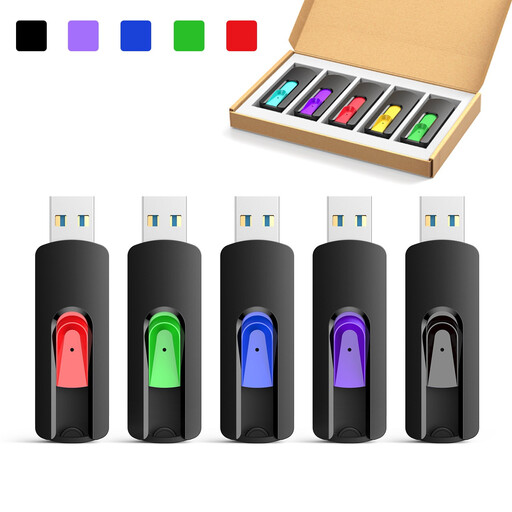
Kexin USB 2.0, 5-pack, 8 GB
An option for local storage on USB-A devices if you need several USB sticks.
USB 2.0; 8 GB version; 5-pack.
View at Joybuy
 No image available
Kexin USB-A/USB-C, 2-pack, 32 GB
Suitable for transferring music files between compatible USB-A and USB-C devices.
USB 2.0; 32 GB; swivel design; 2-pack.
View at Joybuy
 No image available
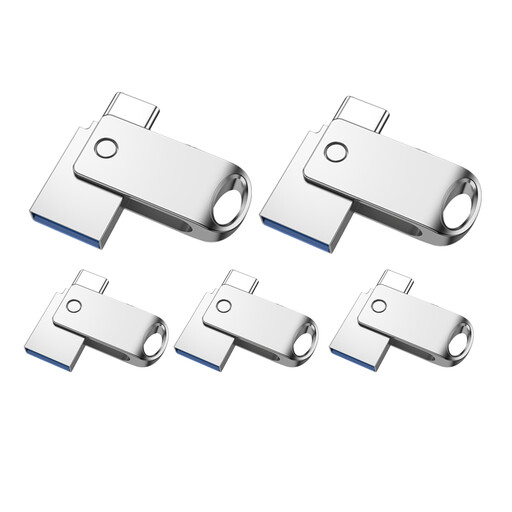
Kexin USB-A/USB-C, 5-pack, 32 GB
Suitable for transferring files locally between compatible USB-A and USB-C devices.
USB 2.0; 32 GB; 5-pack.
View at Joybuy
 No image available
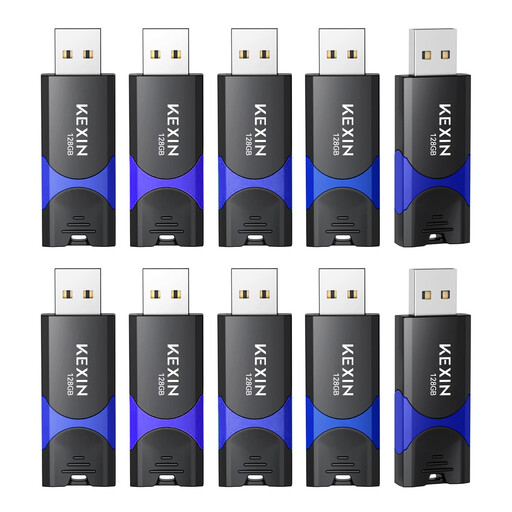
Kexin USB 2.0, 10-pack, 128 GB
For storing music locally on compatible devices if you’re looking for several USB sticks.
USB 2.0; the product title lists 128 GB and a 10-pack.
View at Joybuy
Frequently asked questions
Can I back up music recordings without the cloud?
Yes. The Federal Office for Information Security lists USB sticks as one possible medium for personal data backups. Keep another copy of important recordings separately and occasionally check that you can still read the files, as the lifespan of a storage device cannot be predicted precisely.
Can my recorder record directly to any USB stick?
No. You can’t tell just by looking at the connector. Check your recorder’s manual to see whether it supports USB mass storage for recordings and which capacities and file systems it accepts. If it doesn’t, you can copy the finished recording to the USB stick afterwards using a compatible device.
What should I check before formatting?
Back up any existing recordings first, as formatting deletes the files stored on the device. Then check which file systems are supported by the devices you want to use the stick with.
What warranty should I check for a USB stick?
Check the warranty terms for the specific model. SanDisk lists a five-year warranty for the 128 GB Ultra Dual Drive Luxe; Kingston lists a five-year limited warranty for the DataTraveler Duo. A warranty doesn’t mean that lost files can be recovered.
Can I record and store someone else’s music or a performance in Germany?
It depends on the circumstances. Section 53(1) of the German Copyright Act (UrhG) allows individual private copies under certain conditions, particularly where they are not made for commercial purposes and not from an obviously unlawful source. Under section 53(7) of the UrhG, recording the sound of a public lecture, performance or presentation of a work is only permitted with the rights holder’s consent; section 53(6) also restricts the distribution and public performance of copies. This is not blanket permission to make recordings.


