What should you look for when buying?
First decide what your backup needs to include, then work out the capacity and access controls you need. For frequent transfers, also check write speeds and connections.
| Concern |
What to check before buying |
Who is it important to? |
| Restorable backup |
Decide which files to include and test restoring them. |
If I need to restore the catalogue after a failure, I want to be sure the copy really contains the files I need. Around 33% of consumers prioritise a complete, restorable backup. |
| Access controls |
Check unlocking, key management and compatibility with the studio computers. |
If several people work in the studio, I want to be able to decide who can open confidential backups and how access is managed across the team. Around 25% of consumers prioritise controlled access to their data. |
| Capacity |
Check the file size on your computer and compare it with the available capacity. |
If I also need to back up original images as well as the catalogue, I need enough space for all those files, not just the catalogue file. Around 25% of consumers prioritise having enough storage space. |
| Write speed and connection |
Check the stated write speed for the exact model, as well as the USB port and hub. |
If I regularly copy larger folders, I want to know whether the stick will work with the ports on my studio computers and what write speeds are stated for that model. Around 17% of consumers prioritise a suitable file-transfer setup. |
Joybuy products for additional catalogue copies
The following USB sticks may suit additional file and catalogue copies. Match the capacity and connections to your backup plan and studio computers.
 No image available
Kexin 2-in-1 USB stick, 2 × 32 GB, 2-pack
Could suit additional file copies if you need both USB-A and USB-C connections.
Two drives, each with 32 GB; USB 2.0; USB-A and USB-C.
View at Joybuy
 No image available
Kexin 2-in-1 USB sticks, 5 × 32 GB
An option for additional file and catalogue copies if you need several drives with USB-A and USB-C connections.
Five drives, each with 32 GB; USB 2.0; USB-A and USB-C.
View at Joybuy
 No image available
SanDisk Cruzer Blade SDCZ50-032G-B35, 32 GB
Could be suitable for an additional catalogue copy if 32 GB is enough for your chosen backup.
32 GB; USB 2.0. The product details list SecureAccess software for password-protected files.
View at Joybuy
 No image available
SanDisk Cruzer Blade CZ50, 64 GB
An option for additional files if the stated capacity suits your backup and USB 2.0 is sufficient.
64 GB; USB 2.0. The product details list SecureAccess with password protection and 128-bit AES encryption.
View at Joybuy
 No image available
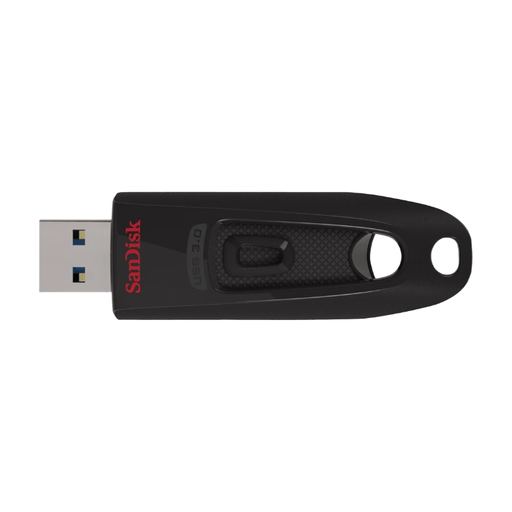
SanDisk Ultra, 64 GB
Worth considering for more frequent transfers if its stated write speeds suit your workflow.
64 GB; USB 3.2 Gen 1; read speeds of up to 100 MB/s and write speeds of up to 27 MB/s. The product details list SecureAccess with password protection for private files.
View at Joybuy
Frequently asked questions
Does my Lightroom Classic catalogue backup include my original photos?
No. According to Adobe, Lightroom Classic backups include only the catalogue file; edited photos and exports need to be stored separately. This applies to Lightroom Classic and not automatically to every photo catalogue application.
How can I check that my backup can be restored?
Read files back from the copy and test restoring them using the process you intend to follow. The German Federal Office for Information Security points out that you cannot assume files will be easy to extract and restore later.
Why doesn’t a fast USB stick always reach its stated speed?
This depends, among other things, on the host connection and hub, and on whether the stated speed is for reading or writing. Kingston recommends USB 3.2 Gen 2 for optimum DataTraveler Max speeds, so check the connections you actually use in your studio too.
Does a USB stick containing customer images have to use a particular type of encryption?
The guidance from the German Federal Commissioner for Data Protection and Freedom of Information referred to here does not impose a blanket requirement for a particular stick or type of encryption. When processing personal data, those responsible must decide on suitable technical and organisational measures based on the risks; encryption may be one of them. What is appropriate for your studio depends on the data you process and your working practices.
What should a team know about Verbatim Keypad Secure?
Verbatim advises installing a security update for its documented models. According to the manufacturer, the drive requires reformatting after 20 incorrect passcode attempts. Make sure your team knows how passcode access is managed, and keep an independent copy that you can restore.


