Version keepers
If you take several drafts with you, label them clearly and make sure you can reopen an earlier version if needed. The German Federal Office for Information Security highlights that backed-up data must also be restorable.


For multiple presentation versions, your stick should have enough usable storage, and the presentation device should recognise it and be able to open the files. If you use devices with a mix of USB-A and USB-C ports, a dual USB stick could save you needing an adapter. If you overwrite files frequently, check the write speed of the exact model and capacity. For confidential files, make sure the security and unlocking method suit how you plan to use it. The German Federal Office for Information Security recommends considering how you would restore backed-up data, too, so keep a separate copy.
If you take several drafts with you, label them clearly and make sure you can reopen an earlier version if needed. The German Federal Office for Information Security highlights that backed-up data must also be restorable.
If you copy files on your own computer and present them on another device, check its port and whether it can read the stick and your presentation files. Having the right connector doesn’t guarantee that the files will open on that device.
If you regularly update presentations, the write speed of the exact model and capacity matters. For files that need protection, you should also check that the security method is suitable and that you can unlock the stick on the device you’ll be using.
First, check that all your versions will fit on the stick and can be read by the presentation device. Then compare write speeds and access protection against the way you work.
| What matters | What to check before buying | Who is this important to? |
|---|---|---|
| Storage and versions | Compare the combined size of all the files you need to take with you against the capacity of the model. Label versions clearly and keep a separate copy. | If I take several drafts with me, I want to be able to identify and reopen earlier versions. Around 36% of consumers put version backup first. |
| Connection and readability | Check the USB-A and USB-C ports on both devices. Try opening a presentation file on the device you’ll be using. | If I copy files on my own computer and present on a device with a different port, the stick needs to fit and the file needs to be readable. Around 29% of consumers prioritise device compatibility. |
| Write speed | Check the stated write speed or test results for the exact model and capacity. Don’t assume a manufacturer’s maximum speed is the same as a measured result. | If I update presentations often, I want to know how long it will take to write the files. For around 21% of consumers, copying time comes first. |
| Access protection | For confidential files, check the unlocking method and whether it works with the device you’ll be using. Store the code separately from your only copy of the files. | If I take files that need protection with me, I want to make unauthorised access more difficult while still being able to open the files on the device I’m using. Around 14% of consumers prioritise access protection. |
The USB Implementers Forum explains that a compatible USB connection operates at the lowest speed supported by both devices. So the connector or USB standard alone won’t tell you how quickly your particular set of files will copy.
If the stick is lost or a file can no longer be read, you could lose earlier project drafts. The German Federal Office for Information Security points out that the lifespan of storage media cannot be predicted precisely.
Keep a separate copy, label each version clearly and check that you can reopen any version you might need.
Write speeds can vary between tested USB stick models. For example, COMPUTER BILD rated the tested 128 GB Intenso High Speed Line USB 3.0 as slow when writing. That is not the same as a manufacturer’s maximum speed claim.
Compare the stated write speed or test results for the exact model and capacity you’re planning to buy.
USB-A and USB-C describe connectors; they don’t tell you whether the presentation device can read the storage device and open the specific presentation file.
Try the stick with a file you actually need on the device you’ll be using before you rely on it.
According to the manufacturer, a Verbatim Keypad Secure #49429 needs to be reformatted after 20 incorrect code entries.
Check that you can unlock it on the device you’ll be using, keep the code secure and don’t store your only copy of the files on this stick.
The DataTraveler Duo is designed for devices with USB-A and USB-C ports. IronKey Locker+ 50 G2 is a separate product range with hardware encryption.
SanDisk describes the Ultra Dual Drive Go as a stick with USB-A and USB-C connectors.
The High Speed Line is a USB-A option available in several capacities.
The Keypad Secure #49429 is a USB-A stick with a keypad for entering a code directly on the device, plus hardware encryption.
The JetFlash 930C has USB-A and USB-C connectors. Transcend lists 128 GB, 256 GB and 512 GB versions.
The Joybuy products below include USB-A sticks and a USB-A/USB-C set. Capacity and stated write speeds vary by product and model.
 No image available
For multiple presentation drafts, as long as their combined size fits within the stated 128 GB capacity.
USB 3.2 Gen 1; stated write speed: 40 MB/s.
 No image available
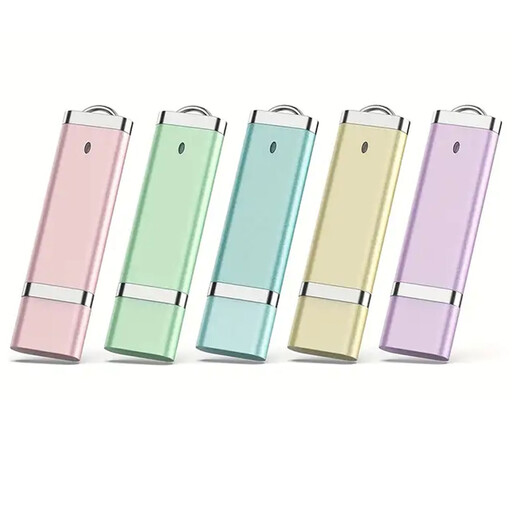
The product description says the five coloured sticks can be assigned to different projects; each stick has 8 GB of storage.
USB 2.0; stated write speed of up to 7 MB/s.
No image available
The product description says the five coloured sticks can be assigned to different projects; each stick has 64 GB of storage.
USB 2.0; stated write speed of up to 7 MB/s.
 No image available
For switching between devices with USB-A and USB-C ports; the set includes five sticks, each with 32 GB.
USB 2.0; retractable design. Check that the presentation device can read the stick and your presentation file.
 No image available
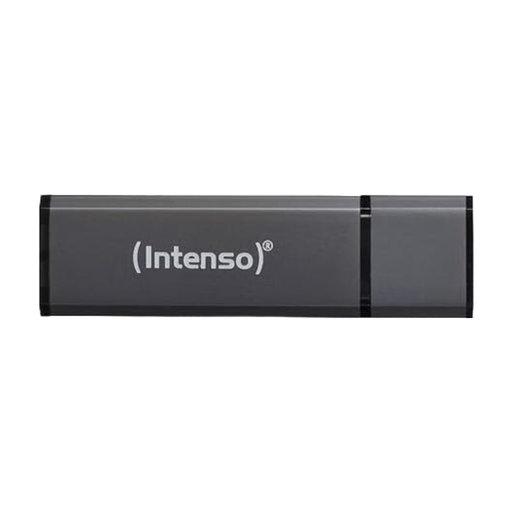
A USB-A option with 128 GB for files and project drafts, provided their combined size fits within the capacity.
Stated speeds: up to 28 MB/s read and up to 6.5 MB/s write. Plug-and-play use and a keyring attachment are listed.
No, not if you want to protect yourself against loss or failure. Keep another copy separately and check that you can reopen any version you need. The German Federal Office for Information Security points out that the lifespan of storage media cannot be predicted precisely, and that being able to restore your files is an essential part of backing them up.
Connect it to the presentation device and try opening one of the files you plan to take with you. If you use the stick with Windows, Microsoft recommends safely ejecting it before unplugging it to help prevent data loss.
Check the warranty terms for the specific model: Kingston lists a five-year limited warranty for the DataTraveler Duo. According to the manufacturer, a Verbatim Keypad Secure #49429 needs to be reformatted after 20 incorrect code entries. Make sure you have a plan for managing the code and keep a separate copy of your files.