What should you look for when buying?
First decide whether recoverability, storage space or confidentiality matters most to you. Then check that the connectors, file system and write performance suit the devices involved and the way you copy files.
The proportions below refer to consumers who want to store scans of letters and several project versions on a USB stick.
| Priority |
What to check before buying |
Who is this important to? |
| Restore older versions |
Space for separate version folders; the ability to open files after copying them back. |
If you want to retrieve older versions from a separate, readable copy, recoverability is your top priority. Around 29% of consumers put this first. |
| Space for every version |
The size of your existing folders and planned versions; the usable capacity of the specific model. |
If you want to keep complete scan folders along with earlier project versions, you’ll need enough space for the whole collection. Around 24% of consumers prioritise this. |
| Protect confidential letters |
Encryption and unlocking method; model-specific rules for incorrect entries. |
If you want to protect personal letters in case the stick is lost or accessed by someone else, having a reliable way to regain access yourself matters too. Around 23% of consumers prioritise protecting confidential content. |
| Open scans on different devices |
USB-A or USB-C connector; support for the file system on the devices you’ll use. |
If you want to move versions between devices with different ports, the connector and file system need to work on both. Around 12% of consumers put switching between devices first. |
| Time spent copying |
Write speed for the specific model and capacity; the source device’s connector. |
If you regularly update large project folders, the time it takes to write files matters more to you than a high read speed. Around 12% of consumers prioritise the time needed to copy new versions. |
Microsoft gives FAT32 a maximum file size of 4 GiB. For large individual files, check that the file system and any alternative you plan to use are supported by all the devices involved.
USB sticks at Joybuy
This selection includes USB sticks with USB-A and USB-C connectors for switching between devices, as well as models with access protection for confidential letters.
 No image available
Kingston IronKey 32 GB Keypad 200
May suit you if you want to store confidential letters on a stick with a keypad and access protection, and 32 GB is enough for your collection.
32 GB; keypad; AES-256 hardware encryption. FIPS 140-3 Level 3 certification is described as pending.
Joybuy
 No image available
Kexin 2 in 1 32GB USB 2.0 Flash Drive, USB-A & USB-C, 2-pack
May make it easier to switch between devices if you need both connector types and the stated capacity is enough for your versions.
32 GB; USB-A and USB-C; USB 2.0; 2-pack.
Joybuy
 No image available
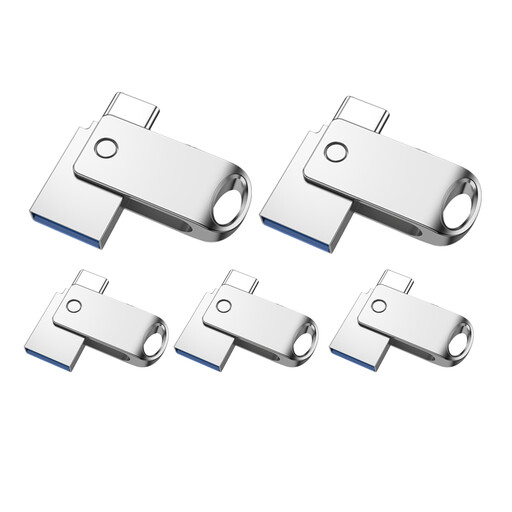
Kexin 2 in 1 32GB USB 2.0 Flash Drive, USB-A & USB-C, 5-pack
May suit you if you need several storage locations or devices, provided you need USB-A and USB-C and the stated capacity is right for you.
32 GB; USB-A and USB-C; USB 2.0; 5-pack.
Joybuy
 No image available
Kexin 2 in 1 Type C USB Flash Drive, 128GB, set of 5
May be suitable for several projects and devices if you want to identify the sticks by colour and need both USB-A and USB-C.
128 GB; USB-A and USB-C; set of five sticks in different colours. Check what the set’s stated capacity refers to before buying.
Joybuy
 No image available
SanDisk SDCZ50-032G-B35 Cruzer Blade USB 2.0 Flash Drive, 32GB
May be suitable for confidential files if you want password protection and the stated capacity is enough for your collection.
32 GB; USB 2.0; password-protected 128-bit AES encryption.
Joybuy
Frequently asked questions
Is one USB stick enough as the only archive for scanned letters?
No, not if you want to guard against a single copy failing or being lost. The BSI points out that the lifespan of storage media cannot be predicted precisely. Keep another copy separately and check that it can be read.
How can I keep several versions without overwriting an earlier one?
Create separate, clearly named folders for the project versions you want to keep, and spot-check files from older versions. A USB stick won’t create or check these versions automatically.
Which file format should I use to keep scans readable over time?
For the long-term preservation of digital records, the German Federal Archives recommends keeping the original format and, where necessary, an additional PDF/A version that matches it as closely as possible. This recommendation is for archival preservation; it does not make PDF/A a legal requirement for private collections of letters.
What should I bear in mind before using an encrypted stick for the first time?
Test the unlocking process on the device you plan to use and store the code separately from your backup. For the Verbatim Keypad Secure USB-A 128 GB, the manufacturer specifies a security update and reformatting after 20 incorrect code entries. Check these instructions for the specific model.
Do letters containing personal information automatically carry the same data protection obligations as a club or business archive?
The content of a letter alone is not enough to determine a single set of obligations for an unspecified use. The Federal Commissioner for Data Protection and Freedom of Information describes the GDPR as a framework for processing personal data by businesses and other organisations too. If your use is not purely personal, check which specific obligations apply to your processing. Whatever the circumstances, the BfDI also recommends encryption as a protective measure for individuals.


