Teams handling confidential receipts
If several people use studio devices or transport scans, your team should decide who can access protected files.


First, choose a stick based on the access protection you need and the connections available on your studio devices. Then check your scan folder to work out how much storage and copying performance you’ll need. For confidential receipts, suitable encryption matters more than maximum speed, but you’ll also need a separate, verifiable copy so you can restore your files. If you need to retain scans for tax purposes, your entire filing process must meet the legal requirements – a USB stick alone won’t be enough.
If several people use studio devices or transport scans, your team should decide who can access protected files.
If you need to keep important scans available for the long term, plan to keep a separate copy. For receipts that must be retained for tax purposes, check the applicable requirements.
If files need to move between studio devices with different USB connections, check that they’re genuinely compatible before use.
| What you need | What to check when buying | Who is it important to? |
|---|---|---|
| Confidentiality and access | Check how encryption is set up and managed, and whether you can unlock the stick on all the computers you plan to use. | If I store receipts with personal information on a shared or portable stick, I want to control access clearly. Around 31% of consumers prioritise protecting confidential data. |
| Recovery and storage | Decide where you’ll keep a separate copy and check that you can open files from it. For receipts that must be retained for tax purposes, you’ll also need to consider availability and readability. | If you need to access your scans after a loss or failure, you’ll need a readable copy stored separately. Around 31% of consumers put recoverability first. |
| Connections and devices | Check the connections on all the devices you plan to use and test that you can open a file. For mobile devices, check the requirements for the specific model. | If I need to open receipts on different studio computers, I want a suitable connection or a link that works reliably. Around 23% of consumers prioritise compatibility with multiple devices. |
| Storage capacity and copying time | Compare the actual folder size, including expected growth, with the capacity. Check the write-speed rating for the specific version and test your process with a representative scan folder. | If I have large scan folders or copy them often, I want enough space without relying solely on a manufacturer’s maximum speed. Around 15% of consumers focus on scan volumes and copying time. |
Encryption protects files from unauthorised access, but it won’t restore them if they’re lost or the stick fails. The Federal Office for Information Security explains the benefits of backup copies in the event of data loss.
Before buying, decide where a separate copy will be stored, who will maintain it and how you’ll check that you can restore your files.
A separate, verifiable copy requires extra storage, as well as time to maintain it and test recovery.
A USB-A/USB-C dual-drive stick and a PIN-protected model serve different purposes. Transcend lists both connections for the JetFlash 930C; the Verbatim Keypad Secure #49429 is a USB-A model with PIN entry.
For the specific model, check the full product name, connections and security features separately.
Manufacturers’ write-speed figures are maximum rates. They don’t necessarily tell you how quickly your own scan folders will copy.
Compare the figures for the specific capacity and test your workflow with a representative folder.
Regularly copying large amounts of data may take extra time in practice.
IronKey Vault Privacy 50 is a product range with hardware encryption, designed for teams that need protected access.
The Keypad Secure #49429 is a USB-A option with PIN entry to access stored files.
According to the manufacturer, the JetFlash 930C is designed for use with both USB-A and USB-C devices.
The High Speed Line is a USB-A range available in several capacities.
The following options include sticks with PIN or software encryption, as well as models for transferring files between USB-A and USB-C devices.
 No image available
PIN entry and hardware encryption are useful for teams that need to control access to confidential scans.
32 GB; AES-256 hardware encryption; built-in keypad with admin and user PINs; USB 3.2 Gen 1.
 No image available
This stick may suit a workflow where you want to protect files on the USB stick using software.
64 GB; USB 2.0; SecureAccess with password protection and 128-bit AES encryption for files, according to the product description.
 No image available
Fingerprint and PIN features are useful in shared environments where you need to control access to scans.
128 GB; USB-A and USB-C; AES-256 encryption and fingerprint access, according to the product description, with support for up to ten fingerprints.
According to the product description, the encrypted data partition may become inaccessible if both the administrator password and fingerprint recognition fail.
 No image available
The two connection types are designed for transferring files between USB-A and USB-C devices. Software protection may also be useful for confidential files.
128 GB; USB-A and USB-C; swivel design; software solution with 256-bit AES encryption, according to the product description.
The stated transfer speed is up to 100 MB/s; this doesn’t determine how quickly your scan folders will copy.
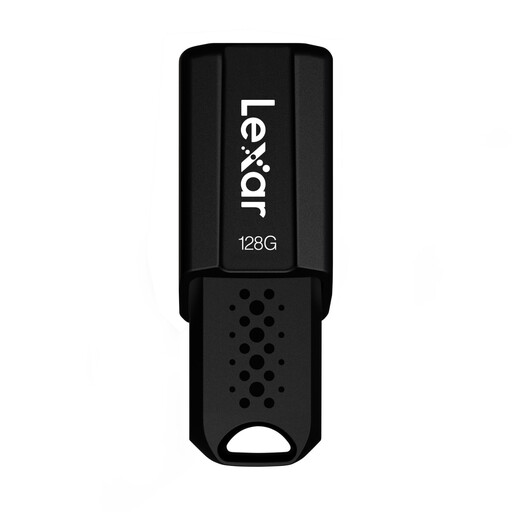 No image available
This stick is an option if you want to store scans on a USB-A drive and protect files with software when needed.
128 GB; USB 3.1 Gen 1; retractable cover; security software with 256-bit AES encryption, according to the product description. Read speeds of up to 150 MB/s are stated.
The product description lists backward compatibility with USB 3.0 and USB 2.0 devices.
No, not if you need to restore files after a loss or failure. Keep a separate copy and check that you can open it. The Federal Office for Information Security explains the benefits of backup copies in the event of failure, deletion or theft.
There is no blanket requirement to encrypt every receipt. If you process personal data, you must take suitable technical and organisational measures that are appropriate to the risk. The Federal Commissioner for Data Protection and Freedom of Information describes encryption as one measure that must work alongside other safeguards.
In principle, this is possible under certain conditions for documents covered by § 147(2) AO. For accounting records, the image must match the original; it must remain available, legible and machine-readable throughout the retention period. You should separately check whether your receipts are covered and whether your entire filing process meets these conditions. The relevant provision is § 147 AO.
The law generally specifies eight years for accounting records under § 147(1) No. 4 AO. Different periods and exceptions apply to other documents, and the start of the retention period is also set by law. The key is how each individual receipt is classified. The relevant provision is § 147 AO.
Test unlocking it on the devices you plan to use and decide who will manage the PIN. For the Verbatim Keypad Secure #49429, the manufacturer specifies a security update and reformatting after 20 incorrect code entries. So make sure you have a separate copy available.