First, check that the stick fits both devices and that they can read the files stored on it. If you need to switch between USB-A and USB-C, consider a dual-ended stick; if both devices have USB-A, a standard USB-A stick may be all you need. For confidential notes, access protection matters more than extra speed. Whichever model you choose, keep another readable copy. Details about connectors and security features apply only to the specific models mentioned, as Kingston, SanDisk and Verbatim explain in their product information. The Federal Office for Information Security also recommends checking that your backups can be restored.
Which option suits you?
For people using different devices
If you copy study notes between computers with USB-A and USB-C, check that the stick has both connectors and that the devices can open your files. SanDisk and Verbatim list both connector types for certain dual-ended stick models.
For people with confidential notes
If you don’t want files to be accessible if the stick is lost or when you use a shared computer, check how the security feature works and whether you can unlock the stick on the computers you plan to use. The Federal Office for Information Security explains that encryption and data backups are separate measures.
For people with a straightforward folder of documents
If you’re carrying your own study materials between computers with USB-A, choose a capacity that suits the folder you actually need and consider how easy the stick is to carry. Kingston lists a sliding cap, a keyring loop and capacities from 64 to 256 GB for the DataTraveler Exodia M.
What to look for when buying
Start by checking the connectors and file access on the specific devices you’ll use. Then decide whether confidentiality, capacity or write speed matters most for your notes folder.
| Buying priority |
What to check |
Who it matters most to |
| Connectors and file access |
Check whether both devices have USB-A or USB-C, and whether they support external storage and the file system you’re using. |
If you switch between studio devices with different connectors, the stick needs to fit and your notes need to be readable. Around 40% of consumers put connectors and file access first. |
| Confidentiality |
Compare the encryption and unlocking methods, and check whether you can use the security feature on the computers you plan to use. |
If you use confidential documents at a shared workstation or want to protect against losing the stick, controlled access is important. Around 30% of consumers prioritise confidentiality. |
| Storage and portability |
Compare the capacity you’re considering with the size of your folder, and check that the design and handling suit frequent carrying. |
If you mainly carry your own study folder, you’ll need enough storage and a practical design. Around 20% of consumers put straightforward document storage and transport first. |
| Write speed |
Look for a write-speed figure for the specific variant. The interface speed isn’t a guaranteed write speed. |
If you often copy larger folders, write speed can affect how long you have to wait. Around 10% of consumers prioritise write speed. |
Common misconceptions
-
Buying based only on the ‘USB 3.2’ label
The interface speed doesn’t tell you how quickly a particular model writes data.
If copying time matters, compare the write-speed figure for the exact variant rather than just the USB standard. USB-IF describes USB 3.2 Gen 1 as having an interface speed of 5 Gbit/s.
When writing large amounts of data, the transfer may take longer than the interface label suggests.
-
Assuming a dual-ended stick will work everywhere
USB-A and USB-C refer to connector types; they don’t guarantee that every device supports the stick or its file system.
Check both devices and open a test file before you need to use the folder on a shared computer.
Allow time to check the file system or copy your files again.
-
Confusing encryption with a backup
Encryption protects access, but it won’t prevent damage or loss. Verbatim says that data on the Verbatim Secure Pro #98666 is deleted after ten unsuccessful access attempts.
Check how to unlock the stick before using it, and keep another readable copy of your notes.
Brands to consider
Kingston
The DataTraveler Exodia M is a USB-A range designed for carrying documents. Kingston also offers the microDuo 3C as a separate product line, with USB-A and USB-C.
- Kingston lists a sliding cap, a keyring loop and capacities from 64 to 256 GB for the Exodia M.
- The connector and speed details for the microDuo 3C don’t automatically apply to the Exodia M; the microDuo 3C’s read speed isn’t a write-speed figure.
SanDisk
The Ultra Dual Drive Go USB Type-C is designed for switching between devices with USB-A and USB-C.
- SanDisk lists both connector types and a swivel design for this model.
- Having the right connectors doesn’t guarantee that every device will support the stick or its file system.
Verbatim
Verbatim offers the Dual USB Stick #49968 for use with different connectors, as well as the separate Secure Pro #98666 with USB-A.
- Verbatim says that #49968 has USB-A and USB-C; for #98666, the manufacturer lists encryption and password protection.
- The Secure Pro’s security features don’t automatically apply to the dual-ended stick. Verbatim also says that data on #98666 is deleted after ten unsuccessful access attempts.
USB sticks at Joybuy
The following Joybuy products are USB sticks for carrying notes and documents. They include models with USB-A and USB-C, as well as options for keeping files separate or protecting access.
 No image available
Kexin 2-in-1 USB 2.0 flash drive, 32 GB, USB-A and USB-C, pack of 2
For switching between devices with USB-A and USB-C; the product title lists 32 GB and a pack of 2.
USB 2.0; USB-A and USB-C; 360° swivel cap.
View at Joybuy
 No image available
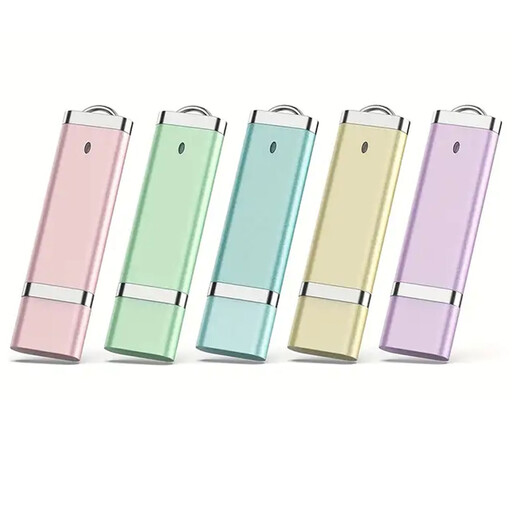
USB 2.0 flash drives, 64 GB, pack of 5
If you need several separate storage options, a pack of 5 may suit you; check the capacity against the variant you want.
USB 2.0; 64 GB according to the product title; pack of 5.
View at Joybuy
 No image available
SanDisk Cruzer Blade SDCZ50-032G-B35, USB 2.0, 32 GB
For carrying documents between devices with USB-A; check beforehand that the destination device can read the stick and its files.
USB 2.0; 32 GB according to the product title.
View at Joybuy
 No image available
MOVESPEED YSUSP05-128GSR, 128 GB, USB-A and USB-C
For transferring files more frequently between devices with USB-A and USB-C; check that your devices are compatible.
128 GB; USB-A and USB-C; 570 MB/s read speed according to the product title. No write speed is specified.
View at Joybuy
 No image available
MOVESPEED YSUYC-256GSN, 256 GB, USB-A and USB-C, Silver
For consumers who need access protection and want to switch between USB-A and USB-C devices; check how to unlock it before use.
256 GB; USB-A and USB-C; fingerprint access and encryption according to the product title; 550 MB/s read and 500 MB/s write speeds according to the product title.
The product information warns that encrypted data may be lost if both the administrator password and fingerprint recognition fail.
View at Joybuy
Frequently asked questions
How can you check that your notes have copied successfully?
Open a test file on the destination device and keep the original files. The Federal Office for Information Security points out that a backup must also be readable when you need to restore it.
Which file system should you check when switching between Mac and Windows?
Check that both computers you’ll be using support the file system. Apple lists exFAT in Disk Utility for storage devices over 32 GB; back up any files you need before formatting a storage device.
Does USB 3.2 Gen 1 guarantee fast writing for your notes?
No. USB-IF describes USB 3.2 Gen 1 as having an interface speed of 5 Gbit/s; that isn’t the write speed of a particular stick or your folder. If needed, compare the write-speed figure for the specific variant.
What are your rights if a USB stick is faulty?
For a consumer purchase in the EU, you have a legal guarantee from the seller lasting at least two years from the date you receive the goods. This is separate from any additional manufacturer’s guarantee. The European Union explains these guarantee rights for goods bought in the EU.
Can you simply copy other people’s study materials onto your stick?
Not all sharing is covered by the private-copying exception. Section 53 of the German Copyright Act (UrhG) allows individual copies for private, non-commercial use only under the conditions set out there, and generally rules out distributing those copies. If you’re using someone else’s materials, check the usage rights and consider how you intend to share them.


