Village archive coordinators
If you’re preserving scans that would be difficult to replace, you’ll need plenty of space and a separate copy that you can check and restore later. The BSI recommends planning for the restoration of your backup, too.


For large folders of scans, your USB stick should suit the actual folder size, the ports on the devices involved and the write performance of the specific model variant. Irreplaceable scans of village history should also be kept on a separate copy: Germany’s Federal Office for Information Security (BSI) points out that the lifespan of storage media cannot be predicted precisely. So check that you can still open the files, too. If the documents are confidential, appropriate access protection should also be part of your choice.
If you’re preserving scans that would be difficult to replace, you’ll need plenty of space and a separate copy that you can check and restore later. The BSI recommends planning for the restoration of your backup, too.
If you regularly copy large project folders, check the write performance of the specific capacity variant rather than relying solely on an advertised read speed.
If you may be carrying documents containing personal data, consider access protection, the unlocking process and another readable copy. Germany’s Federal Commissioner for Data Protection and Freedom of Information (BfDI) says that protective measures should reflect the risks and the data that needs protecting.
| Priority | What to check when buying | Who is this most important to? |
|---|---|---|
| Restorable backup | Folder size and usable capacity; a separate copy and successful restoration | If I can’t replace scans of the village history, I need a separate copy that I can open and restore later. Around 26% of consumers put restorability first. |
| Space for project folders | Compare the capacity of the specific variant with the current collection size and planned growth | If my archive is growing, the medium needs to hold the whole collection, including planned additions. Around 26% of consumers prioritise space for their scan folders. |
| Copying time | Write performance of the capacity variant you want; ports on the stick and computer | When I add files regularly, I don’t want to wait ages for large folders to copy every time. Around 21% of consumers prioritise a short copying time. |
| Access across multiple devices | Compatible USB ports; check the file system and largest individual file on the target devices | If I transfer scans between specific devices, the connector and file system need to work on all of them. Around 16% of consumers put device access first. |
| Protection for confidential content | Encryption and unlocking process; a recovery copy in case access is lost | If I’m carrying confidential scans, I don’t want someone to be able to read them easily if the stick is lost. Around 11% of consumers prioritise protecting confidential content. |
The BSI points out that the lifespan of storage media cannot be predicted precisely. You also need to be able to restore a backup later.
Keep another copy separately and check that you can open the backed-up scans.
An additional copy requires another storage medium, as well as time for keeping backups separately and checking that they remain readable.
Write performance is what matters when copying large folders. Manufacturer specifications can vary between capacity variants.
Compare the write specifications for the exact model and capacity variant you want.
A compatible port alone doesn’t guarantee that the file system and file size will work on the target device. Microsoft specifies a maximum file size of 4 GiB for FAT32.
Before copying, check the largest individual file and the file system on the devices involved. Back up any existing files before formatting a medium: formatting deletes the files stored on it.
According to the manufacturer, the Verbatim Keypad Secure #49429 requires reformatting after 20 incorrect code entries. Without a working way to unlock it, an encrypted copy could become unreadable.
Store the code securely and keep a separate, restorable copy.
The Extreme Pro and Ultra Dual Drive Luxe model names cover different types of USB stick. When comparing them, check the exact version and the connector you need.
The Keypad Secure #49429 is designed for people looking for a USB-A stick with a keypad and hardware encryption.
The High Speed Line includes variants with different capacities, so compare the specifications for the exact version you’re considering.
Kingston offers the DataTraveler Duo, with USB-A and USB-C, as well as the IronKey range of encrypted USB sticks.
According to Samsung, the BAR Plus MUF-256BE4/APC is a 256 GB USB-A stick with a metal casing.
These Joybuy products are portable or additional USB stick copies for storing files and scan folders.
 No image available
For carrying files or smaller collections, if 64 GB is enough for the folders you’ve selected.
64 GB nominal capacity; compare the folder size with the available space before copying.
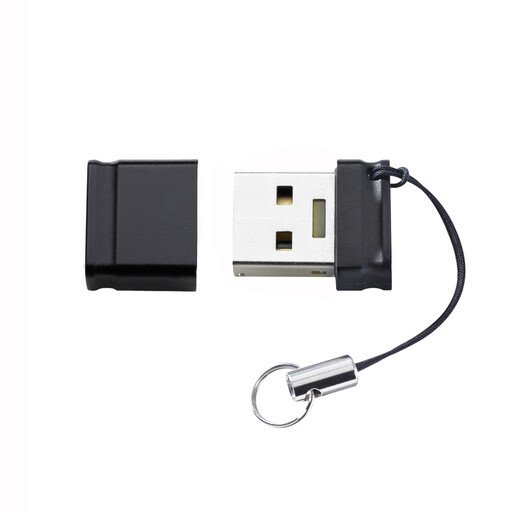 No image available
Suitable as a portable copy if the files you’ve selected fit on the 8 GB variant.
8 GB nominal capacity; for large project folders, check first that it can hold all the files you need.
 No image available
An option for transferring files between devices with USB-A and USB-C, as long as both connectors are compatible with the devices you use.
128 GB nominal capacity; the description notes that losing access to the password and fingerprint unlock options could mean losing access to the encrypted partition.
No, not if you want to preserve the scans. The BSI points out that the lifespan of storage media cannot be predicted precisely, and that you need to be able to restore a backup. Keep another copy separately and check that it remains readable.
Check the connector, file system and largest individual file. Microsoft specifies a maximum file size of 4 GiB for FAT32, so make sure the file system you choose works on all the target devices. Formatting deletes existing files, so back them up first.
A separate copy requires another storage medium, as well as time for regular copying and checks. Test that you can actually open files from this copy.
It depends on the data being stored and the level of risk. The BfDI says that protective measures should be appropriate to the risks and the personal data being protected; encryption may be one such measure.
Store the code securely and keep a separate, restorable copy. According to the manufacturer, the stick needs reformatting after 20 incorrect code entries; check the guidance for the version you actually buy.