A single USB stick is not a complete archiving solution: the Federal Office for Information Security points out that the lifespan of storage media cannot be predicted precisely. So plan for a separate backup that you can verify. For confidential recordings, appropriate access permissions matter, as does an unlocking method that works on the studio’s devices. When switching devices, the connectors, file system and actual write speed are all key. The studio must determine independently of the USB stick it buys whether a recording is permitted and how long it may be kept.
Which archiving workflow is right for you?
Studios with irreplaceable recordings
If you need to keep meeting recordings for the long term, make a separate archive copy and check regularly that you can still open older files. The Federal Office for Information Security points out that the lifespan of storage media cannot be predicted precisely.
Teams handling confidential conversations
If several people use the same stick, the team should decide who is allowed to unlock it and how recordings will be protected if it is lost. The Federal Office for Information Security and the Federal Commissioner for Data Protection and Freedom of Information recommend encrypting portable storage media.
Studios using different devices
When transferring files between different computers, the connector, file system and, if applicable, unlocking method must work on every destination device. Apple and Microsoft outline different limitations in their support for file systems.
What to prioritise when buying a USB stick for studio recordings
| What matters |
What to check before buying |
Who should consider it? |
| Recoverable copies |
Plan for a separately stored copy and test by opening sample files. |
If a meeting can’t be repeated, I want a separate copy and to be able to check that it can be recovered. Around 26% of consumers put recoverability first. |
| Confidentiality and access |
Check the unlocking method, authorised users and recovery options for the exact model. |
For confidential conversations, I want to decide who can open the recordings and how they’ll be protected if the stick is lost. Around 26% of consumers prioritise controlled access and confidentiality. |
| Compatibility when switching devices |
Test the connector, file system and unlocking method with a test file on every destination device. |
If recordings move between studio and archive devices, I want to be able to open and transfer them on every computer I plan to use. Around 21% of consumers prioritise compatibility when moving between devices. |
| Capacity and file size |
Allow for your existing collection and expected growth; check the file system supports your largest individual file. |
As my recording collection grows, I want enough space and the ability to store large individual files. Around 16% of consumers put available storage space first. |
| Write speed when copying |
Check the write speed for the exact capacity and distinguish manufacturers’ claims from independent test results. |
If you regularly transfer new recordings, you’ll want to minimise the time spent waiting for them to copy. Around 11% of consumers prioritise shorter copying times. |
Common buying misconceptions
-
Using the stick you carry around as your only archive copy
The Federal Office for Information Security points out that the lifespan of a storage medium cannot be predicted precisely. A saved file is only practically recoverable if you can open it again.
Keep a separate copy and open sample files regularly to check that your recovery process works.
You’ll need a second storage device and time for backups and recovery tests.
-
Comparing only the advertised read speed
Write speed matters when saving new recordings. COMPUTER BILD rated the write speed of the tested 128 GB Intenso High Speed Line USB 3.0 as slow; Intenso states a maximum manufacturer speed of up to 100 MB/s for this capacity.
Compare write speeds or test results for the exact model and capacity you want.
-
Assuming the right connector means full compatibility
A compatible connector won’t automatically solve file-system issues: FAT32 limits individual files to 4 GiB. Apple says a Mac can read NTFS without an additional solution, but can’t write to it.
Test your largest recording and the file system on every destination device. Back up any existing files before reformatting a storage device.
You may need to use a different transfer method or reformat the drive, which can mean extra work.
-
Buying a PIN feature without agreeing how the team will handle lockouts
For the 128 GB Verbatim Keypad Secure USB-A, the manufacturer says the drive must be reformatted and a security update applied after 20 incorrect code entries.
Decide who manages the PIN, how the update will be applied and where a separate archive copy will be kept.
A guide to relevant brands
Kingston
According to Kingston, the IronKey Vault Privacy 50 series includes encrypted USB-A and USB-C models with administrator, user and recovery passwords.
- These access options may suit teams with managed unlocking and recovery processes.
- Check the connector and unlocking method on the specific studio device. An encrypted stick still doesn’t replace a separate backup.
Verbatim
According to the manufacturer, the 128 GB Keypad Secure USB-A has hardware encryption and an integrated keypad.
- You enter the PIN on the stick itself; the manufacturer also mentions a security update.
- According to the manufacturer, the drive must be reformatted after 20 incorrect code entries. COMPUTER BILD reports that the tested 128 GB version failed the drop test; this result applies to that specific model.
Intenso
The High Speed Line is a USB-A option for straightforward copying.
- Intenso states a write speed of up to 100 MB/s for the 128 GB version; this is the manufacturer’s maximum speed.
- COMPUTER BILD rated the write speed of the tested 128 GB High Speed Line USB 3.0 as slow. Access protection needs to be set up separately in the studio.
Transcend
According to Transcend, the JetFlash 890 has USB-A and USB-C connectors, making it a relevant option for transfers between devices with these ports.
- Having two types of connector can make it easier to connect directly to compatible devices.
- COMPUTER BILD rated the write speed of the tested 128 GB model as slow. The connectors don’t guarantee file-system compatibility or mean that encryption has been set up.
SanDisk
COMPUTER BILD reviewed the 128 GB Extreme Pro USB 3.1 Gen1 and the 128 GB Ultra Dual Drive Luxe USB Type-C as models for different needs.
- COMPUTER BILD gave the tested Extreme Pro a positive rating for write speed.
- According to COMPUTER BILD, the tested Extreme Pro was bulky; the write speed of the tested Ultra Dual Drive Luxe was rated as very slow. These findings apply to the specific versions tested.
USB sticks at Joybuy for archiving and handovers
This selection includes USB sticks with PIN unlocking, options for transferring files between devices and sticks for carrying files with access protection. The studio should check that this works on the devices it uses.
 No image available
Kingston IronKey Keypad 200, 32 GB, FIPS 140-3 Lvl 3, AES-256
The integrated keypad is a good fit if entering the PIN directly on the stick is part of your team’s workflow.
The product name specifies 32 GB, FIPS 140-3 Lvl 3 and AES-256.
Joybuy
 No image available
Kexin 2-in-1 USB Flash Drive, USB 2.0, 32 GB, USB-A and USB-C, 2-pack
This model may suit transfers between devices with USB-A and USB-C ports, provided the files can be read on the destination devices.
The product name specifies USB 2.0, 32 GB per stick and a 2-pack.
Joybuy
 No image available
Kexin 2-in-1 Type-C USB Flash Drive, 32 GB, 5-pack
A multipack may be useful if the studio needs several separate sticks for transferring files; check compatibility with each destination device.
The product name specifies five sticks, each with 32 GB of storage.
Joybuy
 No image available
SanDisk CZ50 Cruzer Blade, 64 GB
For transferring files between studio computers, check that your chosen access protection works on all the devices you use.
The product name specifies 64 GB.
Joybuy
 No image available
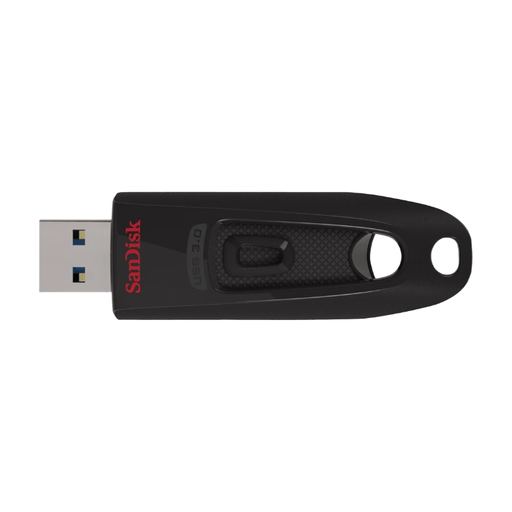
SanDisk Ultra USB 3.0 Flash Drive, 64 GB
If you regularly copy new recordings, check the write speed of the specific model and test access protection on the studio devices.
The product name specifies USB 3.0 and 64 GB.
Joybuy
Frequently asked questions
Is one USB stick enough for a permanent archive?
No, not if you need to keep the recordings. The Federal Office for Information Security points out that the lifespan of storage media cannot be predicted precisely and that backed-up data must be restorable. Keep a separate copy and regularly check that you can recover files by testing a few samples.
How do I test a stick before using it in the studio for the first time?
Copy a test recording to every device you plan to use and open it there, checking the connector, file system and, if applicable, the unlocking method. Microsoft states that FAT32 supports files up to 4 GiB. Apple points out that a Mac can read NTFS without an additional solution, but can’t write to it.
Does encryption replace a backup copy?
No. Encryption can protect stored data on a lost device from unauthorised access, but it can’t recover the only copy if it’s lost, damaged or can no longer be unlocked. So keep a separate copy.
Can a studio in Germany record and archive meetings without restriction?
Not in every case. Section 201 of the German Criminal Code (StGB) covers the unauthorised recording of privately spoken words, as well as the use or sharing of a recording made in this way. Where personal data is involved, you need to check the legal basis, purpose and safeguards for the specific circumstances. In its checklist for video conference recordings, the Data Protection Conference requires a verified legal basis and effective consent. Whether a particular meeting may be recorded and how long the recording may be kept depends on the individual circumstances.


