When choosing a USB stick for a shared studio, start by deciding how access to confidential recordings will be controlled and how to create a separate, readable backup. If you regularly switch between devices, you’ll also need to check the connections, file system and unlocking method. A claimed read speed won’t tell you how quickly files can be written to the stick.
Who this guide is for
Teams handling confidential interviews
If several people work with recordings in the studio, it should be clear who can unlock the stick and how to handle it once it’s unlocked. The Federal Commissioner for Data Protection and Freedom of Information points out that encryption offers no protection while a device is unlocked.
Studios with irreplaceable originals
A portable stick on its own isn’t a backup for important recordings. The Federal Office for Information Security recommends keeping backups separately and checking that they can be restored; the lifespan of storage media cannot be predicted precisely.
Teams using different devices
If studio computers have different connections or operating systems, you’ll need to check that the file system and unlocking method work with each device, as well as making sure the connectors fit. A test file will show whether the planned handover works in practice.
What to look for when buying
Decide first how to control access and back up your files. Then check the connections, file system and write speed against the studio devices you actually use.
| Consideration |
What to check before buying |
Who it matters most to |
| Confidentiality and access |
Who can unlock the stick, how will access details be managed, and can you unlock it on the devices you need to use? |
For confidential interviews, I want to decide who can unlock the stick and what to do if it’s already unlocked; around 24% of consumers prioritise controlled access. |
| Keeping recordings safe |
Make a separate copy and check from time to time that backed-up files can be opened. |
If an interview can’t be repeated, I want to be able to open a separate copy; around 24% of consumers put recoverability first. |
| Storage capacity |
Add up your existing files and expected growth. For large individual files, check the file system limit too. Microsoft gives FAT32 a maximum file size of 4 GiB. |
For a growing archive, I want enough room for the existing files and planned additions; around 19% of consumers prioritise storage capacity. |
| Device compatibility |
Check the connections, file system and unlocking method on every device you’ll use. Transfer and open a test file. |
When working across several studio devices, I want to open files without extra steps during handover; around 19% of consumers prioritise device compatibility. |
| Write speed |
Check the write speeds for the exact model and capacity, and distinguish between read and write figures. |
If you regularly transfer new recordings, I want to keep copying time to a minimum; around 14% of consumers put write speed first. |
Common buying mistakes
-
Confusing read speed with copying speed
Write speed matters when transferring new recordings to the stick. A high read speed doesn’t tell you how quickly that will happen.
Compare write speed figures and test results for the exact model and capacity you’re considering.
Slow write speeds can mean extra waiting when you transfer files regularly.
-
Confusing encryption with a backup
Encryption protects access to a locked storage device, but it doesn’t replace a separate copy. If your only stick fails or can no longer be unlocked, your recordings may become inaccessible.
Keep a separate copy and regularly check that you can open the files from it.
Without a readable backup, irreplaceable recordings could be lost.
-
Assuming similarly named models are the same
Intenso Speed Line and High Speed Line are different product ranges. Transcend JetFlash 930C is also a different model from JetFlash 890.
Check the full model name, capacity and connections against the specifications for that exact version.
-
Checking only the connector
A matching USB-A or USB-C port doesn’t guarantee that the device also supports the file system and unlocking method.
Test a file and, if relevant, try unlocking the stick on every studio device you plan to use.
An incompatible setup may mean configuring the stick again or finding another way to transfer files.
Key brands at a glance
Kingston
The IronKey Locker+ 50 and Keypad-200 ranges offer different approaches to controlling access.
- Kingston lists admin and user passwords and Windows and macOS support for the Locker+ 50. The Keypad-200 series is unlocked using its built-in keypad.
- With the Keypad-200 series, PIN management needs to fit your team’s workflow. The USB-A version of the Locker+ 50 isn’t a straightforward choice for computers with USB-C ports only.
Verbatim
Keypad Secure is a USB-A range with a built-in keypad for unlocking.
- Verbatim specifies AES-256 hardware encryption for the documented USB-A version.
- Verbatim notes that a security update and reformatting are required after 20 incorrect code entries. COMPUTER BILD marked the drop test for the Keypad Secure USB 3.0 128GB it tested as a fail; this result applies to that version.
Intenso
High Speed Line is a USB-A range for straightforward copying tasks where access protection is managed separately.
- Intenso specifies write speeds of up to 100 MB/s for the 128 GB High Speed Line.
- COMPUTER BILD rated the write speed of the 128 GB model it tested as slow. The manufacturer’s figure and the test result are based on different testing methods. Speed Line is a separate product range.
SanDisk
Ultra Dual Drive Luxe is designed for transfers between USB-A and USB-C devices; Extreme Pro USB 3.1 Gen1 128GB is a separate USB stick model.
- SanDisk lists both connectors for the Ultra Dual Drive Luxe. COMPUTER BILD rated the write speed of the Extreme Pro version it tested as good.
- COMPUTER BILD rated the write speed of the 128 GB Ultra Dual Drive Luxe it tested as very slow. Both test results apply only to the specific versions tested.
Transcend
The JetFlash 890 is listed as a USB-A/USB-C model; the current manufacturer’s range includes the JetFlash 930C, among others.
- The JetFlash 890 datasheet lists both connectors and notes that USB OTG support is required when using it with mobile devices.
- COMPUTER BILD rated the write speed of the 128 GB JetFlash 890 it tested as slow. This result doesn’t apply to the different JetFlash 930C.
USB sticks at Joybuy
Depending on the version, the USB sticks below are suitable for transfers between USB-A and USB-C devices, as well as for storage options with software-based or built-in access protection.
 No image available
Lexar D40E 128GB Dual USB 3.2 Gen 1 Type-C (LJDD40E128G-BNSNG)
For transfers between USB-A and USB-C devices; the product description specifies software-based AES-256 encryption.
128 GB; USB 3.2 Gen 1 and Type-C.
The stated transfer speed of up to 100 MB/s isn’t specified as a write speed.
View at Joybuy
 No image available
MOVESPEED 128GB Dual USB 3.2 Gen 1 and Type-C (YSUSP05-128GSR)
For switching between USB-A and USB-C devices when 128 GB of storage suits your studio workflow.
The product name specifies USB 3.2 Gen 1 and Type-C, with read speeds of up to 570 MB/s. This figure doesn’t describe the speed at which files are written to the stick.
View at Joybuy
 No image available
MOVESPEED 256GB Fingerprint Encryption USB 3.2 Gen 1 + Type-C (YSUYC-256GSN, Silver)
For teams looking for fingerprint access and USB-A/Type-C connections; the product description specifies AES-256 encryption.
256 GB; up to 550 MB/s read and 500 MB/s write speeds according to the product name.
The product description warns that encrypted data may not be recoverable if both the admin password and fingerprint recognition fail. Do not format the system partition.
View at Joybuy
 No image available
Kingston DataTraveler Kyson 256GB
For a studio using USB-A devices with a confirmed storage requirement of 256 GB.
USB-A; the product description specifies read speeds of up to 200 MB/s and write speeds of up to 60 MB/s.
View at Joybuy
 No image available
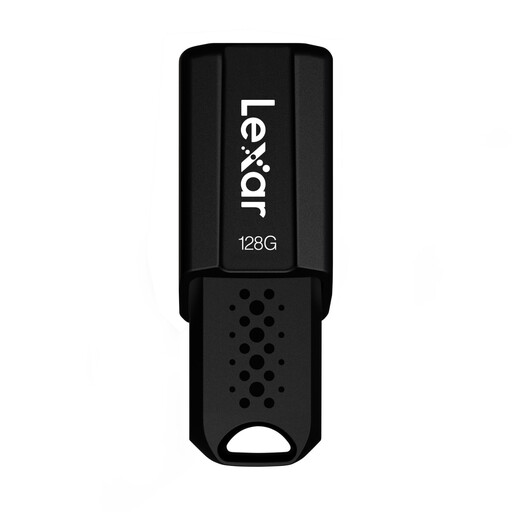
Lexar JumpDrive S80 128GB USB 3.1 Gen 1
For sensitive files when software-based AES-256 encryption suits your studio workflow.
128 GB; USB 3.1 Gen 1. The product description specifies backward compatibility with USB 3.0 and USB 2.0.
View at Joybuy
Frequently asked questions
Is an encrypted stick enough when several people use the studio computer?
No. The Federal Commissioner for Data Protection and Freedom of Information points out that encrypting a storage device offers no protection once the stick has been unlocked. You should also decide who can access the files and how your team should handle an unlocked device.
Which file system is suitable for large, uncompressed recording files?
First, check the size of your largest file and the file system support on every device you’ll use. Microsoft gives FAT32 a limit of 4 GiB per file; the comparison table lists a higher maximum file size for exFAT. Back up any existing data before formatting a stick.
Can the USB stick be the only copy of the interviews?
Important recordings should have a separate backup. The Federal Office for Information Security points out that the lifespan of storage media cannot be predicted precisely and that backups need to be readable again.
What should I check before buying a stick with a keypad?
Check the instructions for the exact version, which devices it supports, and what happens if you forget your access details or enter the wrong PIN. For the documented Keypad Secure version, Verbatim notes that a security update and reformatting are required after 20 incorrect code entries.


