Choose a USB stick based first on the size of the entire project folder, including any versions you want to keep. Then check the largest individual file, the connection and the write performance of the specific model. For important projects, the stick should be an extra, recoverable copy, not your only archive. If files are confidential, make sure the access protection fits the way your team works.
Who is this selection for?
Teams with growing project archives
If you keep original footage, project files and older edits, plan your storage needs alongside a separate, recoverable copy. Germany’s Federal Office for Information Security points out that the lifespan of storage media cannot be predicted precisely.
Teams that regularly hand over files
When you regularly copy large project folders between work devices, the right connection and the write performance of the specific model matter. Manufacturer figures do not automatically reflect the speed a particular computer will achieve during long copy operations.
Teams working with confidential material
If you transport or share project files, consider unlocking methods, access permissions and independent backups separately. Germany’s Federal Commissioner for Data Protection and Freedom of Information points out that encryption offers no protection if the device is already unlocked.
What should you look for when buying?
First, work out the size of your complete archive and the largest individual file. Then check the connection, file system, write time and any access protection you may need for your shared workspace.
| Consideration |
What to check before buying |
Who needs to consider this? |
| Recoverability |
Keep a separate additional copy and check that you can reopen the files and project structure. |
If I need to restore completed projects later, I plan for more than one storage location. Around 26% of consumers prioritise being able to recover their archives. |
| Space for projects |
Compare the total size of folders and versions with the usable capacity; also check the largest individual file and the file system. Microsoft states that FAT32 has a 4 GiB per-file limit. |
If you want to keep entire project folders, including older versions, you need space for everything. Around 26% of consumers put available storage space first. |
| Write time |
Compare the write speeds for the exact model, not just the read speed; the connection and computer can affect actual transfer speeds. |
If I regularly back up large project files, the time it takes to write them matters most to me. Around 21% of consumers prioritise copy time. |
| Device compatibility |
Check for USB-A or USB-C connections on all the devices you plan to use, and choose a file system they support. Back up any existing data before formatting. |
If you need to use the same project files on several work devices, check that the connections and file system are compatible. Around 16% of consumers put compatibility first. |
| Confidentiality |
Agree on unlocking methods and access permissions within your team; also consider lost PINs, failed attempts and keeping an independent backup. |
If I transport confidential files, the access protection needs to fit the way we work as a team. Around 11% of consumers prioritise the confidentiality of their project files. |
Common buying and archiving mistakes
-
Relying on the stick as your only archive copy
Germany’s Federal Office for Information Security says the lifespan of storage media cannot be predicted precisely. It is also important to check whether you will be able to recover the files later.
Keep another copy separately and test that you can open the files and project structure after copying them.
A separate backup requires an additional storage destination.
-
Confusing read speed or USB version with write speed
Write performance matters when copying large project folders. A manufacturer's peak figures do not show what speed a particular workstation will achieve during longer write operations.
Compare the write speed listed for the exact model and check the workstation’s connection. Treat manufacturer figures as peak values, not guaranteed sustained performance.
Frequent backups can take longer if the actual write speed is lower.
-
Planning to store large video files without checking the file system
Microsoft states that FAT32 has a maximum individual file size of 4 GiB. So having enough capacity on the stick does not necessarily mean you can save every video file to it.
Check the largest file and make sure all the devices you plan to use support the chosen file system. Back up existing data before formatting: Apple points out that formatting deletes files.
-
Confusing encryption with protection against data loss
Germany’s Federal Commissioner for Data Protection and Freedom of Information points out that encryption does not protect a device while it is unlocked. According to the manufacturer, the Verbatim Keypad Secure #49429 needs to be reformatted after 20 incorrect PIN attempts.
Agree within your team who can unlock the stick, follow the manufacturer's security update advice and plan a separate backup. Also decide how files can be recovered if the PIN is lost.
Relevant brands and product ranges
Kingston
The DataTraveler Max range includes separate USB-A and USB-C models, with documented capacities of up to 1 TB.
- Kingston lists write speeds of up to 900 MB/s for the range and a limited five-year warranty.
- The manufacturer notes that speed depends on hardware, software and usage. USB-A and USB-C product codes refer to different models.
ADATA
The UE800 range is a USB-C product line with documented models of up to 2 TB.
- ADATA lists USB 3.2 Gen 2 and speeds of up to 1,000 MB/s for both reading and writing.
- These peak figures from the manufacturer do not confirm the sustained write speed when copying a particular video archive; USB-A devices cannot connect directly to the USB-C stick.
SanDisk
The Extreme PRO USB 3.2 SDCZ880-512G-G46 is a documented USB-A model with 512 GB of storage.
- SanDisk lists sequential write speeds of up to 380 MB/s for this model.
- According to the product information, the Vault feature applies to selected files; it does not mean that all files are automatically encrypted.
Samsung
The USB Flash Drive Type-C MUF-512DA/APC is a documented 512 GB model for devices with USB-C.
- Samsung lists read speeds of up to 400 MB/s for this model.
- Samsung lists write speeds of up to 110 MB/s. So the read speed is no substitute for comparing write times.
Verbatim
The Keypad Secure #49429 is a USB-A model with 128 GB of storage and a PIN keypad on the stick.
- Verbatim lists AES-256 hardware encryption and write speeds of up to 150 MB/s for this model.
- According to the manufacturer, the stick needs to be reformatted after 20 incorrect PIN attempts. Follow the manufacturer's security update advice and consider how recovery will work for your team.
Joybuy products for project files
The following Joybuy products are USB sticks for portable storage and file transfers. Compare their capacity, connections and stated specifications with the size of your project and the devices used in your shared workspace.
 No image available
Kingston DataTraveler SE9 G3, 64 GB, USB 3.2 Gen 1
If your project files fit within 64 GB and your workstation has a USB-A port, this model could be suitable for transferring files on the go.
64 GB; USB 3.2 Gen 1; Type-A.
Joybuy
 No image available
MOVESPEED YSUSP05-128GSR, 128 GB, Dual Interface
If your project files fit within 128 GB, this model could be suitable for transferring them on the go. Check that its connections are compatible with all the devices involved.
128 GB; described in the product name as a dual-interface model with USB 3.2 Gen 1 and Type-C.
Joybuy
 No image available
MOVESPEED YSUYC-256GSN, 256 GB, Fingerprint Encryption
If you're considering a stick described in its product name as having Fingerprint Encryption, first check that its access protection fits the way your team works.
256 GB; the product name lists read speeds of 550 MB/s and write speeds of 500 MB/s. According to the product information, encrypted data in the secure partition may not be recoverable if both the password and fingerprint recognition fail.
Joybuy
 No image available
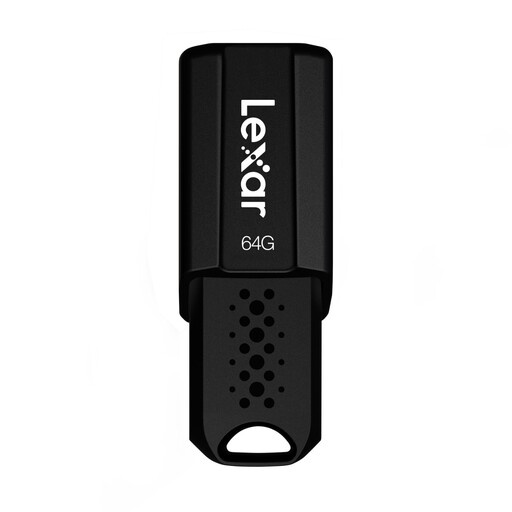
Lexar JumpDrive S80, 64 GB, USB 3.1
If your project files fit within 64 GB, you could consider this model for portable file storage.
64 GB; USB 3.1. The product name lists read speeds of up to 150 MB/s, but no specific write speed.
Joybuy
 No image available
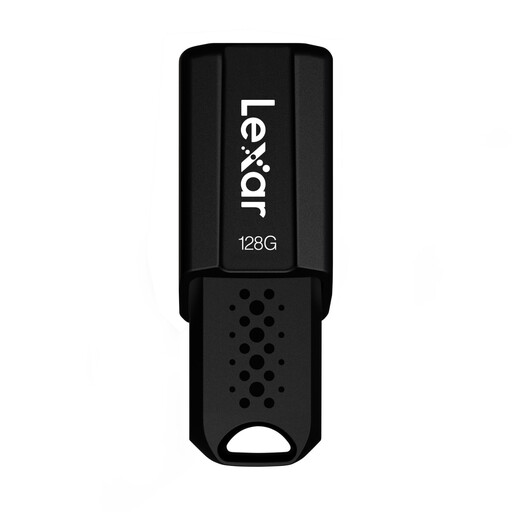
Lexar JumpDrive S80, 128 GB, USB 3.1
If your project files fit within 128 GB, you could consider this model for portable file storage.
128 GB; USB 3.1. The product name lists read speeds of up to 150 MB/s, but no specific write speed.
Joybuy
Frequently asked questions
Can I copy a large video file to any stick with enough storage?
No. As well as available space, the file system matters: Microsoft states that FAT32 supports individual files of up to 4 GiB, while exFAT supports larger files. Check that all the devices you plan to use can work with your chosen format.
How do I set up a stick for both a Mac and a Windows workstation?
Apple describes exFAT as a formatting option for larger external drives used across devices. Back up any existing data first, as formatting deletes it, then test a project file on both devices.
How can I check that a completed project has really been archived?
After copying, open the files you need or restore the project, and keep another copy separately. Germany’s Federal Office for Information Security points out that the lifespan of storage media cannot be predicted precisely.
What rights do I have if a newly bought stick is faulty?
For consumer purchases in Germany, faulty new goods are generally covered by statutory warranty rights against the seller for two years from delivery. A manufacturer's guarantee is separate and subject to its own terms; it does not replace backing up your data.
Is an encrypted USB stick always required for video projects on a shared computer?
Not for every video project as a blanket rule. If personal data is processed, controllers must ensure an appropriate level of security through suitable technical and organisational measures, as required by the GDPR and explained by Germany’s Federal Commissioner for Data Protection and Freedom of Information. Encryption is one possible measure; the precautions your team needs will depend on the content and how you work.


