Teams using different devices
If recordings move between studio PCs and other devices, the connectors need to fit and the files must be readable on every device they’re transferred to.


For voice recordings in a shared studio, a USB stick should work with the ports, file systems and, where relevant, unlocking methods of all the devices involved. Check this with a test recording. For confidential recordings, suitable access protection matters, while files that would be difficult to replace need a separate backup that you’ve checked can be opened. If you regularly transfer lots of recordings, compare the write speed of the specific model rather than looking only at its read speed.
If recordings move between studio PCs and other devices, the connectors need to fit and the files must be readable on every device they’re transferred to.
If you need to control who can open transferred voice recordings, consider how the stick is unlocked and how access is managed. Whether data protection obligations apply depends on the content and how it is processed.
If recordings can’t easily be recreated, the transfer stick shouldn’t be the only copy. A separate backup is only useful if you can open the files from it again.
First, check the ports and make sure the files can be read on the devices you actually use. Then weigh up access protection, backups, write speed and the amount of storage you need.
| Priority | What to check before buying | Who needs it? |
|---|---|---|
| Device and file compatibility | Use a test recording to check the ports, file system and, where relevant, unlocking process on every device you’ll transfer files to. | If recordings move between devices with different ports, I want to know the files can be opened on all of them. Around 28 % of consumers prioritise device and file compatibility. |
| Recoverable copy | Plan for a separate backup and check that you can open selected files from it. | If recordings are difficult to replace, I want to be able to access a readable copy if the transfer stick is lost. Around 22 % of consumers say a recoverable copy is their main priority. |
| Confidentiality and access | For recordings that need protection, check the encryption, unlocking process on the destination devices and how access codes are managed. | If not everyone in the studio should be able to open the same recordings, I want to be able to control access. Around 22 % of consumers prioritise confidentiality and authorised access. |
| Write speed | Compare the write speed for the exact capacity model. A manufacturer’s maximum figure alone doesn’t tell you what speed your studio device will achieve. | If I transfer files often, I don’t want to waste time waiting for large collections of recordings to copy. Around 17 % of consumers say transfer speed is their top priority. |
| Storage space and file size | Consider the volume of recordings and the size of the largest individual file. Microsoft Learn states that FAT32 has a maximum file size of 4 GiB. | If my collection grows or individual recordings are large, I need enough space and a file system that supports them. Around 11 % of consumers prioritise storage space and large individual files. |
When copying files to a stick, its write speed is what matters. Manufacturer maximums and test results may be based on different conditions, so they might not reflect the speed you’ll get on a studio computer.
Compare the write speed for the exact capacity model and check what conditions a test result is based on.
Slow write speeds can mean extra waiting when you’re transferring lots of recordings.
A stick that you carry around isn’t a separate backup. Germany’s Federal Office for Information Security points out that the lifespan of storage media can’t be predicted accurately. A backup also needs to be recoverable.
Keep a separate copy and regularly open selected files from it to check they’re still readable.
Germany’s Federal Commissioner for Data Protection and Freedom of Information points out that an unlocked device doesn’t provide the same protection for files that have already been decrypted. For the Verbatim Keypad Secure USB-A 128 GB, the manufacturer requires reformatting after 20 incorrect code entries.
Decide who is allowed to unlock the stick and how authorised users can access it. Keep a separate backup as well.
Managing access codes takes coordination. With the Verbatim model mentioned, reformatting after incorrect attempts can also mean extra work.
A compatible USB port doesn’t necessarily mean the destination device supports the file system or unlocking method. Formatting erases existing files, as Apple Support explains.
Check the model, capacity, connector and file system on the destination device. Back up any existing files before formatting a drive.
The DataTraveler Duo is a USB-A and USB-C option for moving between devices.
The Keypad Secure USB-A 128 GB is designed to be unlocked using its integrated keypad.
The Ultra Dual Drive Luxe has USB-A and USB-C connectors. It’s a different product line from the Extreme Pro.
According to the manufacturer, the JetFlash 890 has USB-A and USB-C; the JetFlash 920 is a separate USB-A product line.
The High Speed Line is a USB-A option for devices with a compatible port.
The models below include USB-A and USB-A/USB-C connections, 64-GB and 128-GB options, and different write speed and software-based password protection specifications. Check the product details and your devices’ requirements before making a choice.
 No image available
For devices with a Type-A host port; the product description lists write speeds of up to 100 MB/s.
Capacity: 64 GB. The stated write speed is a maximum, not a guaranteed speed on your studio device.
 No image available
For transferring files between devices; the product description lists password protection through SecureAccess software.
Capacity: 64 GB. The description also lists a USB 2.0 interface and 128-bit AES encryption. Check that the software unlocking process works with your destination devices.
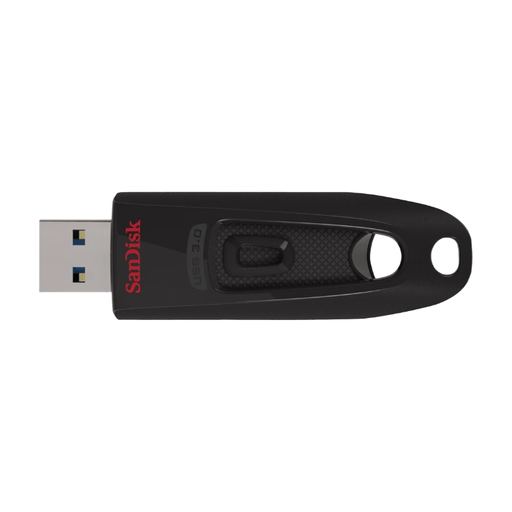 No image available
For voice recordings when 64 GB is enough for your needs and your devices support the interface.
The product description lists USB 3.2 Gen 1, write speeds of up to 27 MB/s and password protection through SecureAccess. Check the unlocking process on your destination devices.
 No image available
For a collection of recordings when the stated capacity is right for you; the product description lists password protection software.
Capacity: 128 GB. The description lists a metal casing and read speeds of up to 150 MB/s. This doesn’t tell you the write speed.
 No image available
For switching between devices with USB-A and Type-C ports, as long as both connectors are compatible with your devices.
Capacity: 128 GB. The product description lists write speeds of up to 520 MB/s and read speeds of up to 570 MB/s. Actual speeds may depend on your studio device.
No. Having the right connectors isn’t enough on its own. Each destination device must also support the file system and, where relevant, the unlocking process. Copy a test file and check that you can open it on every device.
First, check the size of your largest individual file and which file systems your devices support. Microsoft Learn states that FAT32 supports a maximum of 4 GiB per file. Formatting erases existing files, as Apple Support explains, so save them somewhere else first.
No. Encryption doesn’t create a second copy, and Germany’s Federal Commissioner for Data Protection and Freedom of Information points out that an unlocked device doesn’t provide the same protection for decrypted files. Keep a separate backup and check that you can open files from it.
Check the warranty terms and the manufacturer’s advice for the exact model. Verbatim highlights a security update for the Keypad Secure USB-A 128 GB. According to the manufacturer, the drive must be reformatted after 20 incorrect code entries. Make sure you have a readable backup stored separately from the stick.
There’s no blanket yes-or-no answer for every recording. Under certain conditions, Section 53(1) of the German Copyright Act (UrhG) allows an individual to make single copies of a work for private, non-commercial use. This doesn’t amount to general permission to share recordings or to use them in every studio setting. Where personal data is processed within the scope of the GDPR, controllers must implement appropriate technical and organisational measures. For the recording in question, check the usage rights, intended use and, where relevant, who is responsible for data protection.
No. Germany’s Federal Commissioner for Data Protection and Freedom of Information points out that USB devices can introduce malware. Only use storage devices approved under your studio’s security rules.