
Lieferung heute & morgen

Qualitätsgarantie

Willkommens-Angebote freischalten: KOSTENLOSE Lieferung | Bis zu 80 % RABATT | Kostenlose 30-Tage-JoyPlus-Testphase
App herunterladen
The USB-C port has become the standard for most modern devices, from smartphones and tablets to laptops. However, the vast selection of adapters, cables, and power supplies can quickly become overwhelming. Not all USB-C adapters are created equal, and choosing the wrong model can, at best, lead to slow charging and, at worst, result in damaged devices. As your Joybuy Product Recommendation Officer, I'll help you navigate the common pitfalls and make an informed decision.
Before you spend money on a new adapter, you should be aware of the most common issues that lead to frustration and unnecessary expenses.
To avoid a bad purchase, focus on a few crucial technical specifications. These determine whether an adapter is suitable for your specific use case.
An adapter's power is measured in watts (W) and is critical for charging speed. A modern USB-C power adapter should support the Power Delivery (PD) protocol. This intelligent system negotiates the optimal charging power between the charger and the device.
Always check the recommended charging power from your device's manufacturer and choose a fast charger that meets or exceeds this value.
A USB-C adapter can do much more than just charge. Depending on your needs, you should look for the following features:
Look for the GaN (Gallium Nitride) designation. Chargers with this technology are significantly smaller, lighter, and more energy-efficient than traditional silicon chargers. They generate less heat, which increases safety and longevity, making them an ideal charging adapter for on the go.
Here are some recommendations tailored to specific use cases that meet the criteria mentioned above.
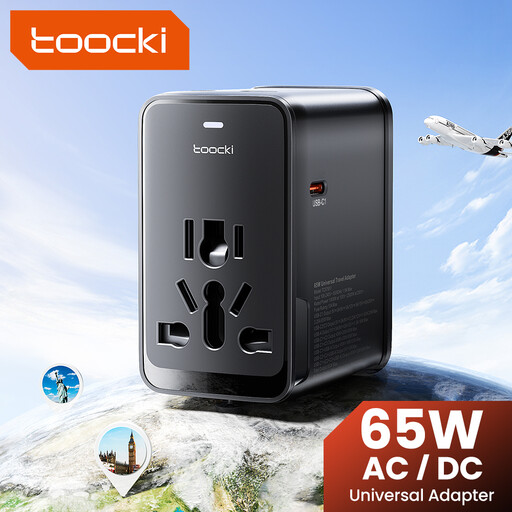
Why This Fits Their Persona: Ideal for business and leisure travellers who need a single solution for multiple countries and devices. It charges a laptop, smartphone, and tablet simultaneously, eliminating the need to carry multiple power bricks.
Solves the compatibility problem with integrated plugs for the EU, UK, US, and AUS. The clear specification of 65W PD avoids the misleading power claim trap, ensuring that even laptops are charged efficiently.
An all-in-one solution for over 150 countries. High charging power and four ports (3x USB-C, 1x USB-A) for maximum flexibility.
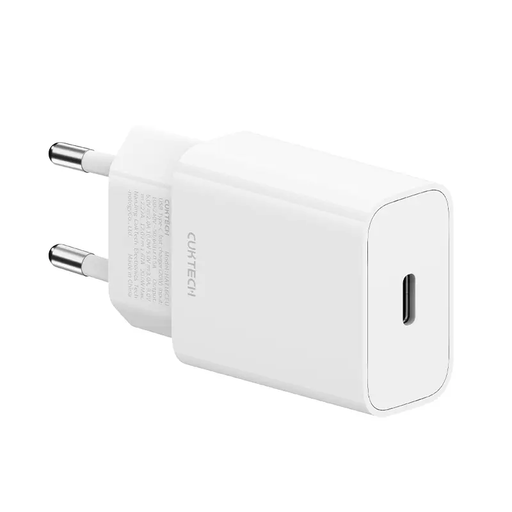
Why This Fits Their Persona: Perfect for users seeking a minimalist yet powerful adapter for their smartphone. Ideal for the desk or a handbag to quickly charge devices like an iPhone.
Bypasses the safety risk of cheap products by using modern GaN technology, which ensures cooler and safer operation. The clear specification of 20W PD is precise and not misleading.
Extremely compact and lightweight thanks to GaN. Delivers the optimal power for fast-charging many current smartphones.
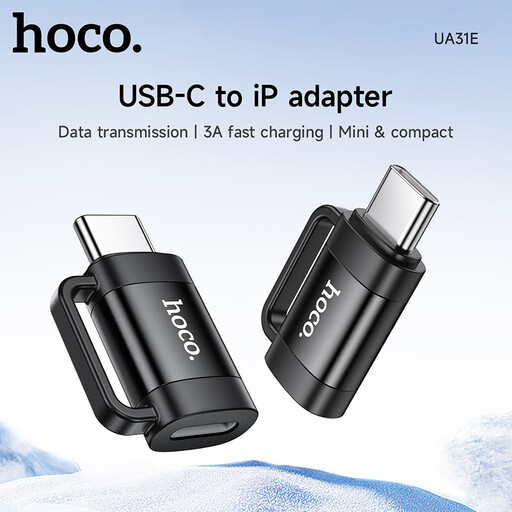
Why This Fits Their Persona: For anyone who owns a new USB-C device (e.g., iPad, Mac) but wants to continue using their existing Lightning cables and accessories for charging and data transfer.
Directly addresses the incompatibility between ports. The product description is transparent, indicating that it supports charging (3A) and data functions (480 Mbps), but not audio.
Enables the continued use of existing Lightning cables. Very compact and ideal for on-the-go. It also supports OTG on compatible devices.
We have compiled a complete, up-to-date list of products that meet these strict selection criteria and safety regulations.
1. How can I tell if a USB-C adapter will fast-charge my device? Look for the "Power Delivery" or "PD" label on the adapter and in the product description. Also, compare the specified wattage (e.g., 20W, 45W, 65W) with your device's requirements, which you can usually find on the manufacturer's website or in the manual.
2. Can I use any USB-C adapter for data transfer and monitors? No. A simple charging adapter often doesn't transfer data or does so at very low speeds. To connect monitors, you need an adapter that explicitly offers video outputs like HDMI or DisplayPort and is compatible with devices that support "DisplayPort Alternate Mode" over USB-C. For fast data transfers, you should look for standards like USB 3.1, USB4, or Thunderbolt.
3. What is the difference between USB-C and Thunderbolt 3? USB-C only describes the physical shape of the connector. Thunderbolt 3 is a more powerful transfer protocol that uses the same connector. It offers significantly higher speeds (up to 40 Gbit/s) and advanced features, such as connecting two 4K monitors. A Thunderbolt 3 port is backward compatible and also works with standard USB-C devices. However, a standard USB-C port cannot run Thunderbolt 3 devices. Therefore, always check which port your laptop has.