
Lieferung heute & morgen

Qualitätsgarantie

Willkommens-Angebote freischalten: KOSTENLOSE Lieferung | Bis zu 80 % RABATT | Kostenlose 30-Tage-JoyPlus-Testphase
App herunterladen
The ability to apply custom designs not just to paper, but also to materials like wood, metal, or glass, opens up new horizons for creative users and small business owners. A UV printer for home use promises just that: high-quality, durable, and even textured prints on a variety of surfaces. However, the market is filled with devices whose marketing promises often suggest more than the technology can deliver. This guide will help you avoid common pitfalls and make an informed decision.
Before you make an investment, you should be aware of the common problems that can arise with devices intended for home use.
To make the right choice, you should carefully examine three core technical aspects. These largely determine the performance and versatility of your device.
The central question is how the device transfers colour or a design onto an object. While conventional printers rely on absorbent paper, UV printers use a special ink that cures instantly under ultraviolet (UV) light. This process enables printing on almost any surface, including non-porous materials. So, if you plan to print on wood and metal or work on glass and plastic, UV technology is a prerequisite. Alternatively, laser engravers work by removing material to create a design—a different method for a different result, usually without colour.
Print quality is measured in DPI (Dots Per Inch). A higher DPI value results in sharper, more detailed images. For photorealistic prints, values of 1200 DPI or higher are recommended. A special feature of modern devices is the capability for 3D texture printing. Such an embossed printer applies multiple layers of ink on top of each other to create a tactile, raised structure. This function is ideal for giving products a unique feel and visual depth.
For home use, a compact desktop UV printer is the obvious choice. Pay attention to the device's dimensions and the maximum printable area to ensure it fits your projects and your workspace. Equally important are the safety features. Since UV light can be harmful to the eyes, an enclosed design with a protective cover is essential. An integrated ventilation or filtration system is also a key factor in minimising fumes during the printing process.
Based on the criteria mentioned, we have compiled a selection of devices suitable for different user profiles.
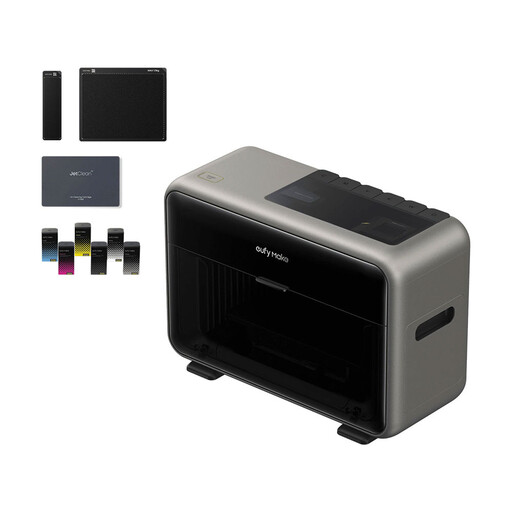
Why This Fits Their Persona: Ideal for users seeking an all-in-one solution for colourful, textured prints on a wide range of materials, without wanting to deal with complex technology. Perfect for creating personalised gifts or products for a small business.
According to the manufacturer, it prints on over 300 materials without pre-treatment. The intuitive app and automatic cleaning system bypass the hurdles of complex software and maintenance.
Enables embossed prints up to 5 mm high for tactile 3D textures. The high resolution of 1440 DPI ensures photorealistic results.
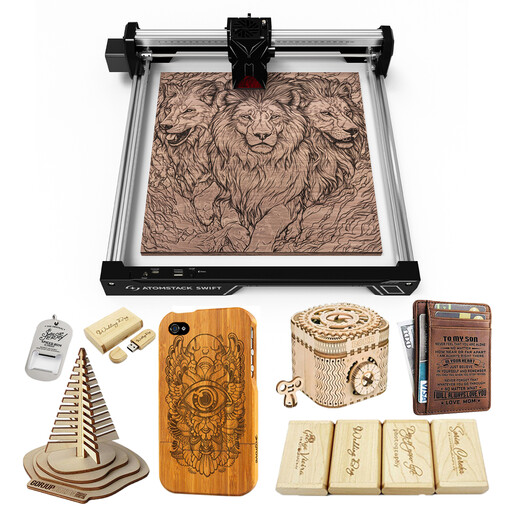
Why This Fits Their Persona: Suitable for users whose focus is on precise engraving and cutting of materials like wood, leather, or acrylic, and who do not require coloured prints. A powerful alternative to printing for pure material processing.
This device is a specialised laser engraver and does not promise all-in-one printing functions. It focuses on one task—engraving—and delivers high performance for it.
The high laser power of 12W not only allows for detailed engravings but also for cutting thinner materials. The large work area of 300 x 300 mm is suitable for larger projects.
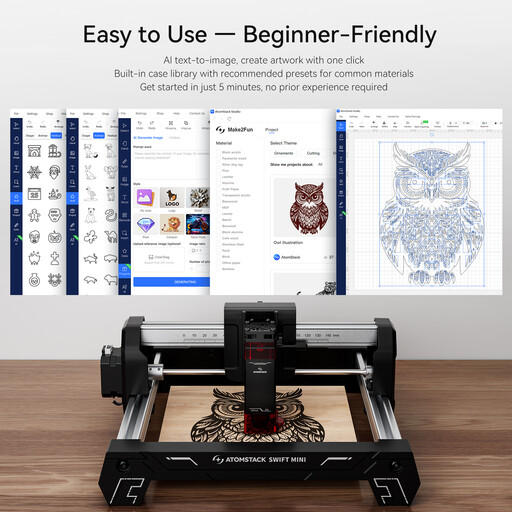
Why This Fits Their Persona: Perfect for hobbyists who want to take their first steps in material personalisation. Ideal for small projects like engraving gift tags, cards, or wooden items without making a large investment.
This model comes fully pre-assembled and is ready to use out of the box. It avoids the pitfall of complex setup and is specifically designed for simple, straightforward use.
The compact and lightweight design makes the device portable and easy to store. The engraving precision of 0.04 mm allows for detailed results on small projects.
We have compiled a complete, up-to-date list of products that fully meet these strict selection criteria and comply with stringent safety regulations.
1. What is the difference between a UV printer and a laser engraver? A UV printer applies ink to a surface and cures it with UV light to create a coloured or textured image. It adds material. A laser engraver, on the other hand, uses a concentrated beam of light to remove or burn material from a surface to create a design. It removes material and typically does not produce coloured images.
2. What are the running costs for a home UV printer? The running costs mainly consist of the prices for UV ink cartridges. These can vary greatly depending on the manufacturer and model. It is advisable to check the cost and yield of the cartridges before purchasing. Some models, like the eufyMake E1, feature an automatic cleaning system that optimises ink consumption in standby mode and prevents it from drying out, which can save costs in the long run.
3. Do I need special software for a desktop UV printer? Most desktop UV printers come with proprietary software or an app from the manufacturer. Models designed for user-friendliness often offer intuitive, free apps (e.g., for smartphones or tablets) that make it easy to create or import designs. More professional devices may require compatibility with design programs like Adobe Illustrator or LightBurn. Before buying, check what software is required and whether it is compatible with your operating system.