What should you look for when buying?
First decide whether you’ll be assessing on-screen graphics or print files. Then compare how the monitor can be positioned at your sit-stand desk, the level of detail it offers and, finally, whether its connections are compatible with your computer.
| What matters |
What to check before buying |
Who is it important to? |
| Colours suited to your output |
For on-screen graphics, check the sRGB mode; for print work, also consider colour gamut, calibration and profiles. |
If I need to assess web graphics and print files separately, I want the colour mode to suit each purpose. Around 31% of consumers put colour control first. |
| Screen positioning |
Check the stand’s height adjustment and tilt, and, if needed, its VESA mount and desk attachment. |
When switching between sitting and standing, I want to be able to reposition the screen to suit me. Around 31% of consumers prioritise positioning. |
| Fine lines and text |
Consider the resolution and screen size together with the scaling you plan to use in your operating system and graphics software. |
If I’m checking fine outlines and small text, I need a level of detail that remains comfortable to work with at my chosen scaling. Around 23% of consumers look at the level of detail first. |
| Laptop connection |
Compare your laptop’s video output and charging requirements with the monitor’s inputs and the cable needed for your desired resolution. |
If I regularly connect and disconnect my laptop at my desk, I want to know whether the video signal and power supply are compatible. Around 15% of consumers prioritise laptop connectivity. |
Joybuy monitors for vector graphics
The Joybuy monitors below offer different strengths in terms of detail, colour modes and screen positioning. Check each product’s specifications against your intended output and workspace.
 No image available
INNOCN 40C1U, 40-inch 5K ultrawide monitor
Could be worth considering for checking fine outlines, with adjustable screen positioning.
The specifications list 5K resolution at 5120 × 2160 pixels, an IPS panel, 99% sRGB and a calibration report. These details alone don’t prove colour-accurate print reproduction.
View at Joybuy
 No image available
INNOCN CB27U1, 27-inch 4K UHD monitor
An option if you want to check fine vector details on a monitor with a specified sRGB rating.
The specifications list 3840 × 2160 pixels, 100% sRGB, 99% Adobe RGB and an adjustable-height stand. USB-C Power Delivery is rated at 90 W; check that this meets your laptop’s charging requirements.
View at Joybuy
 No image available
ASUS ROG Swift OLED PG32UCDMR, 32-inch 4K UHD gaming monitor
The 4K resolution could be useful for viewing fine detail; also check whether its gaming focus suits your workflow.
The specifications list 3840 × 2160 pixels and a stand with 80 mm of height adjustment, plus tilt, swivel and pivot. An sRGB mode isn’t listed in the product specifications quoted here.
View at Joybuy
 No image available
Dell UltraSharp U4924DW, 49-inch DQHD monitor
The wide workspace could leave room for graphics and toolbars; check that it suits your viewing distance and software.
The specifications list 5120 × 1440 pixels, an IPS panel, 98% DCI-P3 and an adjustable-height stand. The vertical resolution is QHD rather than 4K UHD.
View at Joybuy
 No image available
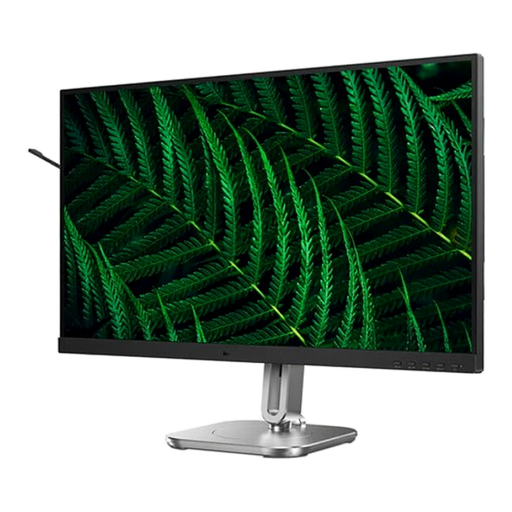
Philips 27B2G5200, 27-inch Full HD IPS monitor
An option if an adjustable-height stand matters to you and Full HD is enough for checking detail.
The resolution is 1920 × 1080 pixels; the title also lists a 100 Hz refresh rate and an adjustable-height stand. Full HD doesn’t offer the resolution of 4K UHD.
View at Joybuy
Frequently asked questions
Is high Adobe RGB coverage enough to approve print work?
No, high Adobe RGB coverage alone isn’t enough. To assess a specific print output, the display, calibration and profiles need to match your workflow.
How should I position the screen when switching between sitting and standing?
Set up your workstation to suit your position, and check that the stand or a compatible arm offers enough adjustment. The German Federal Institute for Occupational Safety and Health recommends a workstation that is individually adjusted and describes alternating between sitting and standing; this doesn’t mean you need a particular monitor model.
Will every USB-C monitor charge my laptop sufficiently?
No. Compare the stated Power Delivery output with your laptop’s charging requirements, and check that the port and cable also support the video connection you need.
What rights apply when buying online as a private customer in Germany?
For private online purchases, you generally have a 14-day right to cancel, starting from the day you receive the goods. If an item is faulty, the seller is generally responsible for your statutory rights; this is different from a voluntary manufacturer’s guarantee. The Verbraucherzentrale explains these consumer rights in its guidance on cancellation and complaints.
Do I need to check for an EU energy label when buying a monitor?
EU energy-labelling rules generally cover monitors too. The classification applies to electronic displays, so check the energy information for the specific model rather than assuming that graphics monitors all fall into a particular energy class. EUR-Lex explains the scope of the EU rules.


