Collectors building a growing archive
If you back up lots of videos in one place, allow enough capacity for your entire collection as well as any new files.


For a growing video collection that usually stays in one place, a desktop HDD could be a good fit if its capacity covers your existing files and planned growth, and you have a suitable spot with a power socket. A portable HDD is a better option if you want to take your backup with you and the capacity of the specific model is sufficient. An external SSD is worth considering for frequent large transfers, provided your computer and cable support the right interface. To make sure you can restore your files, Germany’s Federal Office for Information Security recommends keeping separate copies and occasionally checking that files can actually be read.
If you back up lots of videos in one place, allow enough capacity for your entire collection as well as any new files.
If you want to recover files after accidental deletion or a drive failure, separate copies and occasional read tests can help you check that they’re recoverable.
If you take backups between locations, power supply, compatible connections and the capacity of the specific model are all important.
For a growing video collection, it helps to start by deciding what matters most: space for new files, recovery, portability or frequent transfers.
| Priority | What to check before buying | Who is this most important to? |
|---|---|---|
| Capacity for your current collection and future growth | Compare the capacity of the specific model with the total amount of data you need to back up, including planned growth and backup versions. | If I want to store my existing videos and expected new files on one drive, usable capacity comes first. Around 36% of consumers rank capacity as their top priority. |
| Recoverability | Set a backup schedule, store a separate copy elsewhere and occasionally open or restore a file. | If I want to recover footage after an incident, I need separate, up-to-date copies that I can read. Around 29% of consumers put recoverability first. |
| Portability and power supply | Check where you’ll use the drive, whether there’s a power socket, which USB ports are available and the capacity of the model you’ve chosen. | If I want to use my video backup in different places, I need a drive that’s easy to connect and take with me. Around 21% of consumers prioritise portability. |
| Frequent large transfers | Check how often you’ll copy files, and make sure the USB standard, cable and, where applicable, your system’s UASP support are compatible. | If I often copy large video files, I look for a connection that’s compatible with my computer and cable. Transfer speed is the top priority for around 14% of consumers. |
Storage devices can fail too. Germany’s Federal Office for Information Security recommends keeping backups in a separate location and checking that you can restore them.
Plan to keep separate copies and test restoring them occasionally, rather than relying on a single high-capacity drive or one marketed as especially robust.
An additional backup requires another storage device or a different suitable storage location.
A stated interface speed doesn’t automatically mean that’s the write speed a drive can achieve. For the Samsung T7 Shield, the manufacturer’s stated maximum sequential speeds depend on factors including the host device, cable and whether UASP is enabled.
Compare interface specifications and the drive’s stated speeds separately, and check which connections your computer supports.
The Seagate Expansion Desktop needs a power adapter, while Toshiba says the portable Canvio Basics is powered via USB. The drive’s form factor and power supply affect where it’s practical to use.
Decide whether your backup will mostly stay in one place or travel with you, then check capacity, desk space and power requirements.
A desktop drive needs a suitable spot and a power socket.
The Expansion Desktop is a range of desktop HDDs designed for large file collections. The EMEA datasheet includes models with capacities of 16 TB and 20 TB, among others.
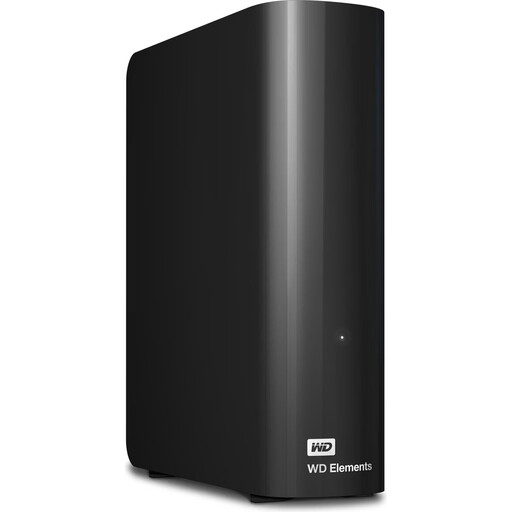
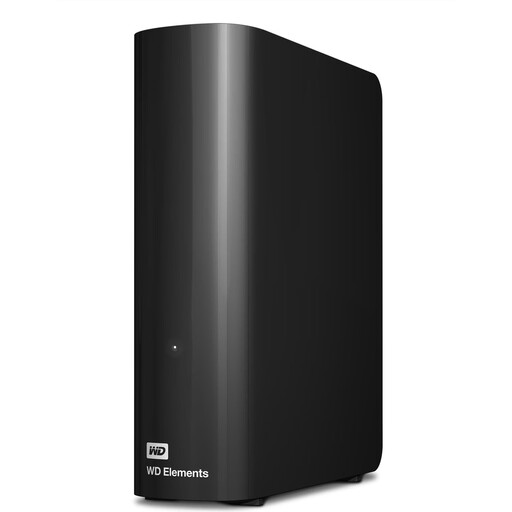
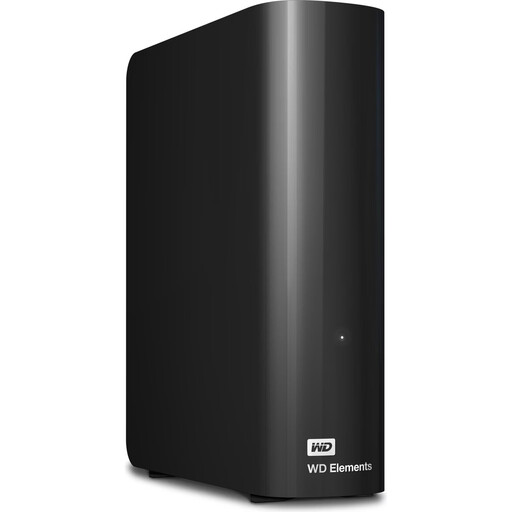
My Book and Elements Desktop are ranges of desktop HDDs with models suited to larger data collections.
Canvio Basics is a range of portable HDDs. The documented HDTB540EK3CA model offers 4 TB.
The T7 Shield MU-PE4T0S/EU is a portable 4 TB external SSD designed for transfers and portability.
Seagate describes the d2 Professional as a range of desktop HDDs for creative workflows and large video archives.
This selection includes desktop HDDs as well as portable HDD and SSD options for growing video collections.
 No image available
For a video collection you want to take between locations, as long as 5 TB is enough for your backup.
5 TB; USB-C; portable HDD.
 No image available
For a large video archive that’s mostly backed up in one place and fits within the chosen capacity.
18 TB; 3.5-inch desktop HDD; USB 3.2 Gen 1; NTFS. A power socket and adapter are required. Reformatting is needed for the described use with macOS.
 No image available
For a video collection stored in one place, if 12 TB is enough for your existing files and planned growth.
12 TB; 3.5-inch desktop HDD; USB 3.2 Gen 1; NTFS. A power socket and adapter are required. Reformatting is needed for the described use with macOS.
 No image available
For a video archive stored in one place that fits within the available capacity and can be backed up somewhere suitable.
10 TB; 3.5-inch desktop HDD; USB 3.2 Gen 1; NTFS. A power socket and adapter are required. Reformatting is needed for the described use with macOS.
 No image available
An option for frequent transfers of large video files, if 4 TB is enough and your computer and cable support the stated USB standard.
4 TB; external SSD; USB Type-C 3.2 Gen 2.
Set a suitable backup schedule and occasionally check that your backed-up files are complete and readable. Germany’s Federal Office for Information Security recommends checking that you can restore a backup, rather than relying on simply creating a copy.
Not necessarily. Toshiba says the documented Canvio Basics model is formatted as NTFS and needs to be reformatted for the described use with a Mac. Before reformatting, check your backup process and save any existing files somewhere else.
No. When you buy from a trader in the EU as a consumer, you have statutory rights if goods are faulty or don’t match the contract. Your Europe describes a minimum period of two years from the date you receive the goods. These rights cover goods that don’t conform to the contract; they don’t replace a separate, readable backup of your videos.