If you have a large video library that will mostly stay in one place, a suitably sized HDD could be a good option. If you’ll be moving it around frequently or need to copy files quickly, a portable SSD may suit you better, provided it has enough capacity and the right connection. Before you move, check that you can access the videos on the system you plan to use: Germany’s Federal Office for Information Security (BSI) warns that restoring data cannot be taken for granted. Don’t keep your original files and your only backup together.
Which backup is right for you?
If you have a large video library
If you want to back up as many of your videos as possible before moving, you’ll need enough capacity and a copy you can restore. Germany’s Federal Office for Information Security (BSI) stresses that you need to be able to restore your data in practice.
If you often take your videos with you
If you’ll be taking your backup drive between homes or devices, check the connections and protection rating of the specific model. Samsung and Kingston provide details of the connections and protection features available on their models.
If you’re short on time for copying
If you need to transfer large files before packing, check that the drive and your computer’s USB port are compatible. Kingston points out that the speed you can achieve depends on the connected device.
What should you look for when buying?
Portable external HDD
A good fit if: Your library needs plenty of space and you’ll mainly be storing the backup. CHIP describes 2.5-inch HDDs as an option when storage capacity matters more than top transfer speeds.
Bear in mind: Check the capacity of the specific model. A large HDD is no substitute for keeping a separate copy elsewhere.
Portable external SSD
A good fit if: You take the drive with you often or want to copy large files quickly.
Bear in mind: A manufacturer’s top speed doesn’t guarantee how long copying will take on your computer. Also check that the specific SSD has enough capacity.
| Criteria |
What to check before buying |
Who should consider this? |
| Capacity |
Work out how much data you have and compare it with the capacity of the specific model. Bear in mind that formatting uses some storage space. |
If I want to back up my entire video library before moving, I’ll need enough usable storage. Around 36% of consumers put sufficient capacity first. |
| Restoring your data |
Check that you can open the files on the system you plan to use, and keep your originals and backup separate. |
I want to be able to open my videos after the move, not just complete a copying process. Around 29% of consumers prioritise being able to restore their data. |
| Portability and privacy |
Check the protection rating of the exact model and, if relevant, the encryption options and how encryption keys are managed. |
If the drive will be travelling with my moving boxes or contains personal footage, I’ll consider how I’ll protect it in transit and prevent unauthorised access. Around 21% of consumers focus on this. |
| Copying time and connection |
Check that the USB port and cable are compatible with your computer. Manufacturer speeds depend on the conditions of the host device. |
If I’m short on time before packing, the drive’s connection needs to be compatible for its advertised speed to be relevant. Around 14% of consumers prioritise speed and connection compatibility. |
Avoid common mistakes
-
Treating your new hard drive as your only copy
If you lose both the original files and your only backup, buying a drive won’t protect your videos from being lost.
Keep a verified copy separate from the original and test that you can restore it before moving. The BSI warns that restoring data cannot be taken for granted.
Keeping a separate copy may require a second backup drive or another secure place to store it.
-
Assuming an SSD’s advertised speed guarantees a certain copying time
Manufacturers’ figures are based on specific conditions and don’t automatically tell you how quickly your computer will copy large files.
Check the USB port and cable on the device you’re copying from before choosing a drive mainly for its top speed.
-
Confusing an IP rating with a guarantee against data loss
Samsung says the T7 Shield’s IP65 rating was tested under controlled conditions. Samsung’s warranty does not cover liquid or dust damage.
Even if an SSD has a protection rating, handle it carefully in transit and keep a separate backup.
Key brands at a glance
Toshiba
Canvio Basics is a range of portable HDDs for backing up data. Toshiba offers models in the range with capacities of up to 4 TB.
- Toshiba says the drives are powered via USB and can be used with Windows without additional software.
- If you use a different operating system, check the format of the specific model.
Western Digital
The My Passport range includes portable HDDs that Western Digital says come with backup software and a password protection option.
- The manufacturer’s data sheet lists hardware encryption, a USB-A cable and a three-year limited warranty for the range.
- Check software access and compatibility for the specific model. Manufacturer information does not guarantee protection against drive failure.
Samsung
The portable SSD T7 Shield is an option if you’ll be moving your drive around often. The German model researched has a capacity of 4 TB.
- Samsung lists USB 3.2 Gen 2 and an IP65 rating tested under controlled conditions.
- Samsung’s warranty excludes liquid and dust damage. The protection rating is no substitute for keeping a separate backup.
Kingston
The XS2000 is a range of portable SSDs designed for compatible USB-C ports and transferring large files.
- Kingston lists models with capacities of up to 4 TB, USB 3.2 Gen 2x2 and speeds of up to 2,000 MB/s as a manufacturer’s figure, along with a removable protective sleeve.
- The speed you can achieve depends on the connected device. A protection rating doesn’t make an additional backup unnecessary.
Crucial
According to Crucial, the compact portable SSD X9 is available in capacities of up to 4 TB and uses USB-C.
- Crucial lists read speeds of up to 1,050 MB/s for the X9 under its own test conditions.
- Crucial notes that performance may vary on your device, while the format and host features can affect compatibility.
Suitable products on Joybuy
This selection includes portable external HDDs for video backups, as well as a portable SSD. The key is to check that the capacity and connection of each model suit your library and computer.
 No image available
WD Elements Portable 4TB USB-C
For a video library that fits within the capacity of this specific 4-TB model, when you want a portable backup you can take with you.
4 TB; 2.5-inch HDD; USB-C; 240 g; listed as suitable for Windows and Mac in the product description. Check how much usable storage space is available for your files.
Joybuy
 No image available
Samsung Portable SSD T7 1TB
A portable SSD backup, if the capacity of this specific 1-TB model is enough for your video files.
USB 3.2 Gen 2; read speeds of up to 1,050 MB/s and write speeds of up to 1,000 MB/s according to the product listing; 58 g; USB-C-to-C and USB-C-to-A cables.
Joybuy
 No image available
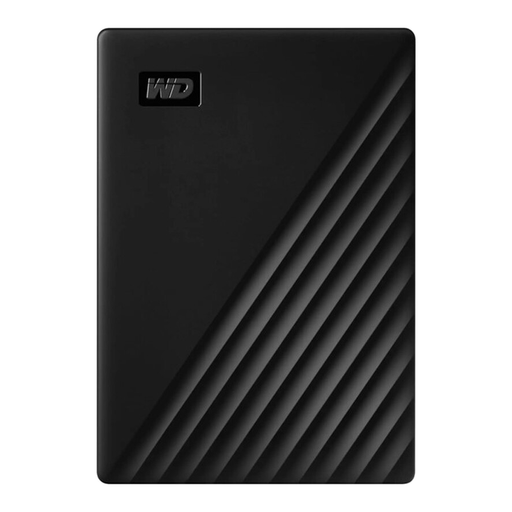
Western Digital My Passport 1TB Black
A portable video backup, provided the 1-TB model has enough capacity for your library.
1 TB; mechanical 2.5-inch HDD; USB 3.0; 122 g.
Joybuy
 No image available
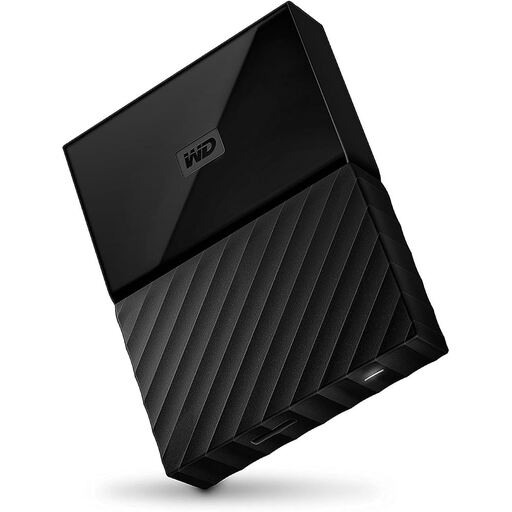
Western Digital My Passport 4TB Black
A video backup if the stated capacity is right for your library and you want to use an encryption option.
4 TB; portable 2.5-inch HDD; USB 3.0; 256-bit AES hardware encryption according to the product description.
Joybuy
 No image available
WD My Passport External Hard Drive 2TB
A portable video backup if 2 TB is enough for the files you need to back up.
2 TB; mechanical 2.5-inch HDD; USB 3.0.
Joybuy
Frequently asked questions
What should I do with my backup before packing my computer?
Open a few of the copied videos directly from the backup drive and check that you can access them on the system you plan to use. Germany’s Federal Office for Information Security also recommends disconnecting the drive from your computer when you’re not backing up data.
Can I use an external HDD formatted for Windows with a Mac?
Don’t assume that you can: Toshiba describes Canvio Basics as formatted for Windows. Check the file system of the specific model and the requirements of your backup software before risking existing data by reformatting the drive.
Does a manufacturer’s warranty replace backing up my videos?
No. As Germany’s Verbraucherzentrale explains, your statutory rights against the seller are separate from a manufacturer’s voluntary warranty. It’s your responsibility to keep a readable copy of your data in a separate place.
What should I know about disposing of an old backup drive in Germany?
Old electrical equipment must be collected separately. Germany’s Federal Environment Agency notes that local collection points generally take it back free of charge. Securely erase personal videos before giving the drive away or disposing of it; the BSI recommends overwriting used storage media with a dedicated programme before passing them on.


