Joybuy products for your modelling table
This selection includes compact cameras and USB webcams for filming at your modelling table, as well as live views on a computer.
 No image available
Osmo Pocket 4P – Standard Combo, Black
A compact camera option for filming at your modelling table. Check in advance that the perspective and focusing distance work for the framing you have in mind.
View at Joybuy
 No image available
Full HD 1080P Webcam with Microphone, USB Plug & Play
For live views on your computer at the table. Check that the framing and focus work for your workpiece.
The product name specifies Full HD 1080P, a built-in microphone and USB Plug & Play.
View at Joybuy
 No image available
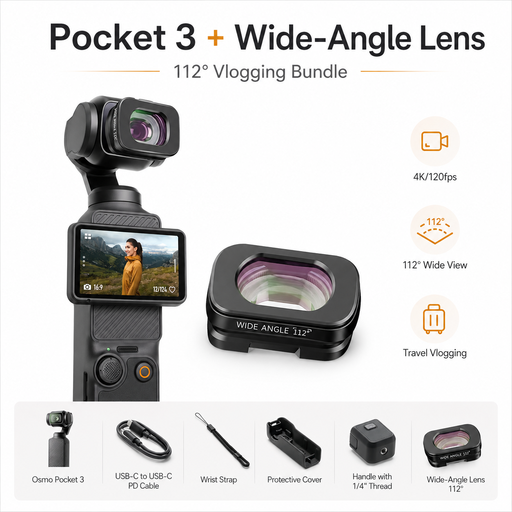
DJI Osmo Pocket 3 Standard Combo + ULANZI F35 112°-Weitwinkelobjektiv
This bundle is designed for a compact camera setup. Check that the wide-angle view suits your table and the close-up framing you want.
The product name specifies a 112° wide-angle lens, 4K/120fps and a 3-axis gimbal camera.
View at Joybuy
 No image available
AOC Webcam with Microphone, 4K and 99° Field of View
A webcam option for a live view on your computer. Check the positioning at your table and that the frame covers your workpiece.
The product name specifies 4K, a 99° field of view and Plug & Play.
View at Joybuy
 No image available
AOC 4K PRO Webcam with Sony IMX363 Sensor, PDAF Autofocus and 75° Field of View
For recording or streaming on a computer. Check that the table stand, distance and framing work for your modelling.
The product name specifies a Sony IMX363 sensor, PDAF autofocus, a 75° field of view and USB-A/USB-C.
View at Joybuy
Frequently asked questions
What should I set up first for an overhead view?
Decide which area you want to show, then check the framing, mounting height and load capacity with the camera you plan to use. In his practical guide, photographer Bernhard Herzog compares mounts for lighter and heavier cameras.
Why do clay colours look different in video?
Your light source affects the colours the camera captures. Check the lighting at your table and adjust the white balance to suit it. This won’t guarantee identical colours on every screen. Canon explains white balance as a setting for different colour temperatures in light.
How can I record a longer modelling session?
Compare the recording time you need with the recording conditions, and plan for power, storage and a test run. Nikon lists up to 125 minutes of uninterrupted footage for the Z 30. This isn’t a guaranteed recording time for every setting and environment.
What are my rights if an online purchase in Germany is faulty?
If a product is faulty, you generally have statutory consumer rights against the seller. These are separate from any additional guarantee. The Verbraucherzentrale says consumers have two years to exercise their statutory rights and, for many online purchases, a right to cancel that usually lasts 14 days. The relevant conditions and exceptions apply.
Can I publish a modelling video that shows identifiable people?
Not simply because you’re filming in your own home studio. If you process other people’s personal data, you need to check that you have an appropriate legal basis. Whether consent is required depends on the circumstances. The Federal Commissioner for Data Protection and Freedom of Information explains the requirements for consent under the General Data Protection Regulation.


