
Lieferung heute & morgen

Qualitätsgarantie

Willkommens-Angebote freischalten: KOSTENLOSE Lieferung | Bis zu 80 % RABATT | Kostenlose 30-Tage-JoyPlus-Testphase
App herunterladen
Equipping conference rooms for hybrid work models requires a precise analysis of technical requirements. A video conferencing system is now a central component of conference room technology. Selecting the right system depends on objective criteria such as room size, scalability, audio and video quality, and compatibility with existing software platforms. This article analyses the key parameters for making an informed purchasing decision.
The functionality of a conference room is largely determined by the performance of its technical equipment. The following criteria are crucial for selecting a system.
The physical dimensions of the room define the requirements for the camera, microphone, and speakers.
Visual clarity is a core aspect of video conferencing.
Audio quality is often more critical than video quality for a successful conference.
Seamless integration into the existing IT infrastructure is crucial.
Based on the technical criteria mentioned above, we present three systems designed for different use cases.

Why We Recommend This Product This device is a specialised Bluetooth conference speaker that focuses on high-quality audio for small to medium-sized groups. Its strength lies in its flexibility and portability, serving as a standalone audio solution or as a supplement to an existing camera.
Advantages
Who It's For This device is suitable for teams needing a portable, high-quality audio solution for spontaneous meetings, as well as for upgrading rooms that already have a camera but inadequate microphones.
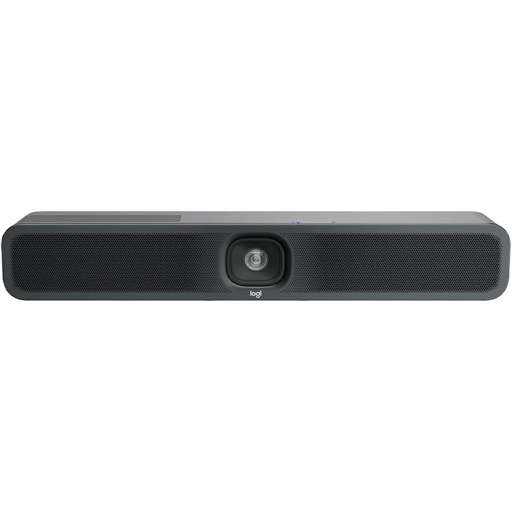
Why We Recommend This Product The Logitech MeetUp 2 is a classic all-in-one video bar designed for small conference rooms and huddle spaces. It combines 4K video and high-quality audio features in a compact design, offering simple plug-and-play installation.
Advantages
Who It's For Ideal for businesses looking for a straightforward, high-performance, all-in-one solution for their small meeting rooms. Its ease of use makes it a great choice for environments without dedicated on-site IT support.
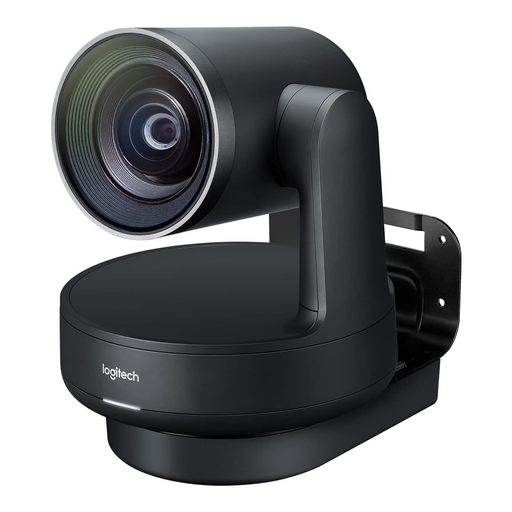
Why We Recommend This Product The Logitech Rally Plus is a modular system designed to meet the demanding requirements for large rooms. It offers maximum installation flexibility and the high-end audiovisual quality needed for executive boardrooms.
Advantages
Who It's For This system is aimed at businesses that need to equip medium to large conference rooms or boardrooms with a professional, scalable, and highly customisable video conferencing solution.
The selection of conference room technology is vast. For specific needs, such as individual audio components or alternative camera solutions, you can find more products in our Microphones & Speakers category.
1. What is the difference between an all-in-one video bar and a modular video conferencing system? An all-in-one video bar integrates the camera, microphones, and speakers into a single unit. This is ideal for small to medium-sized rooms due to its simple installation. A modular system consists of separate components (camera, microphones, speakers, hubs) that can be flexibly placed in the room to ensure optimal coverage in large or acoustically challenging environments.
2. Why is certification for platforms like Microsoft Teams or Zoom important? An official certification guarantees that the hardware has passed rigorous testing by the software provider. This ensures seamless compatibility, high stability, and full access to all software features. For IT managers, this means less configuration effort and greater operational reliability.
3. Do I need a 4K camera for every conference room? Not necessarily. 4K resolution is advantageous when fine details, such as text on a whiteboard or product designs, need to be clearly visible. For standard meetings in small rooms where only the participants are in frame, a Full HD (1080p) camera can be a perfectly adequate and more cost-effective solution.
Written by your Joybuy Product Recommendation Officer