
Lieferung heute & morgen

Qualitätsgarantie
App herunterladen
Kategorien
The efficiency of hybrid work models depends critically on the technology used. A core component is the video conferencing system, which must ensure clear and seamless communication between in-person and remote participants. Selecting the right video conferencing hardware requires an analysis of technical specifications tailored to the specific use case. This guide highlights the crucial criteria for selection and presents specific product solutions.
The decision for a system should be based on an objective evaluation of parameters that match the specific requirements of the space and its usage.
The physical dimensions of the room are the primary factor in selecting camera and audio components.
Resolution is an essential, but not the only, quality metric.
RightSight (Logitech) or similar technologies. These automatically adjust the frame to the number and position of participants, making manual control unnecessary.Audio quality is just as crucial as video quality for a successful video conference.
Seamless integration into the existing IT infrastructure is a critical factor.
Based on the technical criteria above, we present three systems for different use cases.
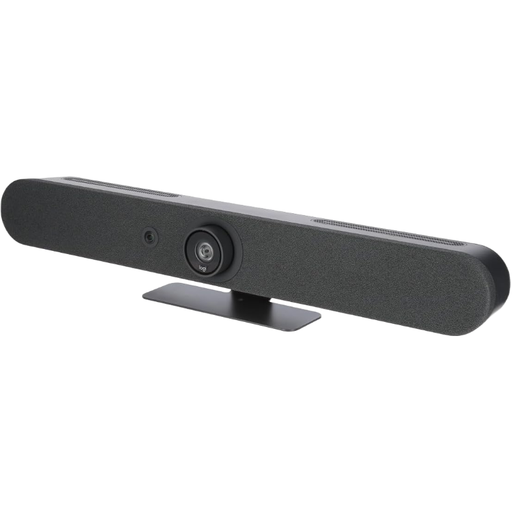
Why We Recommend This Product The Logitech Rally Bar is an integrated solution that combines a camera, microphones, and speakers into a single device. Its strength lies in its appliance mode, which allows Microsoft Teams Rooms or Zoom Rooms to run without an external PC, thus reducing complexity in the conference room. The AI-powered camera and its expandability make it a flexible solution for growing needs.
Pros
RightSight auto-framing and speaker tracking.Who It's For Businesses with medium to large conference rooms looking for a powerful, certified, and easy-to-manage all-in-one video conferencing system solution.
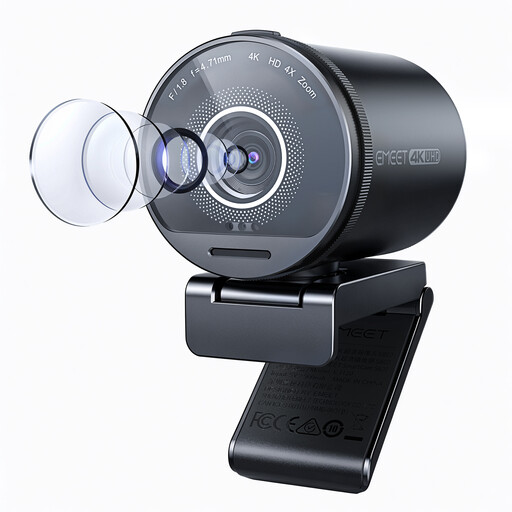
Why We Recommend This Product This webcam from EMEET stands out with its high-quality Sony 1/2-inch sensor and F/1.8 aperture, which enable superior image quality, even in suboptimal lighting conditions. The adjustable field of view (40°–73°) and HDR function offer high flexibility for individuals or small groups who value a professional visual presentation.
Pros
Who It's For Discerning freelancers, content creators, and professionals at individual workstations who require significantly higher video quality than standard webcams and are looking for a flexible, straightforward solution for streaming or video conferencing.
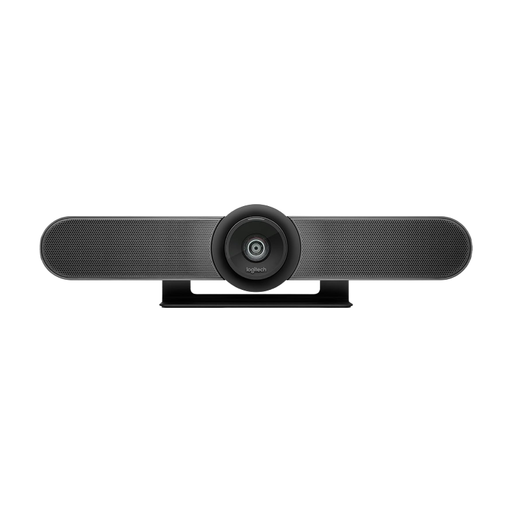
Why We Recommend This Product The Logitech MeetUp is specifically designed for the challenges of small meeting rooms. Its ultra-wide 120° field of view captures all participants, even when close to the table. The combination of a 4K sensor, motorized pan-tilt function, and integrated audio in a compact form factor makes it an efficient solution for huddle rooms.
Pros
RightSight auto-framing.RightSound technology for noise and echo cancellation.Who It's For Companies looking to equip their small meeting rooms or huddle rooms with a high-performance and easy-to-install meeting room camera that was developed specifically for this environment.
The models presented here cover specific use cases. If you are looking for solutions for other scenarios, such as modular systems for very large rooms or specialized accessories, you can find a broader selection in our category for Auto Videokamera.
1. What is the difference between an all-in-one video conferencing system and a standalone conference camera? An all-in-one video conferencing system integrates a camera, microphones, and speakers into a single device (a "bar"). This simplifies installation and cable management. A standalone conference camera must be combined with separate microphones (mic pods) and speakers (a soundbar or ceiling speakers), which offers more flexibility for adapting to complex room acoustics but also involves more installation effort.
2. Why is certification for Microsoft Teams or Zoom important? A certification, such as for Microsoft Teams Rooms hardware or Zoom certified hardware, ensures that the device has passed rigorous testing by the platform provider. This guarantees smooth compatibility, optimal performance, and often a deeper integration of features, such as controlling the camera directly from the conferencing application or a simplified deployment in appliance mode.
3. Do I need a special internet connection for a 4K video conferencing system? A stable, high-bandwidth internet connection is recommended for streaming 4K video. Most video conferencing platforms recommend an upload and download speed of at least 3-4 Mbps for a 4K stream. However, many systems dynamically adjust the resolution to the available bandwidth to ensure a smooth transmission. For reliable performance in a corporate environment, a wired Ethernet connection is preferable to a Wi-Fi connection.