Joybuy products for your editing workstation
The Joybuy products below range from wide displays for timelines to 4K models and monitors with specified switching functions.
 No image available
INNOCN 40C1U 40-inch ultrawide monitor
A wide workspace can be useful for long timelines and multiple sources. Check that the format and connections suit your editing workstation.
Specifications include a 40-inch screen, 5120 × 2160 pixels, a 21:9 aspect ratio and IPS. The description also lists PIP/PBP, USB-C with 65 W Power Delivery and 100 Hz.
View at Joybuy
 No image available
ASUS ROG Swift OLED PG32UCDMR 32-inch monitor
The stated 4K resolution and KVM switch may be useful if you want to check details and switch between devices while sharing peripherals.
Specifications include a 32-inch screen, 3840 × 2160 pixels and QD-OLED. The description also lists 99% DCI-P3 and USB-C with 90 W Power Delivery.
View at Joybuy
 No image available
INNOCN CB27U1 27-inch 4K monitor
The 27-inch 4K format is an option if native detail matters at your editing workstation. If you need to switch shared input devices, check the specified features separately.
Specifications include 3840 × 2160 pixels, IPS, 120 Hz, PIP/PBP and USB-C with 90 W Power Delivery. KVM is listed as ‘NA’ in the product description; PIP/PBP doesn’t provide a specified way to switch peripherals.
View at Joybuy
 No image available
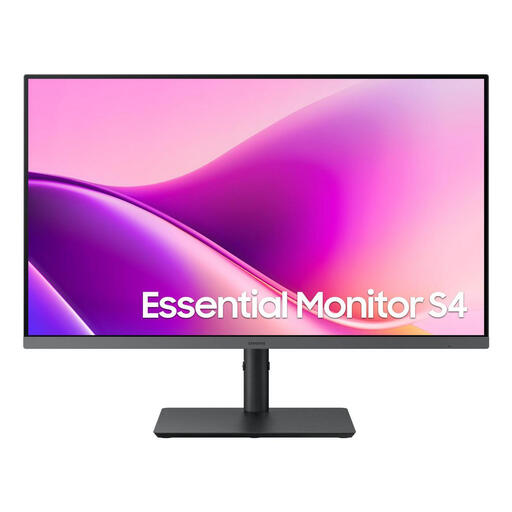
Samsung Essential Monitor S4 S43UF 27-inch
If screen positioning matters at your shared workstation, the listed adjustable stand may be useful when setting it up.
Specifications include IPS, 1920 × 1080 pixels and 100 Hz. The product description lists HDMI and DisplayPort connections, as well as a height-adjustable stand.
View at Joybuy
 No image available
MSI PRO MP275QPDGDE 27-inch WQHD monitor
The specified KVM switch may be useful if you need to switch between devices using a shared keyboard and mouse. WQHD has less native detail than 4K.
Specifications include 2560 × 1440 pixels, USB-C with 98 W Power Delivery, KVM, Ethernet and daisy-chain support.
View at Joybuy
Frequently asked questions
Do I need an HDR monitor for videos of walks?
No, not just because of the subject matter. What matters is the colour and output format you’re working in. For planned SDR output, check that the colour mode and workflow are suitable. An HDR claim on a product page doesn’t, by itself, confirm that the monitor is suitable for checking HDR colour.
How should I set up a shared monitor for making colour decisions?
Use settings suited to your planned output and keep the lighting as consistent as possible. Adobe recommends a colorimeter with calibration software for objective colour settings; adjusting by eye alone isn’t an equivalent approach.
Is USB-C enough to switch between two computers and a keyboard?
No, USB-C alone doesn’t confirm that a monitor has a KVM function. Check the specific model for a clearly specified KVM switch, as well as video and USB upstream connections. The charging power and video output must also suit your computers.
What information can help me compare running electricity costs?
The EU energy label for covered monitors shows the energy efficiency class, among other information. You can find further model details through EPREL. Compare energy consumption figures on the same basis, using your own hours of use and electricity tariff.
How do I dispose of a replaced monitor in Germany?
Electrical and electronic waste must not go in household rubbish. The German Environment Agency lists free local collection points and retailer take-back options; check with the supplier about the specific return arrangements when a new monitor is delivered.
Are there specific workplace rules for a shared editing workstation?
If it’s a screen-based workstation in a workplace or a covered teleworking workstation, ASR A6 sets out more detailed requirements for its design. According to the Federal Institute for Occupational Safety and Health, the rule doesn’t apply generally to private screen use; the specific circumstances of use matter.


