Overhead film-makers with hands in shot
You film gluing, cutting and arranging from above, so you need lighting that keeps each step visible as your hands move around.


For a collage lesson under artificial light, a repositionable continuous light with diffusion is a sensible starting point. For a larger area, consider a panel or a COB light with a suitable light modifier. The key is to keep your hands and each step of the process visible on camera without taking up too much table space. As the colour of the light affects how it looks on camera, Canon Europe recommends matching the white balance to the lighting in the scene. Also check for shadows, reflections and any flicker in a test video.
You film gluing, cutting and arranging from above, so you need lighting that keeps each step visible as your hands move around.
You explain how to choose paper and materials in different colours, and want to avoid the lighting and camera white balance unnecessarily changing how they look.
Your camera, materials and hands already take up space on the table. The way the light is mounted, cable management and room to move all affect which light is right for you.
| Consideration | What to check before buying | Who is it most relevant to? |
|---|---|---|
| Visibility of the work surface and hands | Check for a diffuser or suitable light modifier, an adjustable angle and even coverage of the actual work surface on camera. | When I film my hands and tools from above, I want to see every step on the work surface. Around 31% of consumers would prioritise even lighting without distracting hand shadows. |
| Material colours | Check the white-light range of the specific version and test how it looks with your materials and chosen white balance. | When teaching with coloured paper, I want the shades to be easy to assess in the video. Around 25% of consumers would say that how material colours appear is their top concern. |
| Flicker in video | With all room lights switched on and your planned camera settings in place, record a test video and check for bands and changes in brightness. | When recording under existing artificial light, I don’t want to see bands or changes in brightness in my video. Around 25% of consumers would prioritise avoiding visible flicker. |
| Mounting and space | Measure the table edge and available space; check that the clamp or stand, power supply and cable routing suit the specific product. | When my camera, paper and hands already take up the table, I need a mounting option that keeps the work surface clear. Around 19% of consumers would prioritise a space-saving setup that fits their needs. |
Distance and reflector affect the stated lux value. It doesn’t automatically tell you how bright a larger collage area will look when lit diffusely.
Only compare figures measured under the same conditions, and check the whole work surface from the camera’s position. amaran notes that its lux figures are based on different conditions with the light and reflector.
Existing room lighting and your camera’s white balance still affect how paper and colours look in the video.
Test the light, artificial lighting and white balance together with the materials you’ll actually use for your collage.
The NEEWER NL660 is available in versions with and without a stand. According to Elgato, the maximum light output of the Elgato Key Light Air MK.2 depends on the USB-C power supply.
Before buying, check the exact version against your mounting and power setup. In particular, check whether a stand, batteries, power adapter or light modifier is included.
The LP-Bi range offers panel lighting with adjustable white light and directional illumination for your work surface.
The NL660 is a Bi-Color panel that can be positioned as a separate light for your work table.
The 100x S is a Bi-Color COB light designed to be used with a suitable light modifier.
The Key Light Air MK.2 is designed for compact workspaces with a suitable table edge for its clamp.
The RC 60B COB LED Video Light (Lite Edition) is a compact option if a battery-powered or USB-C-powered COB light suits your setup.
These Joybuy products offer different designs for recording video at your work table. Check the lighting, mounting and power supply in your own setup.
 No image available
For a COB setup where a suitable light modifier can direct the light onto your work surface.
200 W, Bi-Color 2.700–7.000 K, Bowens mount and a design with an integrated power supply.
The title confirms the mount, but not that a light modifier is included.
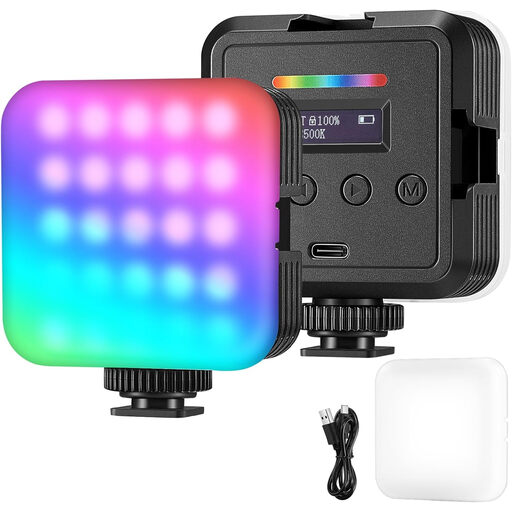 No image available
A compact, portable option for video and streaming if an RGB light suits your setup.
The product title mentions RGB and adjustable lighting modes.
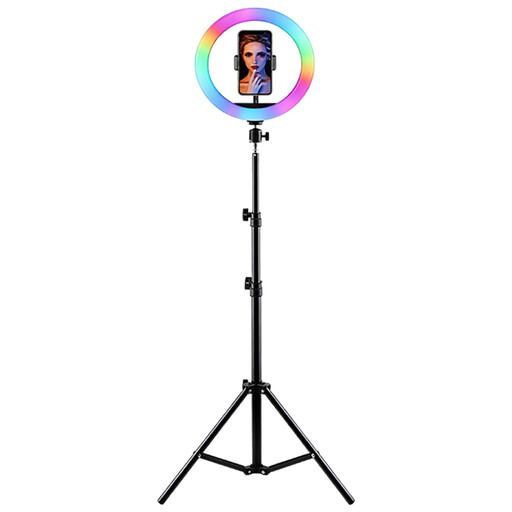 No image available
For a setup where you want to position the light on a height-adjustable stand.
RGB light, adjustable brightness and colour temperature, height-adjustable stand and phone holder.
 No image available
For a COB setup where a built-in battery is useful for your planned power supply.
60 W, RGBCW, built-in 59-Wh battery and Bi-Color 2.700–6.500 K.
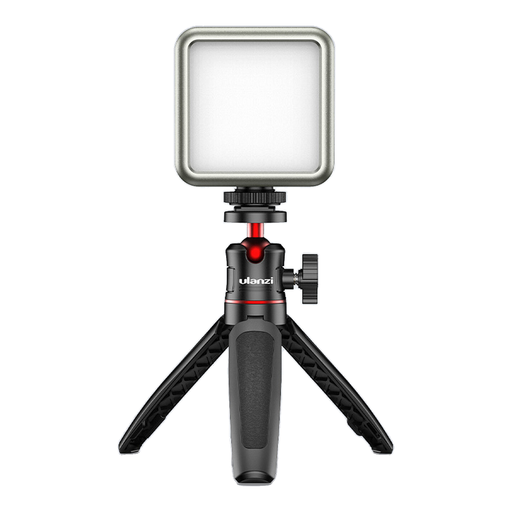 No image available
For a compact setup where the magnets mentioned in the title suit your needs.
RGB, 2.000-mAh battery, dimmable light with 2.500–9.500 K and magnets on the back.
Start by pointing a light that can be diffused at the work surface from beside the camera. Check that each step remains visible as your hands move. Adjust the angle and distance based on a test video; the light’s features alone won’t guarantee a shadow-free image.
Your camera’s white balance should match the lighting in the scene. Canon Europe explains that the colour of the light affects how the camera captures colours. So test the white balance under the artificial light you plan to use, with the materials you’ll actually be working with.
Check which switched-on light source could be causing the issue, then try a different shutter speed or any anti-flicker settings available on your camera. Sony recommends checking the effect of an adjusted shutter speed on the monitor; the result depends on the light source and camera.
Check that the light suits your table edge, available space and cable routing, and confirm what’s included with the exact version. A stand may or may not be included with the NEEWER NL660, depending on the version. According to Elgato, the Key Light Air MK.2’s maximum light output depends on the USB-C input power.
Check the relevant markings and identifiable product and manufacturer details for the specific product, along with any required safety information in German. A general description of a brand doesn’t confirm these details for the item actually being offered.