What should you consider when buying?
First, think about where you can safely place or attach the light at your painting desk. Then compare colour temperature, shadows, how the light looks on camera and the power supply you’ll need for your lesson.
| What matters |
What to check before buying |
Who it matters most to |
| Colour reproduction and consistent colour temperature |
The colour temperature and colour rendering of the specific model; record a test clip with the camera white balance fixed. |
If I explain painting techniques in a video, the footage should show the colours clearly and consistently under stable lighting. Around 25% of consumers say colour reproduction is their main concern. |
| Detail without distracting hand shadows |
Test the light from your planned camera angle; check the size of the diffuser and whether there’s room to attach the light securely. |
When I’m painting, my hand can obscure the small subject. I need light that illuminates the model and brush without them leaving the shot. Around 25% of consumers prioritise shadow control. |
| Flicker and audio quality for lessons |
Record a short clip using your intended camera settings; listen back to the picture and voice audio with your planned microphone. |
When I record a tutorial, I don’t want flicker or audible fan noise to interrupt my explanations. Around 20% of consumers prioritise recording without distractions. |
| Mounting and clear work space |
Check whether the desk edge or monitor can support the mount; plan the light angle over the model and your hands. |
If my camera, palette and hands all need the same small desk, I want to mount the light securely and keep the work surface clear. Around 20% of consumers say space and mounting are their main concerns. |
| Power for the whole lesson |
Compare your recording time with the power source needed for your preferred brightness. |
If I’m filming in different locations or don’t have a suitable socket nearby, I need a power source that works for the planned recording. Around 10% of consumers prioritise flexible power options. |
Joybuy products for miniature painting videos
The Joybuy products below include compact desk and camera lights, as well as a bi-colour light with a Bowens mount. If you’re buying a mains-powered light, check the EU requirements that apply to the specific model and power supply.
 No image available
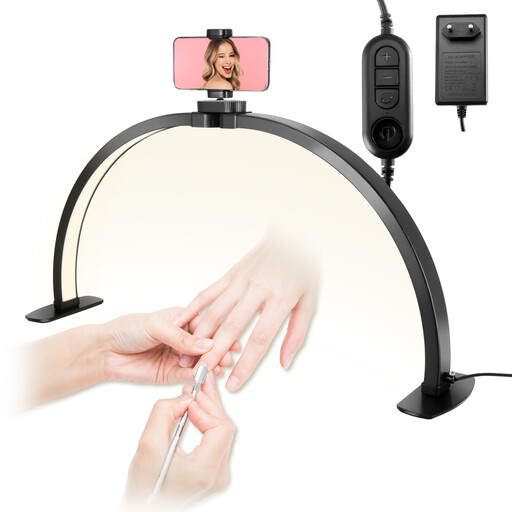
Foldable 30-inch LED light with smartphone holder
The smartphone holder may be useful for filming at a desk. Check that the light can illuminate the model and your hands from your camera position.
- 30-inch
- Three colour temperatures, 3000K–6000K
- Smartphone holder
View at Joybuy
 No image available
MOMAN PC8 RGB camera video light
Described as a portable camera video light, it could suit a compact filming setup. Check whether the mount can position it over your painting desk.
- RGB
- Portable LED video light
View at Joybuy
 No image available
COLBOR W60R RGB video light
This portable light is described as a continuous light source. Check that its size and position will work with the space you have for your camera and painting desk.
View at Joybuy
 No image available
COLBOR 200W bi-colour LED video light with Bowens mount
The Bowens mount is useful for attaching a compatible light modifier. Make sure you also have enough room for the light and its mount.
- 200W
- Bi-colour, 2700K–7000K
- Built-in mains adaptor
- Bowens mount
View at Joybuy
 No image available
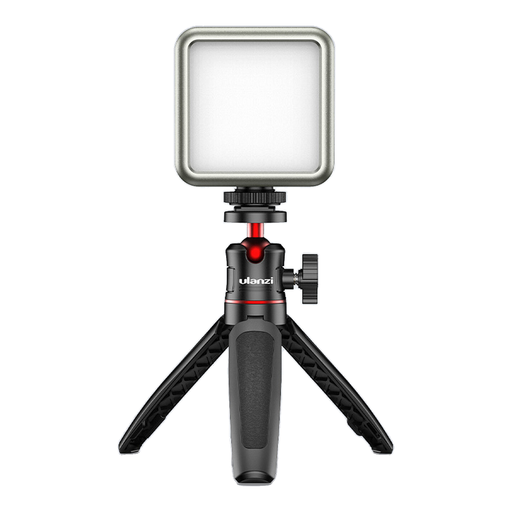
ULANZI VL49 RGB LED video light
This compact light is described as suitable for macro and product photography. Check that you can position it so the model and brush remain visible in shot.
- 2000 mAh battery
- 2500K–9500K
- Rear magnets
View at Joybuy
Frequently asked questions
How can I check for colour differences between my miniature and the footage?
Light the miniature using your planned setup, set the camera white balance for that light and compare a short clip with the model itself. Canon Europe explains that white balance affects colour casts under different light sources; a CRI value alone can’t determine how the colours will look on camera.
Is the monitor mount on a small panel enough for filming from above?
Not necessarily. The Elgato Key Light Neo is designed to mount on a monitor. Before buying, check whether the light will reach your model and hands from that position, or whether you’ll need a different suitable mount.
What can I do if bands or flicker appear in my video?
Record a clip using your actual LED lighting and camera settings, then review it. Sony describes visible flicker during video recording under some LED light sources; test any changes to your camera or lighting settings again.
What return and consumer rights apply when buying online from a business seller?
For an eligible distance contract, you generally have a 14-day right to cancel from the date of delivery, subject to legal exceptions. Goods bought from a business seller also generally have a statutory guarantee of at least two years; a manufacturer’s warranty doesn’t replace it. This information is based on the EU rules outlined by Your Europe.
Is a CE mark on a product evidence of an independent safety test?
No. CE marking isn’t an independent test, and it’s only required for products covered by relevant harmonised EU rules that require the mark. Check which requirements apply to the specific light and power supply, and whether that version complies. Your Europe explains the scope of CE marking.


