For a small, permanent drawing desk, an adjustable desk panel is a natural choice, provided its clamp and power supply suit your workspace. For a larger drawing area, you could consider a second panel or a COB light with a suitable modifier, but both need more room and the right setup. Check the results with your camera: shadows, paper colours, reflections and possible banding can’t be judged from manufacturers’ specifications alone.
Which video light is right for you?
Artists working at a small desk
If you film in one place, your light and mount need to fit alongside your camera and drawing area. Elgato says the clamp on the Key Light Air MK.2 fits most desks up to 6 cm thick. Measure the edge of your desk before you buy.
Artists with a large workspace
For a wider shot, you can make room for light stands or a modifier. If your hand casts a shadow from the side, a second light can help fill it in, as explained in the Landesmedienzentrum Baden-Württemberg’s lighting guidance.
Artists who often change filming location
If you regularly move your setup, power, portability and mounting are all important. For portable lights, check whether battery or mains power will suit the length of your planned recordings, and whether the mount will work in your new location.
What to consider when choosing
Compact desk panel
A good fit if: you regularly film at a small desk and can attach a clamp securely outside the frame.
Things to consider: the desk thickness, height and power supply need to suit the specific model; maximum brightness may depend on the input power.
Larger or second LED panel
A good fit if: you want to light a larger area or use another light to brighten a darker side.
Things to consider: two stands need floor space; according to the manufacturer, the documented NEEWER NL660 twin kit doesn’t include NP-F batteries.
COB continuous light with a modifier
A good fit if: you have room for the light and a suitable mount, and want to use a modifier for a specific effect.
Things to consider: measurements for a light on its own or with a particular reflector don’t automatically tell you what it will be like with a softbox at your drawing desk.
Small battery-powered panel
A good fit if: you often change filming location and mainly need to light a limited area.
Things to consider: the mini stand’s height and battery life need to suit your demo; lux figures only apply at the stated measurement distance.
| What to look for |
What to check before buying |
Who it matters most to |
| Coverage and hand shadows |
Check the whole drawing area on camera while you draw in different places; try another light position or diffusion if needed. |
If my hand obscures my lines, I want to assess the angle and light distribution at my actual workspace. Around 33% of consumers say lighting coverage is their top priority. |
| Paper whites and drawing colours |
Compare your paper and pens with the camera’s white balance fixed; check the colour temperature range of the specific model. |
If I want paper and pen colours to look true to life on video, I match the lighting and camera to my artificial light. Around 27% of consumers prioritise colour rendition. |
| Mounting and space |
Measure the desk edge and available height; allow room for your camera, hand and stands, and check what’s included with the specific version. |
If I need to position the light securely and outside the frame, I check the space at my drawing desk first. Around 27% of consumers say mounting and space are their top priorities. |
| Banding and power |
Try the camera and dimmer settings you plan to use; check that the power supply, input power or battery life will last for your planned recording. |
For longer recordings without visible interference, I want to test the light and camera together and plan the power supply. Around 13% of consumers prioritise reliable recording. |
Avoid common buying mistakes
-
Comparing lux figures from different test setups directly
Manufacturers’ figures may refer to different distances and modifiers. They don’t directly show how evenly your own drawing desk will be lit.
Only compare figures measured at the same distance with a comparable modifier, and check the coverage in a test recording.
-
Leaving mounting and power until after you buy
According to the manufacturer, the maximum brightness of the Elgato Key Light Air MK.2 depends on the USB-C input power. The documented NEEWER NL660 twin kit doesn’t include NP-F batteries.
Check that your desk measurements, power connection and the contents of the box match the exact product version.
-
Assuming a relevant search result is clearly labelled as the model you want
On a Joybuy page labelled ULANZI VL49 RGB, the model field didn’t match the title, according to the product details.
Before buying, check that the model name and technical details refer to the same version.
Key brands to consider
Elgato
Desk-mounted panels for a fixed filming setup; the Key Light Air MK.2 combines a clamp with adjustable colour temperature.
- Elgato says its clamp fits most desks up to 6 cm thick.
- According to Elgato, the MK.2’s maximum brightness depends on the USB-C input power; the technical details say a power supply suitable for full brightness isn’t included.
NEEWER
A range of panel setups, from the compact NL-116AI with mini stand to the documented NL660 twin kit.
- According to NEEWER, the NL660 twin kit includes two panels, diffusers, stands and power supplies.
- The NL660 twin kit doesn’t include NP-F batteries. For the NL-116AI, check that the mini stand’s height and stated battery life suit your needs.
amaran
The 100x S is a COB continuous light with a Bowens mount, designed for use with a suitable modifier.
- According to amaran, the 100x S has adjustable colour temperature from 2700–6500 K and active cooling.
- Published lux figures vary depending on the test setup and modifier; they don’t automatically reflect performance with any softbox at your drawing desk.
Godox
The P260C Pro is a larger bi-colour panel with a diffuser and several power options described by the manufacturer.
- Godox lists a colour temperature range of 2800–6500 K for the P260C Pro, along with average CRI and TLCI values of at least 98.
- The description of softer light comes from the manufacturer and isn’t an independent, like-for-like comparison. Check the mounting and exactly what’s included.
Joybuy products for video recording
This selection includes compact battery-powered and RGB lights, as well as a gobo effect light. For a drawing demo, test your own setup to check that the light covers your paper and hand as needed.
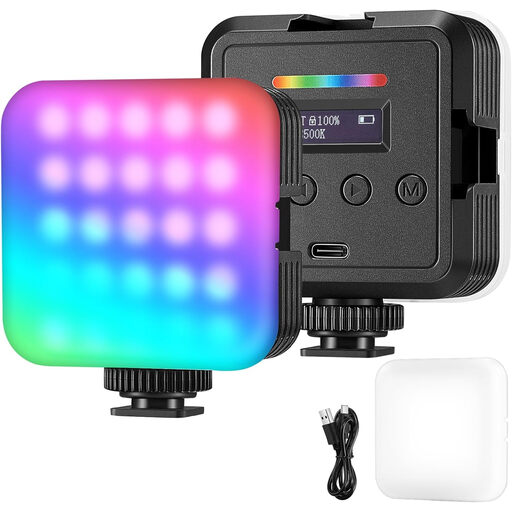 No image available
RGB LED video light
For a portable video setup, the product description lists battery or USB power, along with adjustable brightness and colour temperature.
The description lists RGB, white and warm light modes.
Joybuy
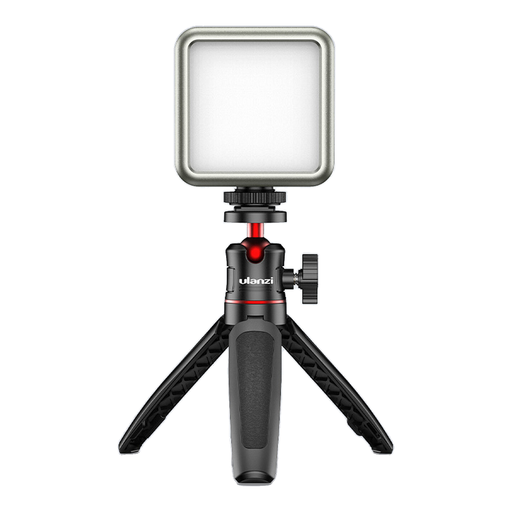 No image available
Compact RGB LED video light
It could work as a compact light for a portable setup, but only if the model name and technical details match the version on offer.
Purchase link unavailable
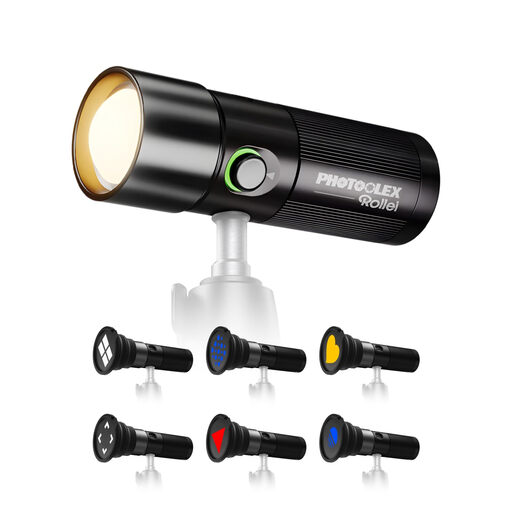 No image available
Photoolex Gobo Light 10W LED Effect Light, 19 Gobos
The product description lists a white LED light effect for photography and video recording; check whether its light distribution is suitable for an evenly lit drawing area.
It lists 19 gobos, a CRI of 95+ and a diffuser. The description also mentions a built-in battery and tripod mounts.
Joybuy
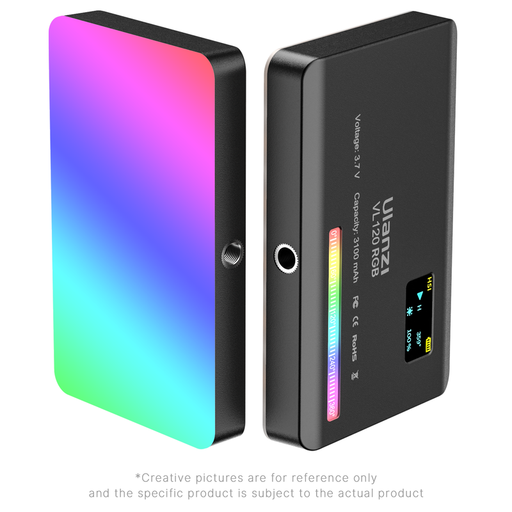 No image available
Ulanzi VL120RGB
This compact panel is an option if you want flexibility when positioning a light at your filming location; check that it provides enough coverage for the whole frame.
The product description lists 120 LEDs, a built-in battery, a diffuser and a cold shoe adapter. The stated colour temperature range is 2500–9000 K.
Joybuy
 No image available
Ulanzi VL119 Handheld Video Light 10W
This tube light could work if you can position it effectively in your camera setup; check first that it lights the drawing area evenly enough.
The product title lists a 3300-mAh battery and an adjustable colour temperature range of 2500–9000 K.
Joybuy
Frequently asked questions about video lights for drawing demos
How should I position a light above my drawing demo?
Position the light so that the paper and your working hand remain visible on camera. Start with the light raised to one side; if a shadow obscures your lines, adjust the angle or brighten the darker side. A test video will show what works at your desk.
Do I need to check the white balance if the colour temperature is adjustable?
Yes. The light’s colour temperature and the camera’s white balance are separate settings. Canon Europe recommends setting the white balance to suit difficult lighting conditions; check the paper whites and pen colours using your actual lighting and camera settings.
What can I try if banding appears in my video?
Test the light and any existing room lighting with the camera, shutter and dimmer settings you plan to use. Canon Europe explains that some flickering LED light sources can cause banding when used with electronic sensor readout; this doesn’t mean that every light model will behave the same way.
Are a power supply and stand always included?
No, it depends on the specific version. For the documented NEEWER NL660 twin kit, the manufacturer lists two power supplies and stands, but no NP-F batteries. Elgato lists a cable and desk clamp for the Key Light Air MK.2, but not the USB-C PD power supply needed for full brightness. Check the details for the model on offer.
What should I look for in electric video lights in Germany?
According to Your Europe, CE marking is only required for products covered by harmonised EU rules that explicitly require it. The Bundesnetzagentur says its market surveillance includes checking whether CE marking is required, as well as checking product and manufacturer details. This doesn’t confirm that an individual listing complies with the rules.


