Recording in a noisy space
If you want to record a voice clearly from a seated position, microphone placement and direction matter. Test it in the actual room rather than relying on the polar pattern alone.


For a seated speaker in a room where there may be background noise, a close-positioned directional dynamic microphone is a sensible starting point. In a quiet room, a USB condenser microphone may also be suitable. Consider your recording device and headphone monitoring, too: you’ll need an audio interface to connect an XLR microphone to a computer. And, as Shure explains in its guidance on microphone positioning, a polar pattern is no substitute for a test recording from the intended seat.
If you want to record a voice clearly from a seated position, microphone placement and direction matter. Test it in the actual room rather than relying on the polar pattern alone.
A USB set-up may suit you if you want to record without a separate audio interface and monitor the sound as you speak. Check that the connection and any included accessories are compatible with your recording device.
If you want to start recording via USB and switch to an XLR set-up later, consider a model with both connections. Bear in mind that the connections may not offer the same features.
First, consider your recording environment and microphone placement. Then check the connection you need and how you can monitor the sound as you speak.
| What to consider | What to check | Who it matters most to |
|---|---|---|
| Capturing your voice despite background noise | Check the polar pattern and microphone direction; make a test recording from the intended seat. | If I’m recording in a room with background noise, I want to direct the microphone towards the voice and test the spot before recording longer passages. Around 40% of consumers put reducing unwanted noise first. |
| Connecting to your recording device | Check the USB connection and compatibility with your recording device; allow for an audio interface if you’re using XLR with a computer. | If I want to record easily on a device I already own, I pay particular attention to direct connection and any accessories I’ll need. Around 30% of consumers prioritise an easy connection. |
| Monitoring and set-up | Check for a headphone socket and an included mount; listen back to a short test recording. | For longer spoken passages, I want to monitor the sound and position the microphone securely at my seat. Around 20% of consumers focus first on sound monitoring and set-up. |
| Expanding your set-up later | Check the USB and XLR features separately; if you’re using XLR with a computer, consider whether you’ll need an audio interface. | If I want to change my recording set-up later, having more than one connection option matters to me; around 10% of consumers prioritise expandability. |
Performance also depends on how the microphone is positioned in relation to the voice and where it is placed in the room. Manufacturer claims are no substitute for testing it from the actual seat.
Listen back to a short test recording using the intended voice and the actual room environment before recording longer passages.
Shure states that the USB-side DSP features on the Shure MV7+ aren’t available via XLR. RØDE says that the 32-bit float output on the RØDE NT1 5th Generation is available via USB only.
Decide which connection you’ll use before buying, and check which features are available through it. You may need an additional audio interface to connect XLR to a computer.
Microphones with similar names may be different models, so the name alone doesn’t tell you whether two products are identical.
Before comparing them, check the full model name and key features.
The AT2040USB is an option for focused voice recording directly via USB.
The Profile USB is designed for a stationary set-up, with a desktop stand and on-microphone controls.
The MV7+ is worth considering if you want the option of connecting via USB-C or XLR.
The NT1 5th Generation combines a stationary condenser set-up with USB and XLR connections.
Here you’ll find Joybuy microphones and sets for desktop voice recording, including USB and USB/XLR models. Check the connections and included accessories for each model.
 No image available
An option for seated voice recording if you want to choose between USB and XLR and listen through headphones as you speak.
Dynamic microphone with a unidirectional polar pattern, USB-C/XLR, headphone socket and monitoring control. A desktop stand and USB cable are listed; the product description says an XLR cable isn’t included.
 No image available
A compact desktop option if you’re looking for a USB condenser microphone with a tilting stand.
Specifications list a supercardioid polar pattern, tap-to-mute with an LED indicator and built-in shock absorption.
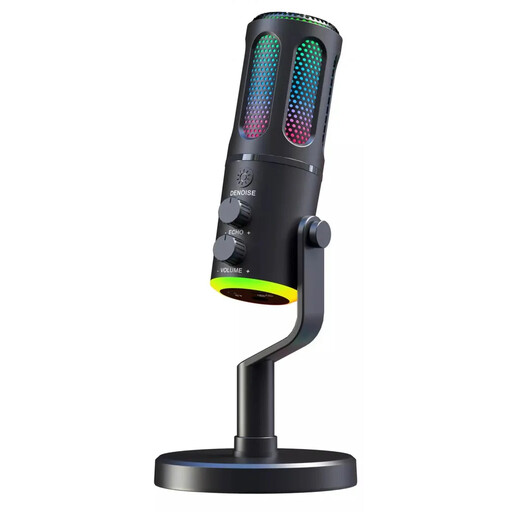 No image available
A wired desktop microphone for voice recording, with a headphone socket and monitoring control for listening as you speak.
Product specifications list USB, a cardioid polar pattern, a desktop stand and real-time monitoring. According to the description, the microphone is designed for indoor use.
 No image available
A set for voice recording if you want USB and XLR connection options, along with direct monitoring as you speak.
Specifications list a dynamic microphone with a cardioid polar pattern, gain control, mute button, headphone monitoring and desktop stand. A USB cable is listed.
 No image available
A set to consider if you’re looking for a condenser microphone with a mixer and an adjustable boom arm stand.
Product specifications list a 3.5 mm condenser microphone, an audio mixer and noise reduction features.
Point the active side towards the voice and check the position with a short recording from the intended seat. RØDE says the gold dot on the NT1 5th Generation marks the front.
Shure says you’ll need an audio interface to connect the Shure MV7+ to a computer via XLR. Also check separately which features are available via USB and XLR.
Under Section 201 of the German Criminal Code (StGB), recording spoken words that are not intended for the public without authorisation is prohibited. Before recording and planning to publish the material, check that you’re entitled to do so and what consent is required. You’ll also need an appropriate legal basis for processing personal data; according to the German Federal Commissioner for Data Protection and Freedom of Information, this depends on the circumstances of each case.