Start by choosing the aquarium software you want to use and checking its requirements against the laptop. A small desktop aquarium on its own doesn’t call for a particularly powerful gaming graphics card. Next, measure the space available, allowing room for your mouse, cables and clear ventilation. Extra gaming performance is mainly relevant if you also plan to play more demanding games.
Who is this setup right for?
Desktop aquarium users
If you want your aquarium running in a corner of your screen while you work or browse, the software you choose and the programmes you have open at the same time matter. The Steam description for Desktop Aquarium specifically mentions using it in a corner of the screen alongside other activities.
Gamers with limited desk space
If you need to fit a laptop, mouse and cables into a small space, consider the case dimensions and clear ventilation as well as the screen size. ASUS notes that blocked vents can affect cooling.
Aquarium fans who also enjoy gaming
If you want to play other games as well as run an aquarium, their requirements should help determine which configuration you choose. The Steam description for Megaquarium, for example, covers building and managing an aquarium. This doesn’t mean all aquarium applications have the same performance requirements.
What should you look for when buying?
| What matters to you |
What to check before buying |
Who should pay particular attention |
| Desk space and ventilation |
Compare the case width and depth with the available space, leaving room for your mouse, cables and vents. |
If desk space is limited, make sure there’s still room for your mouse and cables alongside the laptop. Desk space is the top priority for around 31% of consumers. |
| Software compatibility |
Check the specific title and its operating system against the published requirements, as well as the CPU, graphics, RAM and storage in the exact model. |
If your first priority is making sure your aquarium software will run on your chosen configuration, put compatibility first. Software compatibility is the deciding factor for around 31% of consumers. |
| Running in the background |
Allow for the programmes you’ll use at the same time, keep the vents clear and check the noise information for the specific configuration. |
If you want to keep the aquarium open while you work, consider the programmes you’ll be using alongside it and aim for a workspace with as little disruption as possible. Around 23% of consumers prioritise running software in the background. |
| Other games |
Compare the requirements of every additional game you plan to play with the full CPU, graphics and RAM configuration. |
If you’re choosing a laptop for other games too, give their requirements more weight than those of a desktop aquarium. Other games are the top priority for around 15% of consumers. |
Common buying mistakes
-
Assuming “gaming” means a particular level of performance
A desktop companion and an aquarium management simulation are different applications. The product description alone won’t tell you what specifications a particular title needs.
Choose your software first, then compare its requirements with the exact laptop configuration. Only look for extra performance headroom if you plan to use other programmes or play games that need it.
-
Comparing screen size alone
A laptop case, mouse and cables all take up space on a small desk. You’ll also need to allow room for clear ventilation.
Measure the usable space and compare it with the width and depth of the exact model. Position the laptop so its vents aren’t blocked.
-
Assuming similar model names mean identical versions
Models with similar numbers in their names may have different specifications. A matching series name alone doesn’t confirm that the features or purchase terms are the same.
Compare the full model number and the components that matter to you before treating different versions as equivalent.
Key brands at a glance
MSI
The Cyborg range is a useful reference point for more compact gaming laptops, though the specific model determines its features and dimensions.
- For the Cyborg 14 A13VF, MSI lists case dimensions of 314,7 × 233,5 mm and a maximum graphics power of 45 W for the RTX 4060.
- These are manufacturer specifications for this model range, not an independent noise or performance test, and they don’t confirm the specifications of a particular UK configuration.
ASUS
The TUF Gaming A14 range is a compact product line that can serve as a useful comparison if desk space is limited.
- ASUS describes the range as a 14-inch format.
- Specifications can vary by model. The range description doesn’t confirm the details of a particular UK configuration or how it performs with aquarium software.
HP
The Victus 15-fa2770ng is a specific 15,6-inch model that provides a comparison with more compact devices.
- For this model, HP lists Windows 11 Home, 16 GB RAM, a 512 GB SSD and an RTX 5060.
- The listed graphics performance doesn’t mean it’s necessary for a desktop aquarium.
Lenovo
The Legion 5i Gen 10, part number 83LY00GFGE, is a useful comparison if you need more memory and plan to play other games.
- For this model, Lenovo lists 32 GB RAM, a 1 TB SSD and an RTX 5060.
- These specifications don’t apply to other Legion models or show that aquarium software needs this configuration.
Gaming laptops at Joybuy
This selection includes gaming laptops with a range of screen sizes and configurations. Compare their specifications with your chosen software, the space available on your desk and the requirements of any other games you plan to play.
 No image available
MSI VenturePro A16 AI+ A3HWEG-003
A useful configuration to compare against your aquarium software’s requirements if you’re considering a gaming laptop.
Ryzen AI 7 350, 16 GB RAM, 1 TB SSD, GeForce RTX 5050 and Windows 11 Home. Case dimensions: approximately 359 × 245 × 23,2 mm. Keep the vents clear.
Joybuy
 No image available
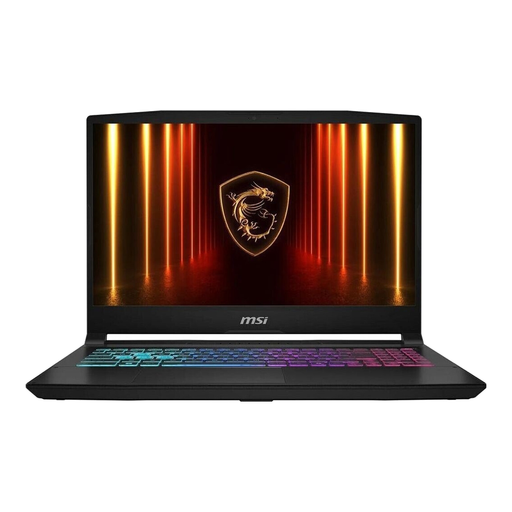
MSI Katana 15 HX B14WFK-487
You can compare this configuration with the requirements of other games you plan to play. Its graphics performance isn’t automatically needed for a desktop aquarium.
15,6 inches; Intel Core i7-14650HX, RTX 5060, 16 GB RAM, 512 GB SSD and Windows 11 Home. Case dimensions: 359 × 262 × 25,5 mm. Leave the vents clear when positioning the laptop.
Joybuy
 No image available
MSI Thin 15 B13UC-3475NN
The case dimensions can help you check whether it will fit on a small desk. Also make sure the configuration is suitable for the software you’ve chosen.
15,6 inches, Full HD, 144 Hz, Intel Core i5-13420H, RTX 3050, 16 GB RAM and 512 GB SSD. Case dimensions: 359 × 254 mm. According to the product description, no operating system is pre-installed. The laptop needs to be placed on a stable, level surface to allow ventilation.
Joybuy
 No image available
MSI Cyborg 15 A13VE-1005
The case dimensions give you a specific point of comparison when checking your desk space. Also check the components against your application’s requirements.
15,6 inches, Full HD, 144 Hz, Intel Core i5-13420H, RTX 4050, 16 GB DDR5 RAM and 512 GB SSD. Case dimensions: 35,9 × 25 × 2,29 cm. According to the product description, no operating system is pre-installed. Keep the vents clear.
Joybuy
 No image available
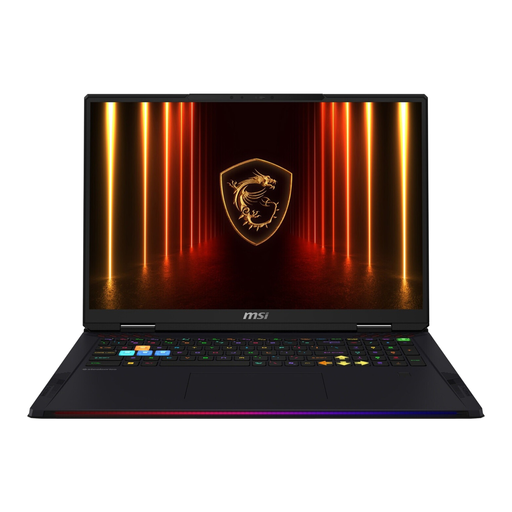
MSI Raider 18 HX AI A2XWJG-074
This configuration is more suited to you if you also want to play demanding games and have plenty of desk space.
18 inches UHD+, Core Ultra 9 285HX, RTX 5090, 64 GB RAM, 4 TB SSD and Windows 11 Home. The listed weight is 3,6 kg. Make sure there’s enough space for ventilation when setting it up.
Joybuy
Frequently asked questions
Do I need a particularly powerful gaming graphics card for a virtual aquarium?
No, not just because it’s described as a “virtual aquarium”. Compare the requirements of the specific title with the full laptop configuration. Any additional games will have their own requirements.
How should I set up a gaming laptop on a small desk?
Compare the case width and depth with the usable desk space, and allow room for your mouse and cables. Place the laptop on a firm, level surface and don’t cover the vents.
What should I know about returns and faults when buying online?
In Germany, consumers who buy online generally have a 14-day right to cancel, although exceptions and the specific time limit should be checked. The Verbraucherzentrale distinguishes this right from statutory consumer rights against the seller and from voluntary guarantees.
What should I check on a Wi-Fi laptop intended for the German market?
Check the documents and markings for the specific model rather than relying on a general product description alone. As part of its market surveillance, the Bundesnetzagentur lists the CE marking, manufacturer details and declaration of conformity among the things to check.


