An aquarium on one large screen
You mainly want to display an aquarium scene on your existing monitor or TV, and choose your PC based on what you actually need.


You don’t automatically need a high-end gaming PC to run a virtual aquarium on a big screen. First, check the requirements of your chosen app, along with your display’s resolution and connections. For example, Extra Mile Studios lists Windows 10, 4 GB RAM and a GTX 970 or Radeon R9 290 as the minimum requirements for Aqua TV. These apply to this app only and don’t confirm 4K performance. If you also want to play games or use multiple monitors, take their requirements, the PC’s graphics outputs and, for extended use, noise and power consumption into account.
You mainly want to display an aquarium scene on your existing monitor or TV, and choose your PC based on what you actually need.
You also use the same computer for gaming, so check the games’ requirements separately from those of the aquarium app.
You want to display a scene on more than one screen. You’ll need to consider both the aquarium software’s features and the outputs on the specific PC.
Start by choosing your aquarium app, then check its requirements against your display’s resolution and connections. Only factor in extra gaming performance or multiple monitors if you actually plan to use them.
| What you need | What to check before buying | Who should pay particular attention |
|---|---|---|
| Viewing on a big screen | Check that the resolution you want and your display’s input are compatible with the PC’s graphics outputs and supported by the specific app. | If I want to use my existing large display, getting the picture right matters more to me than having the highest possible gaming spec. Around 40% of consumers prioritise this type of screen display. |
| Aquarium app compatibility | Compare the operating system, memory and graphics with the requirements of the specific app version. Don’t assume the minimum requirements apply to other programmes. | I want to know before buying whether my PC is suitable for the aquarium app I’ve chosen. Around 30% of consumers put software compatibility first. |
| Noise and power consumption | Check noise and power consumption under comparable conditions. The power supply’s wattage and figures under full load alone tell you little about actual long-term use. | If the scene will be running for hours, I pay particular attention to noise and power consumption rather than unused performance headroom. Around 20% of consumers put these long-term-use considerations first. |
| Additional games or monitors | Check the requirements of your games and the graphics outputs on the specific PC. Also make sure the aquarium app supports the multi-screen setup you want. | If I want to play games as well as run the aquarium, or use multiple displays, I check both sets of requirements separately. Around 10% of consumers prioritise these additional uses. |
Screen size alone doesn’t tell you how much performance an aquarium app needs. A gaming PC roundup also won’t necessarily assess how well a particular aquarium app displays.
Choose your app and preferred resolution first, then compare its full requirements with the PC configuration on offer.
Whether an aquarium scene stretches across multiple displays or fits them properly also depends on the software. Dream Aquarium 1 notes that stretching a scene across two monitors can cause zooming or cropping.
Check the multi-screen feature and the version of your aquarium app, as well as the PC’s graphics outputs.
Components in configurable PCs can differ from the version tested. As a result, findings on noise, power consumption or upgradeability don’t necessarily apply to every configuration.
Compare the full model number and specifications of the product you’re considering with the configuration that was tested.
The notes below refer to the specified model ranges or configurations. Check the specifications of the product you’re actually considering.
Configurable gaming towers, including the High End PC Next Level.
A range of gaming PCs with various tower configurations, including the Engineer X20.
The Orion 3000 range includes tower PCs with specifications that vary by version.
The MAG Infinite S3 14th is available with different graphics card options.
The OMEN 35L range includes a variety of desktop configurations.
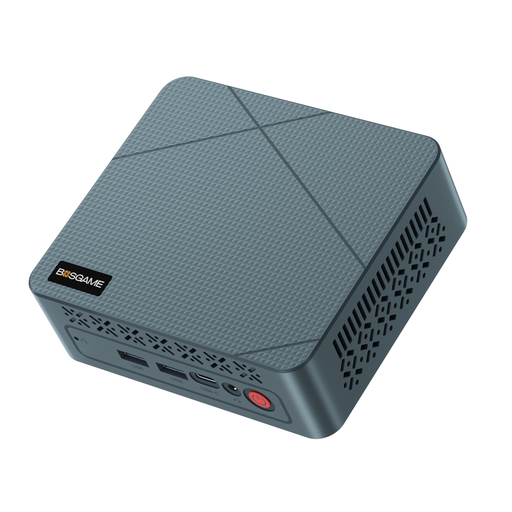
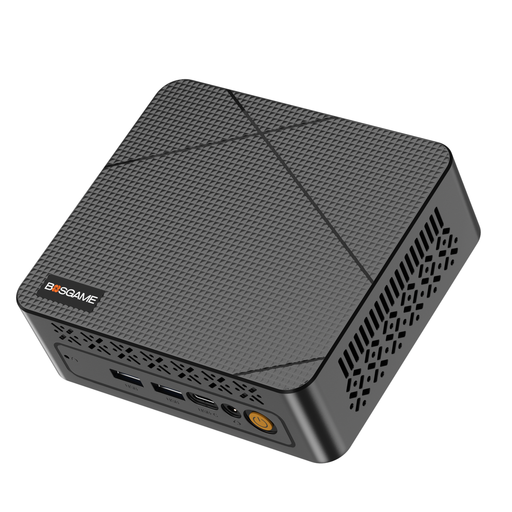
The Joybuy products featured here are mini PCs: compact options for running a virtual aquarium on a big screen. Check the requirements of your specific app and the connections you need against each product listing.
 No image available
A compact PC option for running an aquarium app on a big screen. Before buying, check its specifications against the requirements of your specific app.
The product name lists an AMD Ryzen 5 3501U up to 3.7 GHz, 8 GB RAM and a 256 GB SSD.
 No image available
An option for running an aquarium app on a big screen. Before buying, check that it meets the system requirements of your specific app.
The product name lists an Intel N95, 16 GB DDR4 RAM, a 512 GB SSD and two 4K HDMI outputs.
 No image available
A compact option for displaying an aquarium. Check that the app, PC and screen all support the resolution you want.
The product name lists an AMD 6600H, 16 GB LPDDR5, a 512 GB M.2 NVMe SSD, Windows 11 Home and 4K output via HDMI 2.1 and DisplayPort 1.4.
 No image available
A compact PC option for displaying an aquarium and other uses. Check that its specifications meet the requirements of your other applications.
The product name lists an AMD Ryzen 7 7735HS, Radeon 680M, 16 GB RAM and a 512 GB SSD. The description lists support for three displays via HDMI and USB4.
 No image available
A compact option for running an aquarium on a big screen. Before buying, check the app’s requirements and make sure the PC connects to your display.
The product name lists an AMD Ryzen 5 7640HS, Radeon 760M, 24 GB LPDDR5 RAM, a 512 GB PCIe 4.0 SSD and 4K triple-screen output via USB 4.0 and HDMI 2.1.
No. The product category alone doesn’t mean you need a high-end PC. Check the requirements of the specific app you want to use. For example, Extra Mile Studios lists 4 GB RAM and a GTX 970 or Radeon R9 290 as the minimum for Aqua TV. This doesn’t tell you how other aquarium programmes will perform or guarantee a 4K picture.
Connect the screen and PC using compatible connections, then select the external screen in Windows display settings. Microsoft Support generally recommends using the resolution marked ‘Recommended’. Also check that your chosen aquarium app supports this output.
No. This also depends on the aquarium software you use. SereneScreen describes a view stretched across multiple widescreen monitors for the PC version of Marine Aquarium. Dream Aquarium 1 notes that stretching a scene across two displays can cause zooming or cropping. So check the features of the specific software version.
To work out your own electricity costs, you’ll need the power consumption during your actual use, how long it runs and your electricity tariff. A full-load test result or the power supply’s wattage alone won’t tell you the annual cost of running an aquarium.
Desktop computers sold in the EU are subject to the ecodesign requirements of Regulation (EU) No 617/2013, as explained by the European Commission. Where CE marking is required, the manufacturer confirms on its own responsibility that the applicable EU requirements have been met, according to the German Federal Network Agency. Also check the required accompanying documentation. A label is not proof of performance with an aquarium app.