Joybuy monitors for virtual mountain rides
The Joybuy models below include 34-inch ultrawide, adjustable 27-inch QHD and 4K options for a dedicated training and gaming room. With an ultrawide model, make sure your chosen app supports the 21:9 format.
 No image available
INNOCN E34A1R 34-inch curved gaming monitor
A good choice if you want a wide view of the route in a dedicated training room and your app’s output is compatible with the format.
34 inches, 3440 × 1440 pixels, 21:9, 1500R and 200 Hz. The stand is height-adjustable.
Joybuy
 No image available
INNOCN 2751S PLUS 27-inch Mini LED gaming monitor
A 27-inch QHD option if you want to display your training visuals and data on an adjustable 16:9 screen.
QHD at 2560 × 1440 pixels, IPS panel, 1152 dimming zones and 275 Hz. The product listing specifies height, tilt, swivel and pivot adjustment.
Joybuy
 No image available
KTC M27P6 27-inch 4K Mini LED gaming monitor
A compact 4K option if your source device can output the higher resolution and you want to position the screen at your training station.
27 inches, 3840 × 2160 pixels and Mini LED. The product listing specifies a dual mode of 4K at 160 Hz or Full HD at 320 Hz, plus height, tilt and swivel adjustment.
Joybuy
 No image available
Xiaomi G34WQi 34-inch ultrawide gaming monitor
A good choice if you prefer a wide picture in a dedicated training room and your app supports the ultrawide format.
34 inches, WQHD at 3440 × 1440 pixels and 180 Hz. The product description lists a VA panel and tilt adjustment.
Joybuy
 No image available
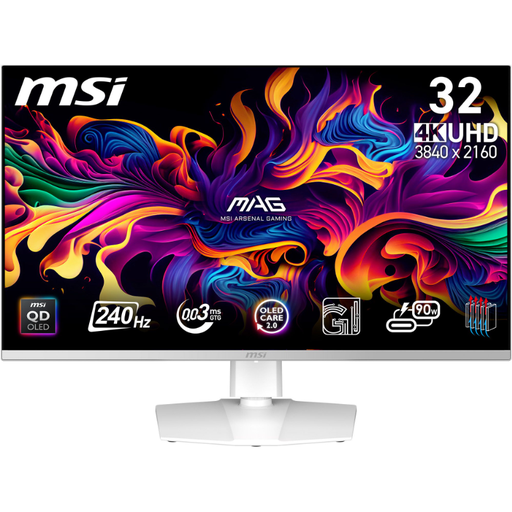
MSI MPG 321URXWDE QD-OLED 31.5-inch 4K gaming monitor
A 4K QD-OLED option if you also want to use the monitor for other games and your source device can output the resolution.
31.5 inches, 3840 × 2160 pixels and 240 Hz. If you’ll have static training data on screen for long periods, check the care instructions and warranty terms for the specific model.
Joybuy
Frequently asked questions
Does a monitor create the sensation of climbing?
No. A monitor displays the output from your source device. To change your trainer’s resistance, the training app must work with a compatible, controllable trainer. Zwift Support describes Trainer Difficulty as a setting that affects how steep a climb feels.
Can I install Tacx directly on a monitor or smart TV?
A standard monitor needs a source device. According to Garmin Support, Tacx apps can’t be installed directly on a smart TV or Apple TV; Garmin describes connecting a computer to a screen with a cable as one way to display the picture on a larger screen. Check the connection method for your specific device.
How can I compare running electricity costs?
Compare the EU energy label information for specific monitors, using the same operating time for both. You’ll also need your electricity tariff to estimate your personal costs.
What consumer rights apply when buying online in Germany?
The Verbraucherzentrale explains that online purchases of goods generally come with a 14-day right to cancel, as well as statutory rights against the seller if goods are faulty. A voluntary manufacturer’s guarantee is separate; check the terms for your specific purchase.
Do monitors have an energy label?
Yes. The European Commission generally includes computer monitors among the electronic displays covered by the rules. The energy label runs from A to G and lets you compare the information shown. Check separately for any exceptions to the scope of the rules.


