Garden simulation fans
You want to place plants and decorations directly on your laptop screen. Check the requirements of the specific game rather than assuming that one garden simulation has the same requirements as another.


For a virtual garden, start by comparing display size and resolution with the requirements of the specific game or design software you plan to use. An 18-inch laptop gives you a large built-in display, but resolution and portability are separate considerations. A particular graphics card alone doesn’t tell you how well a device will run your application.
You want to place plants and decorations directly on your laptop screen. Check the requirements of the specific game rather than assuming that one garden simulation has the same requirements as another.
You want to view garden scenes across a generous screen area, so you compare display size and resolution separately. The right specification also depends on the requirements of your design software.
You want to enjoy your virtual garden in different locations. Weigh the convenience of a large built-in display against the laptop’s size and weight, as well as the space you’ll need for accessories.
First, decide which application you’ll use and how much screen space you want. Then compare the specification and portability of the complete model variant.
| What matters | What to check before buying | Who should pay particular attention? |
|---|---|---|
| Screen size and resolution | Compare the display size and native resolution of the specific variant, and check whether it has an anti-glare finish. | If I want to arrange plants and decorations directly on my laptop, a large screen matters to me; around 36% of consumers put screen size first. |
| Compatibility with your software | Compare the requirements of the specific game or design software with the processor, laptop GPU, RAM and available storage. | If I use a particular game or programme, I want to compare its requirements with the laptop’s specification rather than choose a graphics card by name alone; around 29% of consumers prioritise software compatibility. |
| How much specification you need | First work out what your programme needs and what you want from the display. Then compare the specification and full model number. | If I don’t want to pay for features my garden project doesn’t need, I compare my requirements with the configuration I’m choosing; around 21% of consumers prioritise paying for features they’ll actually use. |
| Portability and space | Consider the dimensions and weight of the complete variant, as well as the extra space needed for the power supply and input devices. | If I often take my laptop somewhere else, the large display needs to remain practical for everyday use; around 14% of consumers prioritise portability and desk space. |
18 inches describes the screen diagonal, not the number of pixels. The 18-inch variants reviewed here differ in native resolution.
Compare screen size and resolution using the full model number for each variant.
Components and other product details can vary between configurations in model ranges that offer different options.
Before comparing, note the CPU, GPU, RAM and display configuration you’re actually considering.
Full model numbers and specifications can differ within the same range. A similar model name isn’t enough to compare variants.
Check the full model number and the technical details that matter to you.
Your right to cancel a distance purchase and your statutory rights if goods are faulty serve different purposes. An optional protection plan is separate from both.
Check your statutory rights first, then see what additional cover an optional plan actually provides.
An optional protection plan may cost extra. Compare what it covers before you take it out.
The ROG Strix G18 G814PP-S8014W is an 18-inch WUXGA variant reviewed here.
The Predator Helios 18 AI Pro NH.QVYEG.009 is an 18-inch configuration with a higher resolution, reviewed here.
The Titan 18 HX AI A2XWJG-656 is an 18-inch variant with UHD+ resolution, reviewed here.
According to Razer, the Blade 18 range includes different display and GPU configurations.
According to Dell, the Alienware 18 Area-51 is available with several configuration options.
The Joybuy models below are 18-inch gaming laptops with a large built-in display. Compare the resolution and specification of the specific variant with the requirements of your application.
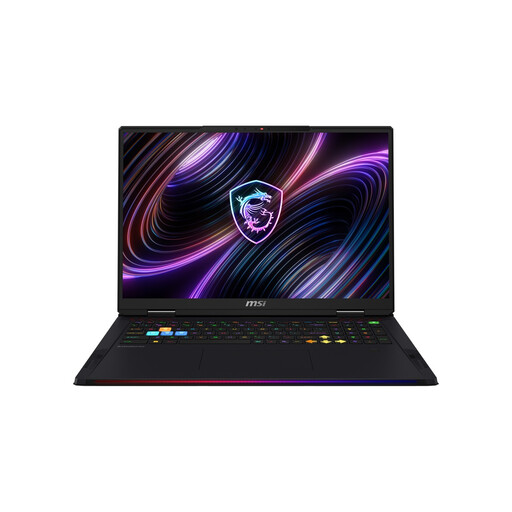 No image available
For comparing expansive garden scenes on a built-in 18-inch display.
18 inches, Mini-LED, WQUXGA, Intel Core Ultra 9 290HX, NVIDIA GeForce RTX 5080, 32 GB DDR5 RAM, 2 TB SSD, Windows 11 Home.
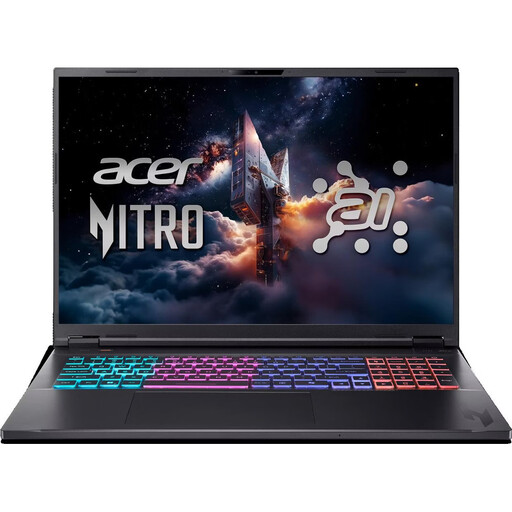 No image available
An 18-inch option if you want to check the display resolution and exact specification against your application’s requirements.
2560 × 1600 pixels, IPS anti-glare, Ryzen AI 7, 16 GB RAM, 1 TB SSD, RTX 5070, Windows 11 Home. The keyboard is listed as having an English international layout.
 No image available
For comparing a large display with the requirements of your specific game or design programme.
18 inches, UHD+ 240 Hz Mini LED, Intel Core Ultra 9 290HX Plus, NVIDIA GeForce RTX 5090 24 GB, 96 GB DDR5, 4 TB SSD, Windows 11 Home.
 No image available
An 18-inch variant for comparing the display resolution and specification with your application’s requirements.
2560 × 1600 pixels, QHD+ 240 Hz, Intel Core Ultra 9 275HX, NVIDIA GeForce RTX 5070 Ti 12 GB, 32 GB DDR5, 1 TB SSD, Windows 11 Home. The description lists a German keyboard layout.
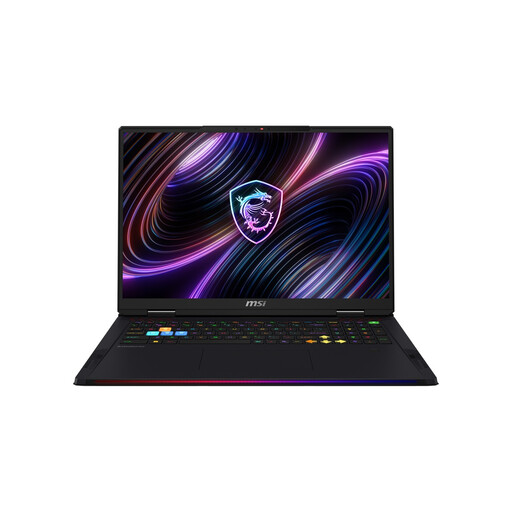 No image available
For anyone who wants to compare a large built-in display with the requirements of their specific application.
18 inches, Mini-LED, UHD+, Intel Core Ultra 9 290HX Plus, NVIDIA GeForce RTX 5090, 64 GB DDR5 RAM, 2 TB SSD, Windows 11 Home.
No. Start by checking the requirements of the specific game. For example, EA publishes its own minimum and recommended requirements for The Sims 4. These aren’t performance test results or general recommendations for other games or 3D design programmes.
Check that the operating system, available storage and input options match the requirements of your application. EA lists requirements for The Sims 4 that include the operating system and RAM; other games and programmes may have different requirements.
For a distance purchase, consumers generally have 14 days from delivery to cancel, although exceptions and return postage costs should be checked separately. This is different from your statutory rights against the seller if goods are faulty: goods bought in the EU are covered by a minimum two-year legal guarantee. A voluntary manufacturer’s guarantee doesn’t replace these rights. The EU’s guidance on cancellations and legal guarantees explains the relevant conditions.
No. The German Environment Agency advises taking electrical and electronic waste to a separate collection point, such as a recycling centre. Removable batteries should be collected separately.