What should you look for when buying?
Start with a test recording while the fan is running, then check the microphone position and listen to the saved audio track. Next, make sure the connection and monitoring work with your device, and assess comfort and freedom of movement for the way you plan to record.
| What matters |
What to check before buying |
Who is it most important for? |
| Clear speech over fan noise |
Check that you can position the microphone boom close to your mouth, then listen to a test recording made with the fan running. |
If the fan needs to stay on while I record my tour, I want to be able to make out quiet words and the ends of sentences too. Around 36% of consumers put speech clarity over fan noise first. |
| Natural-sounding narration |
Listen for plosive sounds and changes in volume in a representative section. |
For longer recordings, I want my voice to sound consistent and plosives not to be distracting. Around 29% of consumers prioritise the sound of the recorded narration. |
| Connection and recording checks |
Check that you have the right socket or USB connection, then select the correct input device in your recording app. |
When I record on a computer, I want to make sure the app is using the headset microphone and that I can listen back to the file. Around 21% of consumers put connection and recording checks first. |
| Comfort and freedom of movement |
Check the fit for the length of time you plan to record; with wireless models, check the connection and battery level. |
I want my headset to feel comfortable during longer takes, and I don’t want to be restricted by a cable when moving around. Around 14% of consumers prioritise comfort or freedom of movement. |
Joybuy products for voice recording
The Joybuy products below include wired and wireless headsets, as well as headphones with a microphone. For each model, check that the microphone, connection and recording device are compatible with your setup.
 No image available
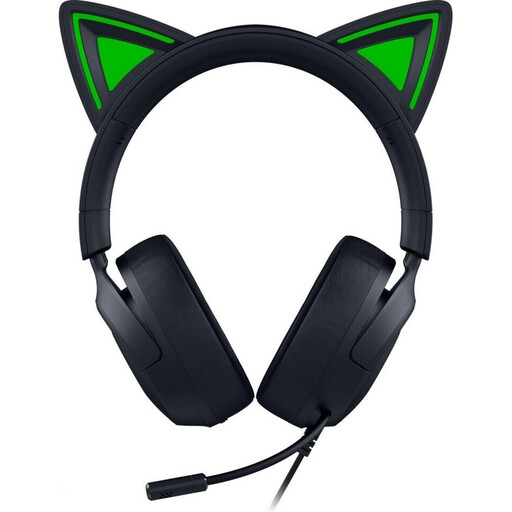
Razer Kraken Kitty V3 X, wired over-ear gaming headset (black)
For wired recording with a compatible 3.5 mm audio input. Position the flexible microphone boom close to your mouth, then check the recording with the fan running.
The microphone is described as cardioid. The stated directional pickup pattern doesn’t measure the quality of a saved tour recording.
View at Joybuy
 No image available
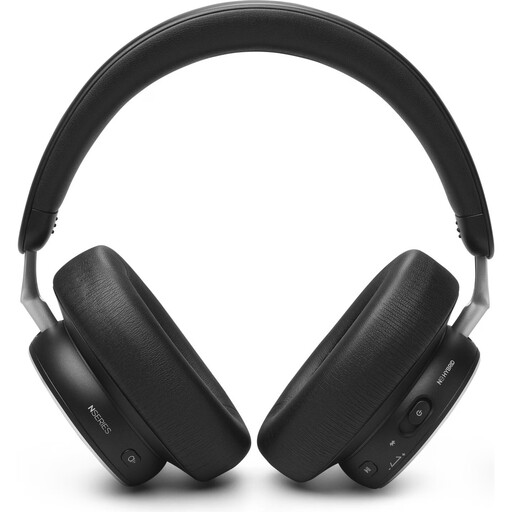
AKG N9 Hybrid over-ear headphones
As headphones with a listed microphone, this model may suit a setup that needs different connection options. Before recording, check how the microphone works with your device and in your app.
Bluetooth 5.3 and a wired 3.5 mm option are listed. The product is described as foldable; a microphone boom and directional pickup pattern aren’t specified here.
View at Joybuy
 No image available
JBL Quantum 360P, wireless over-ear gaming headset
For people who want to move around while recording: the headset is described as offering Bluetooth and a flip-up boom microphone. Check the saved recording with the fan running.
The description lists up to 22 hours of battery life and a detachable 3.5 mm cable. The stated echo cancellation doesn’t prove that a tour recording will be free of fan noise.
View at Joybuy
 No image available
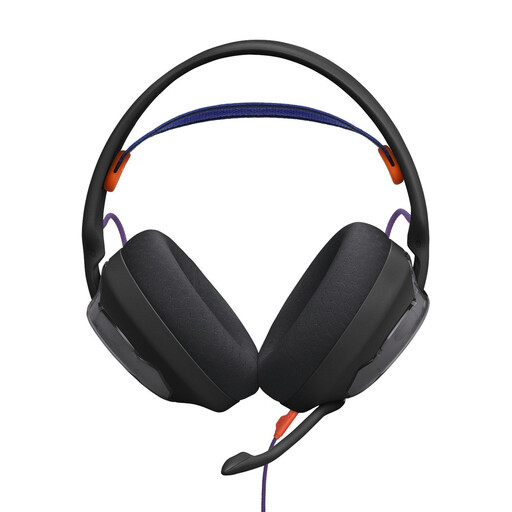
JBL Quantum 250, wired over-ear gaming headset (black)
For a wired setup with a microphone close to your mouth. Compare a test recording made with the fan running instead of assuming the directional pickup pattern will determine the result.
Features listed include a detachable, unidirectional cardioid boom microphone, a foam windscreen and a 3.5 mm connection. According to the product description, the QuantumENGINE microphone settings require the relevant software.
View at Joybuy
 No image available
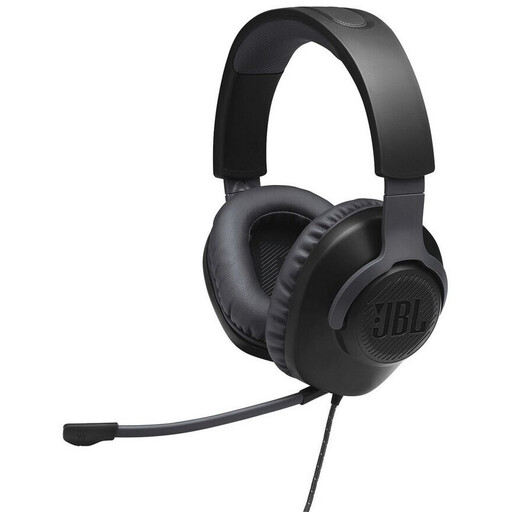
JBL Quantum 100, wired over-ear gaming headset (black)
This wired over-ear headset may suit a setup with a compatible 3.5 mm connection. Before recording, check that the app is using the input device you want.
View at Joybuy
Frequently asked questions
Is ANC enough to stop the fan being heard in my recording?
No. ANC in the ear cups affects what you hear; it doesn’t tell you what the microphone track will sound like. Record the same sentence with the fan running, check the microphone position, then listen back to the file, including the pauses between words.
Why is my computer picking up the fan loudly even though my headset is connected?
First, check that the headset microphone is selected as the input device and isn’t muted. Microsoft explains how to select a recording device and play back a microphone test recording in Windows; other operating systems have their own device settings.
Do I need an adapter for a headset with a 3.5 mm plug?
That depends on the sockets on your recording device and the headset. RØDE provides a splitter with the NTH-100M for computers with separate 3.5 mm microphone and headphone inputs; this doesn’t mean every headset needs an adapter.
What are my rights if a headset I bought as a consumer is faulty?
EU consumer information states that, for goods bought from a trader, there is generally a legal minimum guarantee of two years from receipt. If there’s a fault, contact the seller; any additional manufacturer’s guarantee doesn’t replace your statutory rights.
Can I record other people’s conversations during a virtual tour?
There isn’t a blanket yes or no. Under Section 201 of the German Criminal Code (StGB), recording another person’s non-public spoken words without authorisation may be a criminal offence. Processing personal data also requires a legal basis under the GDPR. Whether this applies to a particular recording depends on its content and circumstances. The recording described here is of your own narration; it is not assumed to include other people’s conversations.


