Which printer is right for you?

Reception area where printouts are visible

If visitors or other unauthorised people can pass the printer output tray, the printer’s location, access and collection process are particularly important. The European Commission and the Berlin Commissioner for Data Protection and Freedom of Information highlight the need to protect personal data and the risks of printouts left on shared printers.

Team sharing access to a printer

Several authorised staff need a connection that works with the existing workplace network. Brother Germany lists USB and Wi-Fi for the HL-L2400DW; Canon Germany also lists Ethernet for the i-SENSYS LBP122dw II.

Reception area with paper records and scanning needs

If you want to digitise or copy completed forms at the same workstation, consider a multifunction printer with a suitable document feeder. Brother Germany lists these features for the MFC-L2860DW.

What should you look for when buying?

What matters What to check before buying Who is this important to?
Protecting visitor data Decide where the printer will go, who can access it and how printouts will be collected. Only plan for a model-specific secure printing feature if it suits your setup. If unauthorised people can pass the output tray at reception, I want access and collection to be properly managed. Around 36% of consumers prioritise protecting printed visitor data.
Access for several staff members Check in advance whether you need USB, shared Wi-Fi or Ethernet at the workstation, and which devices need to print. When several authorised staff need access, I want to know whether the printer can join the intended network. Around 29% of consumers prioritise shared access to printing.
Regular printouts Compare your expected page volume, paper feed, what’s included and the prices of the exact replacement consumables for your model. If registers are printed regularly, I want to plan paper feed and model-specific replacement consumables around my print volume. Around 21% of consumers focus on the ongoing effort involved in regular printing.
Scanning and copying Check the scan mode and document feeder for the forms you use. Don’t assume that duplex printing means double-sided scanning. If I need to digitise completed paper forms at the same workstation, I need scanning and, where required, a document feeder. Around 14% of consumers prioritise scanning and copying.

Common buying mistakes

  • Assuming network printing means secure print collection

    A shared connection won’t stop a visitor register being left unattended in the output tray.

    Plan the printer’s location, access permissions and collection as part of one process. Only set up an available secure printing feature if it fits that process.

  • Looking only at the printer’s price

    For regular printouts, the effort of replacing consumables and ongoing costs depend on your print volume and the exact model variant.

    Check the difference between starter and replacement consumables, and compare suitable options based on your expected page volume.

    Remember to budget for paper and toner, as well as a separate drum unit or optional paper feed, depending on the model.

  • Confusing duplex printing with double-sided scanning

    Automatic double-sided printing doesn’t mean the printer can automatically scan both sides of a completed form.

    If you want to digitise paper registers, check the scan mode and document feeder separately for the exact model variant.

Printer brands to consider

Brother

The models listed offer mono printing, with the MFC-L2860DW also covering scanning and copying.

  • Brother Germany lists USB and Wi-Fi for the HL-L2400DW. The MFC-L2860DW includes LAN, Wi-Fi and a document feeder, among other features.
  • Brother says both models have separate toner and drum units. ‘Secure Print’ is listed for the MFC-L2860DW, not as a standard feature across all Brother printers.

Canon

The i-SENSYS LBP122dw II is a mono printer with Wi-Fi and Ethernet, making it an option for workstations that need a wired network connection.

  • Canon lists automatic A4 duplex printing and a standard cassette that holds up to 150 sheets.
  • According to Canon, this model prints but doesn’t scan or copy.

Kyocera

The ECOSYS PA2101cwx is a colour option with network connectivity if you also need to print colour documents alongside registers.

  • Kyocera lists ‘Private Print’ for this model.
  • Kyocera says the printer measures approximately 410 × 410 × 329 mm and weighs around 21 kg. Claims about low running costs are from the manufacturer and aren’t a calculation for this particular use.

Epson

The WorkForce Pro WF-M5399DW is a mono business inkjet printer for workgroups considering expandable paper capacity.

  • Epson lists automatic duplex printing and a paper capacity of up to 1,830 sheets with three optional 500-sheet cassettes.
  • Maximum capacity depends on adding these extra cassettes. Claims about low total cost of ownership and low consumption come from the manufacturer.

HP

The LaserJet Pro 3002dw is a mono option for small teams, with wireless and double-sided printing.

  • HP lists print speeds of up to 33 A4 pages per minute for this model.
  • HP says dynamic security measures may block cartridges that use a non-HP chip. Bear this in mind when planning consumables.

Printers at Joybuy

The range includes A4 mono laser printers and portable thermal printers. Check that the printing technology, paper size and features you need are suitable for your register.

PANTUM BM2300AW A4 mono laser multifunction printer

PANTUM BM2300AW A4 Mono Laser Multifunction Printer

A good fit if you need to copy or scan as well as print at a shared workstation.

A4 mono laser multifunction printer; 22 ppm; Wi-Fi; ADF.

View at Joybuy

PANTUM BP2300W A4 mono laser printer

PANTUM BP2300W A4 Monochrome Laser Printer

An option if you only need to print at reception and a wireless connection suits your setup.

A4 mono laser printer; 22 ppm; Wi-Fi and Bluetooth.

View at Joybuy

PANTUM BM2300NW A4 mono laser multifunction printer

PANTUM BM2300NW A4 Mono Laser Multifunction Printer

Consider this multifunction model if you need both network printing and scanning or copying at the same workstation.

A4 mono laser multifunction printer; 22 ppm; dual-band Wi-Fi; Ethernet.

View at Joybuy
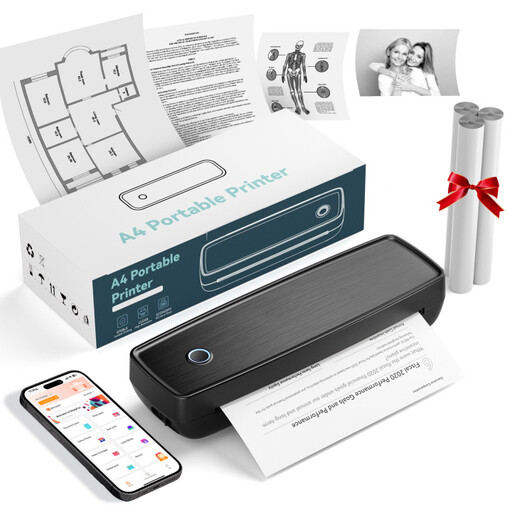
Portable thermal printer with Bluetooth and USB-C

Portable Thermal Printer with Bluetooth and USB-C

Only consider this if a portable thermal printing workflow and the paper it requires are suitable for your register.

Thermal printing; Bluetooth and USB-C.

View at Joybuy

RONGTA F11B portable A4 thermal printer

RONGTA F11B Portable A4 Thermal Printer

Check whether thermal printing and the listed paper sizes are suitable for your visitor registers.

A4 thermal printer; Bluetooth; 203 DPI; 16 mm/s; A4, A5 and B5.

View at Joybuy

Frequently asked questions

Does a printer for visitor registers have to require a PIN to release a print job?

Data protection principles don’t establish a general requirement for this specific printer feature. If a register contains personal data, the organisation responsible for it must take appropriate measures to prevent unauthorised access. Consider the printer’s location, access permissions, collection process and any suitable secure printing feature together.

How do I set up a printer for several staff members?

Match the connection you plan to use at the workstation to the printer’s full model name. The Brother HL-L2400DW lists USB and Wi-Fi, while the Canon i-SENSYS LBP122dw II also lists Ethernet. The IT team responsible for setup should ensure that access is limited to authorised staff and that the printing infrastructure is protected.

What should I include in the budget besides the printer?

Factor in your expected page volume, paper and model-specific replacement consumables. The Brother HL-L2400DW has separate toner and drum units, so also check which consumables are included and which need to be replaced. If needed, budget for optional paper cassettes too.

How long should printed visitor lists be kept?

The European Commission’s data protection principles don’t set one standard retention period for all visitor registers. Personal data should not be kept for longer than necessary for its purpose. The organisation responsible for the data must determine the purpose, any relevant specific obligations, and an appropriate retention and deletion process.

Where can I get help after buying?

Check the support and warranty terms for the full model and the specific offer. Only factor in special service commitments if they apply to the model variant in question and its terms.