First, check whether the visual novels you want are available for your chosen console and in your preferred text language. Switch models are worth considering for both TV and handheld play. With a Steam Deck, you should also check each game's compatibility and how to connect it to your TV. A high video resolution alone doesn't tell you whether the text will be easy to read from where you sit.
Who plays visual novels?
Your game library comes first
If you already have specific visual novels in mind, check the platform version and available text languages before you buy. Nintendo notes that some older Switch games may have limitations or may not be compatible with Switch 2. The PlayStation Store and Steam also list details for individual game versions and their available languages.
Reading on a TV or monitor
For longer reading sessions on an external screen, you'll need a suitable connection to your TV or monitor. Whether the text is comfortable to read from where you sit also depends on the specific game version and how it displays the text.
Switching between TV and handheld play
If you want to play both on the big screen and in handheld mode, consider a Switch model with TV mode or a Steam Deck with a suitable connection to an external screen. Your game library and the compatibility of each title are still key.
What should you look for when buying?
Nintendo Switch 2
A good fit if: you want to play on your TV and on the go, and the titles you want are available for Switch 2 or explicitly confirmed as compatible.
Bear in mind: Nintendo lists limitations for some older Switch games. 4K output may also require a supported game and a compatible TV.
Nintendo Switch – OLED Model
A good fit if: the titles you want are available for the original Switch, and you'd like to use the built-in screen as well as your TV.
Bear in mind: The OLED screen is for handheld and tabletop mode; it doesn't affect your TV's display technology.
Steam Deck OLED
A good fit if: the titles you want are in your Steam library or available on Steam, and their compatibility status meets your needs.
Bear in mind: You'll need a suitable connection to use it with your TV. Valve notes that games rated “Playable” may require some manual adjustments.
PlayStation 5
A good fit if: the visual novels you want are available as suitable PS5 or supported PS4 versions, and you mainly plan to play on your TV.
Bear in mind: The PS5 Digital Edition has no disc drive. One title listed on the PlayStation Store doesn't prove that the whole genre is available.
Xbox Series S
A good fit if: the specific titles you want are available for Xbox and you prefer buying digital games.
Bear in mind: Microsoft describes the Series S as an all-digital console, so check that each title you want is available on Xbox.
| What matters |
What to check before buying |
Who is it important to? |
| Games you want and text language |
Check the platform version and stated text language for each title. For Switch 2, also check the compatibility status of older Switch games. |
If I want to read a particular visual novel, I first check that the exact version is available for the console and in my preferred text language. Around 33% of consumers put the game version and text language first. |
| TV connection and readability |
Check for TV mode or an external video output, along with the HDMI connection and any required accessories. Assess the text using the specific game version and your usual viewing distance. |
When I'm on the sofa, I want to be able to read the text from where I normally sit, rather than relying on the console's resolution alone. Around 27% of consumers prioritise a TV connection and readability from their seat. |
| Switching between handheld and TV play |
Check which play modes are supported and, for Steam Deck, the compatibility status of each title. |
If I want to play on the go and on my TV, switching between modes needs to work with the games I play. Around 20% of consumers make this a priority. |
| Disc games, digital games and accessories |
Check that the exact console model works with the games you already own, and what comes in the box for connecting it to an external screen. |
I want to know whether I can use my existing discs and what accessories I'll need to connect the console. Around 20% of consumers prioritise their preferred purchase format and any extra costs or setup. |
Common buying mistakes
-
Assuming 4K output means easy-to-read text
Nintendo says that possible 4K output on Switch 2 requires a supported game and a compatible TV. It doesn't guarantee that visual novel text will be easy to read from the sofa.
Check the game version, how the text is displayed and your usual viewing distance separately from the console's resolution.
-
Choosing a digital console when you own game discs
The PS5 Digital Edition and Xbox Series S are digital models, so you can't use compatible game discs with them. Any title you need must be available in a suitable digital version.
Check your existing games and preferred way to buy against the exact console model.
If you only own a title on disc, you may need to buy a digital version to play it on a digital model.
-
Assuming older Switch or Steam games will be compatible
Nintendo lists exceptions to the compatibility of older Switch games with Switch 2. Valve also has different compatibility ratings for Steam Deck; games rated “Playable” may need adjustments.
Check the status of each specific title you want before choosing a console.
Brands and platforms at a glance
Nintendo
Switch 2 and Switch OLED are options for playing visual novels on both a TV and in handheld mode.
- Nintendo says Switch 2 comes with a dock for connecting it to a TV.
- Nintendo says some older Switch games have limited compatibility or aren't supported. The older model's OLED screen is for handheld and tabletop mode, not TV play.
Valve
Steam Deck OLED is worth considering if you want to play games from your Steam library on an external screen too.
- Valve says you can connect external displays using a dock or suitable accessories.
- Valve's compatibility ratings distinguish between games that work straight away and those that may need adjustments, so check each title individually.
Sony PlayStation
PS5 is an option if the visual novels you want are available in a suitable PlayStation version.
- For example, the German PlayStation Store lists Doki Doki Literature Club Plus! for PS4 and PS5.
- Sony says the PS5 Digital Edition has no disc drive. One Store listing doesn't tell you whether the whole genre is available.
Microsoft Xbox
Xbox Series S is an option if the titles you want are available for Xbox and buying digital games suits you.
- Microsoft describes the Series S as a console for digital games.
- Check the availability of each visual novel you want for Xbox individually.
Joybuy products
This selection includes HDMI-compatible retro games consoles for connecting to a TV or monitor. Before buying, check whether the specific platform and individual titles will run the visual novels you want.
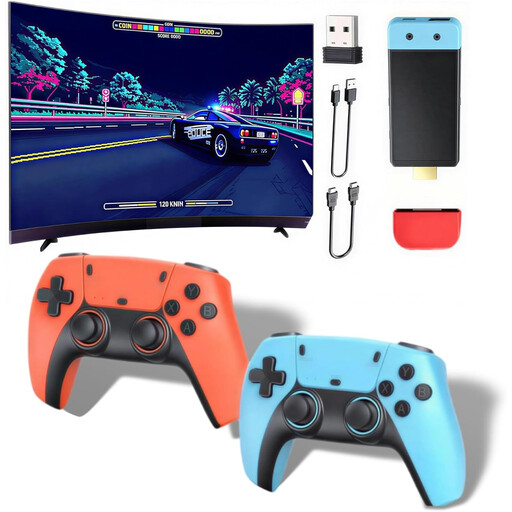 Image unavailable
Retro games console with over 20,000 games
According to the product name, this console connects to a TV or monitor via HDMI. Check separately whether it's compatible with the visual novels you want.
1080P/720P HDMI output; the product name states that it supports 28+ emulators.
The product description says the controllers require four AAA batteries, which aren't included.
View at Joybuy
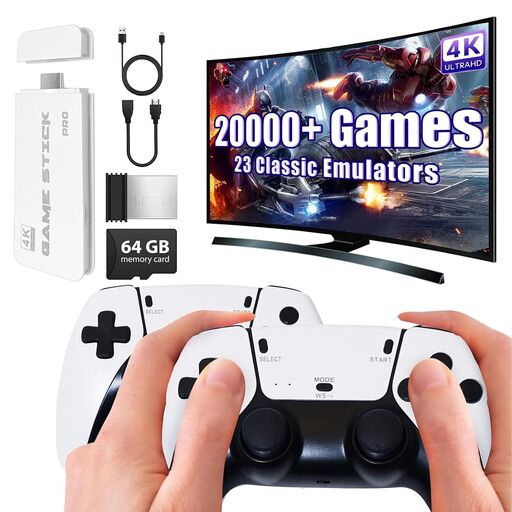 Image unavailable
Retro games console with two 2.4 GHz gamepads
According to the product name, this console connects to a TV via HDMI. Check separately whether the visual novels you want are available.
The product name lists a pre-installed collection of over 20,000 games and 4K HDMI output.
Two wireless 2.4 GHz gamepads.
View at Joybuy
Frequently asked questions
Can I play visual novels on my TV with a Switch Lite?
No. Nintendo says the Switch Lite doesn't support TV mode. If you want to play on a TV, look for a Switch model with TV mode and check that your chosen games are available for it.
What do I need to connect a console to my TV?
You'll need a console with TV mode or a suitable video output, plus the right connection for your TV. The original Switch connects through its dock, which has an HDMI port. Valve says the Steam Deck can connect to an external screen using a suitable connection, such as a dock. Check what's included with the specific offer.
Do I need to check age ratings for visual novels in Germany?
For games sold on physical media, the rules on age ratings and labelling under § 12 JuSchG apply to sales to minors. The Unterhaltungssoftware Selbstkontrolle explains that German retailers must observe age ratings when selling games. This doesn't mean that an age restriction applies to every console buyer.


