First, check whether the visual novels you want to play are available on the platform and whether their dialogue is easy to read on the built-in screen. For hands-free reading at a desk, the Switch OLED and Switch 2 are options, as Nintendo lists a stand and tabletop mode for both. However, there are exceptions for older Switch games on Switch 2. The Switch Lite has no built-in stand, while the Steam Deck and Windows handhelds may suit you if your PC games are compatible – check each title individually.
Who are these devices for?
Players with a set list of games
You mainly want to know whether the visual novels you have in mind are available on the platform and in your preferred language. Nintendo lists Switch and Switch 2 titles separately, while Valve rates Steam Deck compatibility on a game-by-game basis.
Players without space for a monitor
You want to prop up the screen on your small desk and read using separate controls, rather than having to hold the console all the time. Nintendo lists a tabletop mode for the Switch OLED and Switch 2; the Switch Lite has no built-in stand.
PC library users
You want to play games from your existing Steam or Windows library on a handheld and are happy to check each title for compatibility. Valve’s ratings indicate how well games work on Steam Deck; ‘Playable’ titles may require extra steps to control.
What should you look for when buying?
| Consideration | What to check before buying | Who is this most important to? |
|---|
| Game compatibility |
Check the platform, language and device compatibility for each game you want. Nintendo notes that some older Switch games may have compatibility issues on Switch 2; Valve rates Steam Deck compatibility on a game-by-game basis. |
If you have a set list of visual novels, the main thing is whether those exact games will run on the device. Around 31% of consumers would put compatibility with the games they want first. |
| Space and playing position |
Measure the space available and decide whether you want a stand or will mainly use the device in handheld mode. Nintendo lists a tabletop mode for the Switch OLED and Switch 2; the Switch Lite has no built-in stand. |
If you want to read at a small desk without holding the device all the time, having a stand is essential. Around 25% of consumers would choose space and playing position as their top consideration. |
| Dialogue readability |
Look at text scenes from the specific game on the device you plan to use. Valve’s ‘Verified’ criteria take text readability into account; screen size alone doesn’t determine how a game’s text is presented. |
When you’re reading long stretches of dialogue, you’ll want to be able to read comfortably from your usual sitting distance. Around 25% of consumers would make text readability their top buying criterion. |
| Ongoing costs and storage |
Only plan for the storage you actually need. Additional game storage on Switch 2 requires microSD Express cards; standard Switch microSD cards aren’t supported for this purpose. |
If you’re budgeting for games and possible extra storage as well as the device, the overall cost matters. Around 19% of consumers would make ongoing costs their top consideration. |
Common buying mistakes
-
Starting with the console name instead of your own games list
Available games and compatibility requirements differ between Switch, Switch 2 and Steam Deck. Switching devices may also mean buying games again on another platform.
Make a note of the titles that matter most to you, then check the platform, preferred language and, where applicable, Steam Deck rating for each one.
-
Assuming a bigger screen guarantees larger in-game text
The device specifications don’t determine how text is displayed in each game. Valve specifically includes text readability in its ‘Verified’ criteria.
Compare text scenes or an available demo of the game you want on the device you plan to use, viewed from your usual sitting distance.
-
Planning to use your existing Switch microSD cards with Switch 2
Nintendo supports different memory card standards on the two devices. Additional game storage on Switch 2 requires a microSD Express card.
Only expand the storage if you need to, and check that the card meets the requirements of the specific device before buying.
Key brands at a glance
Nintendo
Worth considering if your visual novels are available for Switch or Switch 2 and you’re choosing between handheld and tabletop play.
- Nintendo Germany lists a 7-inch screen and a stand for the Switch OLED model. Switch 2 also offers a tabletop mode.
- The Switch Lite has no built-in stand and can’t connect to a TV. Some older Switch games may have compatibility issues on Switch 2.
Valve
The Steam Deck OLED is an option if the visual novels you want are in your Steam library and you’re willing to check each title’s rating.
- Valve lists a 7.4-inch touchscreen for the Steam Deck OLED. The ‘Verified’ criteria include factors such as text readability.
- Games rated ‘Playable’ may require manual steps, while ‘Unknown’ doesn’t confirm compatibility. Valve lists the device’s weight as around 640 g.
ASUS
The 2023 ROG Ally RC71L is a Windows handheld option for playing games through PC platforms.
- ASUS lists Windows 11 and a 7-inch FHD touchscreen for the ROG Ally RC71L.
- These details apply to the RC71L model. They don’t automatically confirm that every visual novel or other Ally variant will work as you want.
Lenovo
The Legion Go S with SteamOS is an option if you’re looking for a larger built-in screen and have a compatible Steam library.
- For the variant with product number 83N6001RMH, Lenovo lists an 8-inch display with a resolution of 1920 × 1200 pixels.
- These details apply to this specific variant. Before buying, check the exact device configuration and whether your games are compatible.
Joybuy products
This selection includes portable devices with built-in screens, including a Windows handheld and the Switch OLED. Whether the visual novels you want will run on them depends on the platform and the individual game.
 No image available
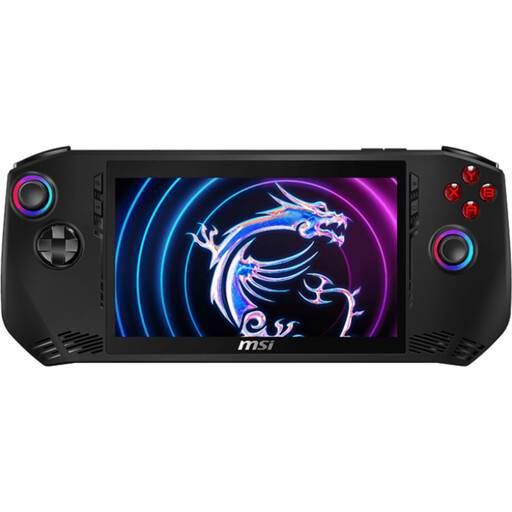
MSI Claw A1M-059 handheld gaming PC
As a Windows handheld, this device may suit compatible PC games; check whether your specific visual novels will run.
Intel Core Ultra 7 155H, 16 GB LPDDR5, 1 TB PCIe SSD and 7-inch FHD touchscreen with 120 Hz refresh rate.
Windows 11 Home; stated weight: 675 g.
Joybuy
 No image available
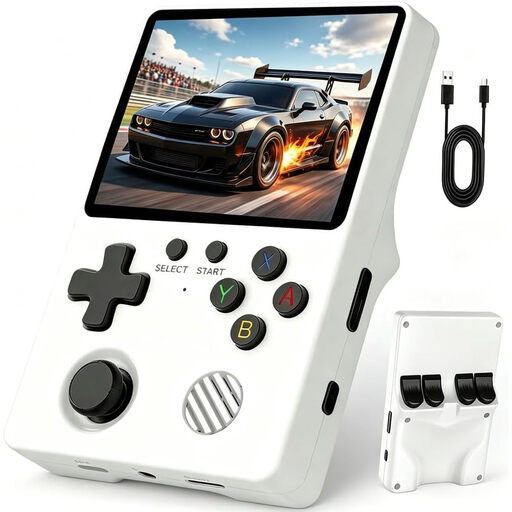
Retro handheld console, 3.5-inch IPS screen
The built-in screen means you can play without a separate monitor; check whether the visual novels you want are available on this device.
3.5-inch IPS screen, Linux system and 64 GB storage.
Joybuy
 No image available
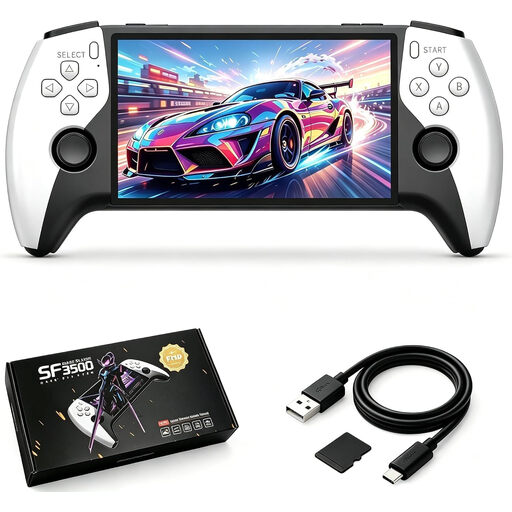
SF3500 retro handheld console, 5.5 inches
The built-in screen is handy if you don’t have a separate monitor; check first whether the visual novels you want will run on the device.
5.5-inch IPS screen and 32 GB memory card.
Joybuy
 No image available
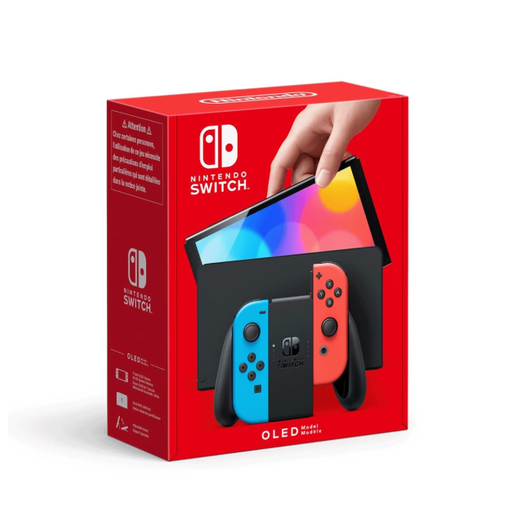
Nintendo Switch OLED, neon red/neon blue
If your visual novels are available for Nintendo Switch, the adjustable stand lets you read at a desk using the built-in screen.
7-inch OLED screen and 64 GB internal storage.
Nintendo lists visual novel titles for Switch; check whether the specific games you want are available.
Joybuy
 No image available
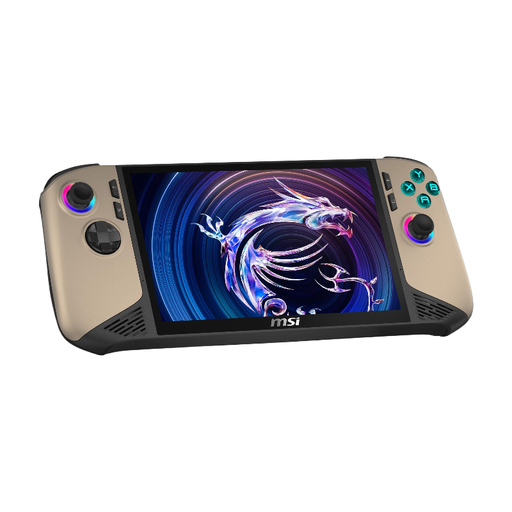
MSI Claw 8 AI+ gaming handheld
As a Windows handheld, this device may suit compatible PC games; check that your specific titles are compatible and that their controls work for you.
Intel Core Ultra 7, 32 GB RAM, 1 TB SSD and 8-inch FHD+ touchscreen with 120 Hz refresh rate.
Windows 11 Home.
Joybuy
Frequently asked questions
Can I play every Switch game on the Switch Lite or Switch 2?
No. A game must support handheld mode to work on the Switch Lite. Switch 2 plays many compatible physical and digital Switch games, but Nintendo lists exceptions and possible restrictions, so check the specific title you want to play.
Do I need an extra monitor for tabletop mode?
No. Tabletop mode on the Switch OLED and Switch 2 uses the built-in screen and a stand. The Switch Lite has no built-in stand and can’t connect to a TV.
Which memory card do I need for Switch 2?
You’ll need a microSD Express card for additional game storage on Switch 2. A standard microSD card that you previously used with a Switch won’t work for this purpose. First, check whether the internal storage is enough for your games.
What should I consider when choosing visual novels for under-18s?
Check the age rating and content information for the specific game rather than assuming it’s suitable based on its genre. For example, Nintendo lists STEINS;GATE ELITE as USK 12 and Doki Doki Literature Club Plus! as USK 18. According to USK, an age rating doesn’t indicate educational suitability.


