Printer deals at Joybuy
The Joybuy deals below range from monochrome multifunction laser printers to portable document printers and a colour laser multifunction model. Pay particular attention to the paper size you need, the connection options and whether you’ll use scanning or copying features.
 No image available
PANTUM BM2300AW A4 Mono Laser Multifunction Printer
For monochrome A4 lists when you’d also like to scan or copy.
The product title lists Wi-Fi, ADF and 22 ppm. The product description specifies a 150-sheet input capacity.
View at Joybuy
 No image available
RONGTA F11B Portable A4 Thermal Printer
For A4 lists if a portable thermal printer with Bluetooth or USB connectivity could work for you.
Listed features include A4, A5 and B5, 203 DPI, 16 mm/s and up to 200 A4 pages per battery charge.
View at Joybuy
 No image available
Portable Wireless Inkless Mobile Printer
For printing documents over Bluetooth or USB-C. Check first that the listed paper sizes suit your lists.
The specifications list US Letter and Legal, iOS, Android and laptops, as well as 200–300 DPI and speeds of up to 15 mm/s.
View at Joybuy
 No image available
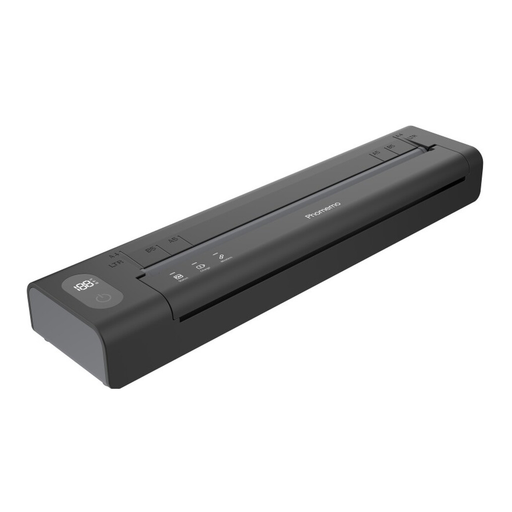
Phomemo A282U Portable Wireless Printer
For lists you want to print from an iOS or Android device over Bluetooth. Check the paper size you need before buying.
The product details list Bluetooth printing through the Phomemo app and a battery. Scanning and copying features aren’t listed.
View at Joybuy
 No image available
HP Color LaserJet Pro MFP 3302sdwg
For colour lists when you’d also like to scan and copy.
Listed features include automatic two-sided printing, Wi-Fi, Ethernet and USB. The product description specifies two paper trays and a 350-sheet input capacity.
View at Joybuy
Frequently asked questions
How do I set up a printer at a shared desk?
First, check that the connections on the exact model are compatible with your network and the devices you use. Brother lists LAN, Wi-Fi and USB for the HL-L2445DW, and USB and Wi-Fi for the DCP-L2627DWE. If you’re using a network connection, Germany’s Federal Office for Information Security recommends securing your router and connected devices carefully. Don’t leave printouts unattended in a shared space.
What can I do if my Epson inkjet printer produces faded or streaky prints?
For affected EcoTank and Expression devices, Epson recommends running a nozzle check first, followed by a printhead cleaning via the maintenance function if needed. Follow the instructions and check the ink levels for your specific model.
Are a manufacturer’s guarantee and your statutory rights the same thing?
No. Your statutory rights apply against the seller, while a manufacturer’s guarantee is an additional voluntary offer with its own terms. Germany’s consumer advice centre states that new goods come with a two-year statutory warranty; the specific purchase and applicable terms will determine what applies.
What should I look for in a Wi-Fi printer in Germany?
Check the details for the specific device rather than assuming that its model name confirms compliance. Germany’s Federal Network Agency lists CE marking, product identification, manufacturer details, German-language instructions and a declaration of conformity among the checks it carries out on the electrical and radio products it monitors.
How do I dispose of an old printer?
In Germany, electrical waste must not go in household rubbish. The Federal Environment Agency lists free drop-off at recycling centres and return options at retailers. Check the terms with your local collection point in advance.


