Recorders at Joybuy
These Joybuy products include compact voice recorders with built-in microphones for recording pronunciation practice and listening back afterwards. Make a test recording in your own room and listen to the saved file, as the product specifications don’t confirm any particular level of fan-noise reduction.
 No image available
PLAUD Note Pro Voice Recorder, 64GB
For recording pronunciation practice with built-in microphones. Make a test recording to check whether your voice remains clear enough to assess with the fan running.
64GB storage, a stated battery life of 30h and 4 MEMS microphones.
Joybuy
 No image available
Mobvoi TicNote Lite AI Voice Recorder, 4GB
For voice recordings you plan to transfer and listen to afterwards. Before buying, check whether you need a headphone socket for playback.
4GB storage and support for 120+ languages according to the product name. The product details state that the device has no headphone socket.
Joybuy
 No image available
Mobvoi TicNote Standard AI Voice Recorder, 64GB
For longer voice recordings using the built-in microphones. Check the format and storage requirements for your specific practice routine.
64GB storage, a 3-microphone array and 20H recording time according to the product name; Wi-Fi and Bluetooth are also listed.
Joybuy
 No image available
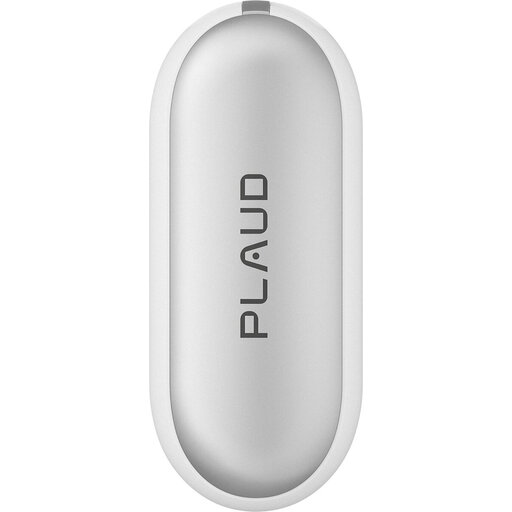
PLAUD NotePin S Wearable AI Voice Recorder, 64GB, Silver
For voice recordings where a wearable device suits your routine. Test whether your chosen position captures your voice clearly enough.
64GB storage and 20h recording time according to the product name; WAV recording is listed in the product details.
Joybuy
 No image available
Rexsun 16GB Portable Digital Voice Recorder, L15
For short pronunciation practice recordings that you want to make on the device and listen back to repeatedly. Compare the saved recording using headphones.
16GB storage. The product details list A-B repeat, fast-forward and rewind, and two omnidirectional microphones; this doesn’t confirm effective fan-noise reduction.
Joybuy
Frequently asked questions
Will a Low-Cut filter remove fan noise from every recording?
No. A Low-Cut filter reduces low frequencies. OM SYSTEM describes the WS-882 as reducing frequencies below 300 Hz, while Tascam lists several settings for the DR-05XP. A test recording and playback comparison will show whether it makes your particular fan less distracting without affecting important details in your voice.
How should I position the recorder and fan for a test?
Place the microphone as close to your voice as possible and out of the airflow. If air is blowing directly onto the microphone capsule, adjust the setup first. Shure describes airflow on a microphone as a potential cause of low-frequency interference.
What should I check before and after a longer lesson?
Check the recording format, available storage and power supply on the device you’ll be using, then back up your files after recording. Philips notes that resetting the device deletes saved data and recommends making a backup first.
Should I budget for accessories for an external microphone?
If you want to position an external microphone closer to your voice, check that the microphone and recorder are compatible in terms of connection and any power it may need. Depending on the model and your recording setup, you may also need a memory card, power supply or mount.
Can I simply record a pronunciation lesson with someone else in Germany?
Under § 201 (1) of the German Criminal Code (StGB), unauthorised recording of another person’s privately spoken words may be a criminal offence. Don’t record teachers or other participants without their knowledge; check that you have permission before you start. If recordings containing personal data are then processed or uploaded to a cloud service, for example, you should separately check the applicable data protection requirements. The Data Protection Conference (Datenschutzkonferenz) discusses consent for telephone conversations, not every teaching situation as a general rule.


