For a single, lively quiz introduction, a compact voice recorder should be enough, provided you listen back at your recording spot and can share the file in the format you need. A 32-bit float handheld recorder is worth considering if you want to adjust large changes in volume during editing; the format won’t fix room echo or background noise. Extra inputs and tracks are mainly useful if your recording plan involves several microphones or separate voices.
Which type of recorder is right for you?
Quiz hosts recording a single voice
If you want to record your introduction without a complicated setup and share the file afterwards, compare ease of use, recording monitoring and file formats. Sony lists these features for the ICD-UX570 series, while Philips lists them for the VoiceTracer DVT4115.
Speakers with wide variations in volume
If your introduction includes both quiet and emphasised passages, make a test recording of each and listen back. Zoom and Tascam list 32-bit float for certain models, but the recording format alone doesn’t guarantee the right result.
Quiz teams planning to expand their setup
If you might want to record more voices or external microphones later, check the number of inputs and tracks you need against the specific model. Zoom lists two XLR/TRS inputs and four tracks for the H4essential.
What should you look for when buying?
For a short quiz introduction spoken by one person, the main things to consider are clarity at your recording spot, how the recorder handles changes in volume and how easily you can create the finished file.
Compact voice recorder
A good choice if: you mainly want to record your own voice, monitor it and share it as a PCM or MP3 file. Sony lists these recording formats for the ICD-UX570 series; Philips lists them for the DVT4115.
Trade-off: voice recording features don’t replace testing the recorder in the place where you’ll actually record.
Handheld recorder with built-in microphones
A good choice if: you want recording options that let you edit later when volumes vary. Zoom lists 32-bit float and tripod mounting for the H1essential; Tascam lists 32-bit float and an input for external microphones on the DR-05XP.
Trade-off: microphone placement and a quiet environment are still important; Tascam specifies an omnidirectional pickup pattern for the DR-05XP’s built-in microphones.
Recorder for multiple microphones or tracks
A good choice if: you need to record several voices or connected microphones separately. Zoom lists two XLR/TRS inputs and four tracks for the H4essential.
Trade-off: extra inputs and tracks aren’t necessarily needed for a single, short introduction.
| Buying priority |
What to check |
Who it matters to most |
| Clarity at your recording spot |
Microphone pickup pattern, a stable position and a test listen from the spot you plan to use. |
When I record at my planned speaking spot, I want to be easy to understand despite the room acoustics and possible background noise. That’s why around 36% of consumers put clarity at the recording spot first. |
| Quiet and loud passages |
Test-record the quietest and loudest parts of your script; check that the recording format suits your editing plans. |
For a lively introduction, I want to check the quiet and emphatic sections during a test before choosing a recording mode. Around 29% of consumers prioritise handling changes in volume. |
| Getting the finished file |
Check that monitoring, file format, transfer method and storage type are compatible with your playback device. |
If I want to check and share my introduction quickly, the file workflow needs to fit my quiz system. Around 21% of consumers focus particularly on recording, checking and sharing the file. |
| Positioning and expandability |
Decide in advance whether the built-in microphones will be enough or if you’ll need external microphones or separate tracks. |
If I want to change the microphone position or record several signals later, I check that the connections and tracks suit my planned setup. Around 14% of consumers put expandability first. |
Common assumptions when buying a recorder
-
Assuming 32-bit float guarantees a great voice recording
The recording format affects how levels can be handled, while the microphone pickup pattern and its position still influence the sound that’s captured.
Before you buy, test the quietest and loudest parts of your script and listen back from the spot you plan to use. Then decide whether you need the extra recording mode.
Unwanted room noise could mean recording again or spending extra time editing.
-
Assuming you’ll need extra tracks for a single voice
Zoom lists four tracks and two XLR/TRS inputs for the H4essential. These features matter most if your recording plan actually involves several signals.
First decide how many voices and microphones you want to record, then choose extra inputs only if you need them.
A more extensive setup may take longer to configure and use.
-
Assuming storage or battery life figures apply to every recording
A maximum recording time doesn’t necessarily apply to every format and use setting on a recorder.
Check the storage type, recording format and power supply for the specific model, and test your planned recording before the quiz.
Choose your storage and power supply to suit the recording format and the time you plan to record.
Leading brands and recorder ranges
Zoom
The H1essential and H4essential are designed for different recording setups.
- Zoom lists 32-bit float and tripod mounting for the H1essential; for the H4essential, the manufacturer lists two XLR/TRS inputs and four tracks.
- These manufacturer specifications don’t prove that a quiz introduction will sound better; extra connections and tracks are only relevant if they suit your recording plan.
Tascam
The DR-05XP combines built-in stereo microphones with recording options and an input for an external microphone.
- Tascam lists 32-bit float and MP3 as recording options.
- Tascam says the built-in microphones have an omnidirectional pickup pattern. If room or background noise is an issue, listen to a test recording made at your recording spot.
Sony
The ICD-UX570 series is a voice recorder option with features for recording and monitoring.
- Sony lists 4 GB of internal storage, a recording monitor and Linear PCM and MP3 recording.
- The manufacturer’s claims about noise reduction and recording quality aren’t a comparison test for a spoken quiz introduction.
Philips VoiceTracer
The DVT4115 is worth considering if its internal storage, file formats and app control suit your recording workflow.
- Philips lists 8 GB of internal storage and PCM and MP3 recording.
- Advertised sound benefits and recording times are manufacturer claims; battery life depends on the mode used.
OM SYSTEM
The LS-P5 is described by the manufacturer as a standalone Linear PCM recorder and a camera accessory.
- OM SYSTEM lists both standalone recording and use as a camera accessory.
- These uses don’t prove that it offers an advantage over simpler types of recorder for a single quiz introduction.
Joybuy products for voice recording
These devices are listed as voice recorders and may suit you if you want to record a spoken introduction and then save or process it. Check in advance that the app, file format and transfer method fit your workflow.
 No image available
PLAUD Note Pro Voice Recorder, 64 GB
For a spoken introduction that you want to process afterwards using an app.
The product title lists 64 GB of storage, four MEMS microphones and USB-C; the description also mentions transcription and summaries. Check that the app and file workflow you want are compatible with your quiz system.
View at Joybuy
 No image available
Mobvoi TicNote Lite AI Voice Recorder, 4 GB
An option if you want to record a spoken introduction and then manage or transcribe it using an app.
The title lists 4 GB of storage and support for more than 120 languages; the product description mentions Bluetooth, app management, transcription and summaries. Check that the features you need fit your workflow.
View at Joybuy
 No image available
Mobvoi TicNote Standard AI Voice Recorder, 64 GB
For a voice recording that you want to save and share using a digital transfer method.
The description lists 64 GB of storage, three microphones, an OLED display, Wi-Fi and Bluetooth. Transcription and summaries are also mentioned; check the transfer options for your target device.
View at Joybuy
 No image available
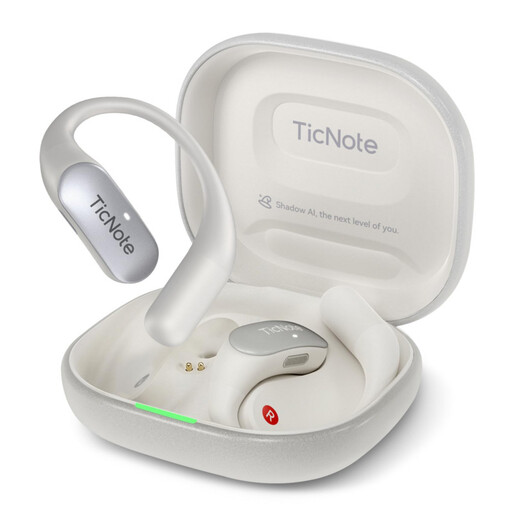
Mobvoi TicNote Pods 4G AI Voice Recorder, 32 GB
An option if you want to combine recording a quiz introduction with automatic transcription.
The title lists 32 GB of storage and 4G cloud upload; the description mentions a dual-microphone array, automatic transcription and summaries. Check that these features fit the recording and file workflow you want.
View at Joybuy
 No image available
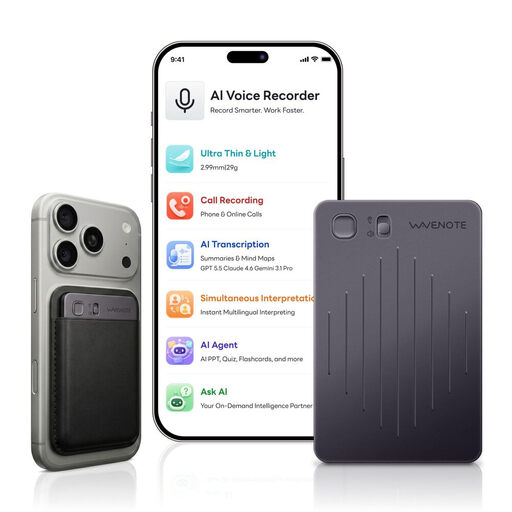
WaveNote AI Voice Recorder, 64 GB
For a spoken introduction if you want to start recording with a single button press and then process it using an app.
The title lists 64 GB of storage and WAV recording; the description mentions a dual-sensor system, one-click recording and app use. Check that WAV and the transfer method you plan to use are compatible with your playback system.
View at Joybuy
Frequently asked questions
How do I prepare to record a lively spoken introduction?
Position the recorder securely at your speaking spot and test the quietest and loudest passages. Then listen for clarity and room noise. The recording format alone won’t tell you whether the position and surroundings suit your voice.
Which file format is best for editing or playback?
First check which formats your editing software or quiz playback system accepts. Philips describes PCM/WAV as an uncompressed format and MP3 as an option that’s easier to share; check which formats the specific recorder supports.
What should I check about storage and power?
Check the storage type and power supply for the exact version, and make a short test recording followed by playback beforehand. Sony lists a built-in battery and 4 GB of internal storage for the ICD-UX570 series; this doesn’t tell you how long other models will last.
What are my rights if I change my mind or find a fault after buying online?
As of 13 August 2026, the Verbraucherzentrale (German Consumer Advice Centre) explains that online purchases generally come with a 14-day right to cancel; check the exceptions and when the period starts for your specific purchase. Cancelling because you’ve changed your mind is different from your statutory rights when goods are faulty; a guarantee is voluntary and isn’t the same as your statutory rights.
Can I record other people for the quiz without asking?
No, not without the required permission: § 201 StGB covers, among other things, recording another person’s private spoken words without authorisation, as well as certain uses of such a recording. If other people are involved, check that you have permission to record them and use the recording as planned; recording an introduction spoken by you alone is a different case.


