Apprentices recording long dictations
If you dictate your own activities, you’ll need enough recording time and storage to capture a complete take. You can then develop the audio into a draft of the training record in the agreed format.


For long voice notes recorded by yourself, a voice recorder should offer enough available recording time in your chosen format, as well as a suitable power supply. A basic voice recorder is better suited to dictation and straightforward file transfers. A handheld recorder may be useful if you have other permitted audio tasks in mind or need extra microphone connections, but it takes more preparation. Treat the recording as a draft: the BIBB describes the training record as documentation that must be kept in writing or electronically, while the IHK Aachen says the agreed format is set out in the training contract.
If you dictate your own activities, you’ll need enough recording time and storage to capture a complete take. You can then develop the audio into a draft of the training record in the agreed format.
If you regularly record notes, it helps to be able to find older files, listen back to them and transfer them to your computer when you come to work them up.
If you’d also like to use your recorder for other permitted recordings, extra formats or a microphone input may be useful. Remember to allow time for setup and file management, too.
A good fit if: you mainly record yourself and want to listen back to your files and transfer them easily afterwards.
Consider: recording time and file size depend on the format you choose. With the Sony ICD-PX470, automatic file splitting can result in a loss of audio at the transition point.
A good fit if: you regularly record longer notes and prefer a rechargeable battery.
Consider: the manufacturer’s maximum battery-life claims won’t necessarily apply to every type of recording or setting.
A good fit if: you have other permitted audio tasks in mind, as well as recording your own notes, or plan to use an external microphone input.
Consider: the storage medium, power supply and microphone position all need to suit the intended use.
| Priority | What to check before buying | Who is it important to? |
|---|---|---|
| Finish long takes reliably | Check available recording time in your chosen format and the power supply separately. | If I don’t want my take to be interrupted, I check that the storage and power supply will work with the format I plan to use. Around 31% of consumers put finishing long takes reliably at the top of their list. |
| Understand the speech later | Make a test recording and listen back from your usual speaking position. | I want to be able to write up my notes later without having to guess, so I listen to a test recording from the position I’ll use. Around 25% of consumers prioritise clear speech above all else. |
| Find and transfer files | Check USB transfer, file formats and search features against your own workflow. | When I have lots of drafts, I need an easy way to find the right recording and transfer it to work on. Around 25% of consumers put this file workflow first. |
| Start recording easily | Try the record button, recording indicator and a quick playback. | If I dictate regularly, I want to be able to start and check a recording without unnecessary setup. For around 19% of consumers, getting started easily is the most important consideration. |
Having free storage won’t stop a recording if the batteries run out. The maximum recording time for the Sony ICD-PX470 also varies considerably by format.
Check both limits for your planned settings and make a sufficiently long test recording before an important session.
Depending on the model, you may need spare batteries or a compatible memory card. Check what your specific device requires and what’s included in the box.
The Sony ICD-PX470 splits a recording when it reaches the maximum file size. Sony warns that audio may be lost at the point where the file is split.
Check the file limits for your specific device and listen for gaps after making a long test recording.
Having more formats and connections doesn’t guarantee that your voice will be clear from your chosen recording position.
First, test your usual speaking position. Choose extra features only if you have specific additional recording needs.
Features you don’t need can mean extra setup and file-transfer work.
The BIBB describes the training record as documentation that must be kept in writing or electronically. An audio recording does not replace this documentation.
After dictating, allow time to transfer and develop the content into the format agreed in your training contract.
The full process also includes listening back, writing up and confirming the record.
The ICD-PX470 is designed for personal dictation, with internal storage, PC connectivity and MP3 or L-PCM recording.
According to the manufacturer, the WS-883 is aimed at people who want to make personal notes and value a simple mode, USB transfer and calendar search.
VoiceTracer models such as the DVT4115 and DVT2075 combine internal storage with rechargeable batteries for voice notes.
The H1essential is a handheld recorder for personal dictation and other permitted audio tasks where extra recording options are useful.
The DR-05XP is a handheld recorder with a choice of recording formats and an input for an external microphone.
The Joybuy products below are digital voice recorders for making longer recordings yourself and managing them later. Use the audio as a draft, and before buying, check that the features and included accessories suit your workflow.
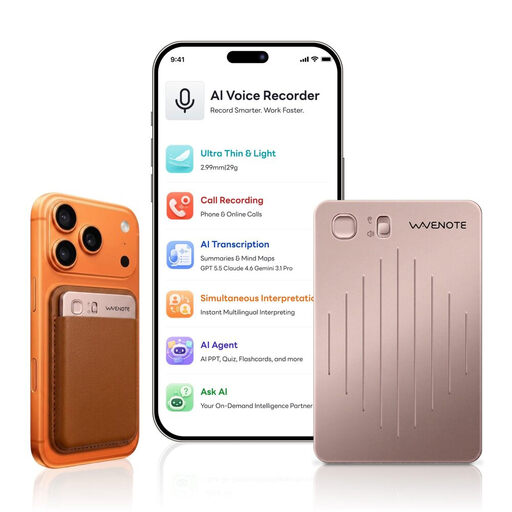 No image available
For long personal dictations, the product description lists 64 GB of storage and up to 36 hours of continuous recording.
According to the product description, features include USB-C charging, WAV recording and Bluetooth syncing with a smartphone or computer.
 No image available
For personal recordings and managing them later, the product description lists 64 GB of storage and 36 hours of battery life.
The product description lists local and cloud storage, as well as Bluetooth app control.
 No image available
For longer personal recordings, the product description lists up to 22 hours of recording time and a 16 GB TF card.
Features listed include one-button recording, USB-C charging and USB file transfer.
 No image available
For longer personal dictations, the product description lists 64 GB of storage and up to 22 hours of continuous recording.
Features listed include one-button recording, voice activation and USB-C file transfer.
 No image available
For longer recordings and time-based file management, the product description lists 128 GB of storage and up to 35 hours of recording time.
MP3 and WAV are listed as available formats. The product description also mentions USB-C and file management by timestamp.
No. An audio recording alone does not replace the required written or electronic training record. The BIBB describes the record as documentation that must be kept in writing or electronically, while the IHK Aachen says the agreed format is set out in the training contract. So use your recording as a draft for the record.
Not necessarily. Check the available recording time in your chosen format separately from the battery life. For example, Sony lists 5 hours 20 minutes for L-PCM 44.1 kHz/16-bit and 39 hours 45 minutes for MP3 at 192 kbit/s when recording to the ICD-PX470’s internal storage.
Choose your recording format, check the available storage and power supply, then make a short test recording from your intended speaking position and listen back. The OM SYSTEM WS-883 instruction manual recommends making test recordings before important sessions; extra features are no substitute for this practical check.
Check whether your specific model needs batteries or a memory card, and what’s included in the box. The Sony ICD-PX470 uses two AAA batteries and, according to Sony, cannot be charged via USB. If you choose a rechargeable model, remember to plan for charging. Check the warranty and repair options for the specific product with the seller.
Don’t record other people without checking first: § 201 StGB makes recording another person’s non-public speech without authorisation a criminal offence. Where possible, dictate your own notes without capturing other people’s voices, and check that you’re allowed to record before doing so. This does not mean that recording every type of conversation is automatically permitted.