Travellers recording their own stories
You regularly record short memories and want to make recordings easily at a shared table, then find the files again later.


For short travel diary entries of your own, an easy-to-use voice recorder that lets you transfer files easily is a sensible place to start. If you also want to capture the atmosphere of your travels or connect an external microphone, consider a more versatile audio recorder. Automatic transcription is most useful if you regularly edit or reuse your recordings as text. At a shared desk, make a test recording in the spot where you plan to sit, and take care not to record private conversations: section 201(1) of the German Criminal Code prohibits the unauthorised recording of another person's non-public speech.
You regularly record short memories and want to make recordings easily at a shared table, then find the files again later.
You record at a shared table and want to check that your voice remains clear despite nearby conversations or equipment.
You want to edit spoken entries as text later, so you need to choose a file, app and transcription workflow.
A good fit if: You mainly record your own experiences and want to get started quickly. Philips says the DVT1170 can start recording at the press of a button and saves files with timestamps.
Worth bearing in mind: An easy start or a filter does not prove that voices at the next table will be filtered out.
A good fit if: You want to capture the atmosphere of your travels as well as speech, or use an external microphone. Zoom lists a microphone input for the H1essential, while Tascam lists support for external microphones on the DR-05XP.
Worth bearing in mind: You’ll need to choose the recording format and microphone position. These features don’t guarantee that your voice will be separated from other voices.
A good fit if: You regularly want to search or edit your spoken entries as text.
Worth bearing in mind: Check the app or cloud workflow and the transcription minutes included. Transcription can’t make an unclear recording easier to understand.
| What you need | What to check before buying | Who it matters most to |
|---|---|---|
| Clear recordings at a shared table | Check the microphone type and, if relevant, whether you can connect a microphone that can be positioned closer to you. Make a test recording where you plan to sit and listen back to it. | If I record my entries among nearby conversations or equipment, I want to check that my voice is clear before making longer recordings. Around 36% of consumers would make this their top priority when buying. |
| Quick recording start | Test the record button, recording indicator and ease of use. Record and play back a complete, short entry. | For spontaneous thoughts, I want to be able to start speaking without a lengthy set-up. Around 29% of consumers would put simple, instant operation first. |
| Files and power for travelling | Check the formats used, how to transfer files to your computer, the power supply and available storage. Philips lists timestamps for the DVT1170; OM SYSTEM describes the WS-883 as having built-in USB data transfer. | If I want to find and back up my entries later, a straightforward file and travel workflow matters to me. Around 21% of consumers would prioritise file management and use on the go. |
| Transcription and personal recordings | Check whether you need automatic transcription, how files are transferred and how many minutes are included in the specific plan. Before recording, consider whether other people's conversations might be picked up. | If I regularly want to edit my entries as text, the transcription workflow is my main consideration. Around 14% of consumers would put working with text first. |
OM SYSTEM describes the WS-883’s low-cut filter as reducing low-frequency noise. This doesn’t mean it will reliably suppress conversations at the next table.
Make a recording where you plan to sit and listen back to it. If other people's conversations might be picked up, choose a quieter place and bear in mind section 201(1) of the German Criminal Code.
Plaud lists 300 transcription minutes per month on its free Starter plan. If you need more, another plan may be more suitable.
Estimate how many minutes you speak each month and check the terms of the specific service before buying.
The recording format and settings affect how much storage you need. Capacity alone won’t tell you whether a planned recording will be successful.
Set your preferred format and, before making longer recordings, check your available storage, power supply and that a test file plays back correctly.
The DVT1170 and DVT4115 suit different workflows, from short voice notes to recordings that can be transcribed in the cloud.
According to the manufacturer, the WS-883 is designed for personal notes and conversations on the go.
The ICD-UX570 series combines voice recording with scene selection and USB charging.
The H1essential is a handheld recorder for speech and other travel sounds, with the option to connect an external microphone.
According to the manufacturer, the DR-05XP offers additional recording and connection options for speech and ambient sound.
An option if you regularly want your spoken travel diaries automatically turned into text for editing.
This selection includes devices with transcription as well as compact voice recorders for short personal entries.
 No image available
A good fit if you want to edit diary entries as text and are looking for a transcription and summarising workflow.
64 GB; 30-hour battery life; four MEMS microphones; AI transcription and summaries; compatible with Android and iOS.
The Starter plan is listed as including 300 transcription minutes per month; check the service’s current terms.
 No image available
An option if you want to use a transcription function to work with your voice recordings later.
64 GB; transcription function.
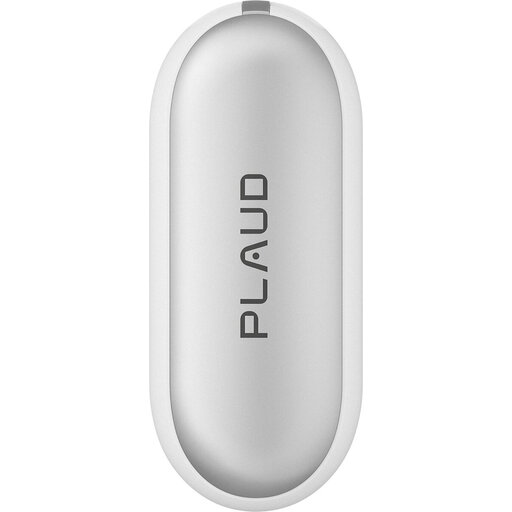 No image available
A good fit if you’re looking for a portable recorder with AI transcription for use on the go and later text editing.
64 GB; 20 hours of recording time; AI transcription.
The Starter plan is listed as including 300 transcription minutes per month; check the service’s current terms.
 No image available
An option if you’re looking for a portable digital voice recorder for your own entries.
16 GB; LCD screen.
 No image available
An option if you prefer one-touch recording for short personal voice notes.
64 GB; one-touch recording; MP3 and WAV formats; USB-C.
Not without authorisation if it involves another person’s non-public speech: section 201(1) of the German Criminal Code makes recording it without permission a criminal offence. Before you start, consider whether other people’s conversations might be picked up, and clarify the situation or choose another place. The legislation is published on the Federal Ministry of Justice’s Gesetze im Internet portal.
You can’t assume that from the filter function. OM SYSTEM describes the WS-883’s low-cut filter as reducing low-frequency noise below 300 Hz. To check whether your voice is clear where you’re sitting, make a short recording and play it back.
Test recording and playback where you plan to sit, and check the power supply, available storage and audio settings. The Library of Congress recommends this preparation for interviews; the same practical test can also be applied to a longer diary recording.
No, you shouldn’t assume that. Plaud lists 300 transcription minutes per month on its free Starter plan for new device purchases. Before buying, check the terms of the specific service and whether the allowance suits your needs.
Check whether the model saves files with dates or timestamps, and how to transfer them to your computer. Philips lists timestamps for the DVT1170; OM SYSTEM describes the WS-883 as offering calendar search and built-in USB data transfer.