For short audio flashcards in a noisy flat, a compact voice recorder is a good fit if you can place it close by and keep it steady, and want recording, playback and file transfers to be straightforward. If you need the microphone closer to your mouth than the recorder can be, a handheld recorder with a compatible external microphone gives you more flexibility, but takes more setting up. Shure highlights the benefit of using a microphone close to the speaker; filters and recording formats alone do not prove that a recording will be clear in your particular location.
Who are the different types of recorder suited to?
Learners in flats with noticeable background noise
If you record your voice while you can hear conversations in another room or traffic outside, getting the microphone position right matters. Shure explains that a microphone placed close to you picks up a stronger, more direct speech signal. Listen back to a test recording made in the spot where you plan to record.
Learners doing lots of short repetitions
For individual words or sentences that you want to listen to again straight away, easy-to-reach playback and repeat controls are useful. Sony lists A/B repeat for the ICD-UX570, while OM SYSTEM describes shadowing playback for the WS-883.
Learners with a digital flashcard library
If you work with lots of short files on your computer, the recording format and transfer method should suit your flashcard software. Sony and OM SYSTEM list USB transfer; Philips lists MP3 and PCM as recording formats for the VoiceTracer DVT4115.
What should you look for when buying?
Compact voice recorder with built-in microphones
A good fit if: you record short flashcards, can place the recorder close by and keep it steady, and want quick access to playback or file transfers.
Bear in mind: the built-in microphones will still pick up sound from the room; a speech filter is no guarantee against background voices.
Handheld recorder with an external microphone
A good fit if: you want to position the microphone closer to your mouth, independently of the recorder.
Bear in mind: the microphone, connection and power supply need to be compatible; depending on the model, you may also need a memory card and extra equipment.
In a noisy flat, the distance to the microphone is a sensible first thing to check: Shure explains that a microphone placed close to you picks up a stronger, more direct speech signal.
| What matters |
What to check before buying |
Who is it important to? |
| Clear speech |
Record and listen back to a short sentence in the intended location, with the usual sounds of your flat in the background; if needed, check for an input for a compatible external microphone. |
When I record in a noisy flat, I want to capture my voice close to the microphone and listen back to a test recording in the place where I’ll be recording. Around 36% of consumers prioritise clear speech. |
| Repeating short flashcards |
Check how easy it is to record, listen back straight away and repeat a specific section. |
When I’m working with lots of individual words, I want to record and listen again without having to navigate complicated menus. Around 29% of consumers prioritise quickly repeating short flashcards. |
| Transferring files |
Check which file formats your flashcard software accepts and whether you can transfer a test recording in full. |
When I add lots of files to my flashcard software, the format and transfer method need to fit my workflow. Around 21% of consumers put easy file transfers first. |
| Flexible microphone positioning |
Check the microphone’s connection and power requirements; allow for a memory card and a stable setup. |
If the microphone needs to be closer to my mouth than the recorder, I want to be able to choose a suitable combination of input, microphone and positioning. Around 14% of consumers prioritise a flexible microphone setup. |
Which assumptions should you avoid?
-
Assuming noise reduction makes a room soundproof
If the microphone is too far away, your voice may be quieter in relation to the sounds around you. Shure recommends speaking close to the microphone for a more direct speech signal; a filter does not prove that conversations in another room will disappear.
Make a test recording with the usual sounds of your flat and start by improving the microphone position.
-
Forgetting that a handheld recorder needs recording media
According to Zoom, the H1essential cannot record or play back without a microSD card inserted.
Check whether a suitable card is included with the specific offer and whether it works with the device.
-
Confusing more recording features with better separation of voices
32-bit float and different recording formats affect the recording process, but do not prove that your voice will be separated from other people speaking at the same time.
Choose extra features only if you need them for your workflow, and assess speech clarity with a test recording made in the place where you’ll be recording.
-
Taking an older model page as proof that it’s currently available to buy
Philips explicitly marks the DVT2050 as no longer available on its German product page.
Distinguish the model name from a current offer, and don’t assume a product is available just because there’s a technical description online.
Key brands at a glance
Sony
The ICD-UX570 is a compact option for short voice recordings, quick playback and file transfers.
- Sony lists 4 GB of internal storage, PCM and MP3 recording, direct USB connection and A/B repeat.
- The voice optimisation feature is no proven guarantee against voices elsewhere in the flat. A comparison by vergleich.org described the ICD-UX570B’s speech samples tested there as quiet and tinny; that doesn’t tell you how a recording will sound where you plan to use it.
OM SYSTEM
The WS-883 combines voice recording with language-learning features and direct USB transfer.
- OM SYSTEM lists 8 GB of internal storage, MP3 or mono PCM recording, shadowing and a simple operating mode.
- The manufacturer’s description of the low-cut filter doesn’t prove that it will remove voices from another room.
Philips
The VoiceTracer DVT4115 is an option if you want to use internal storage and MP3 or PCM files.
- Philips lists 8 GB of internal storage and USB-C charging, with MP3 and PCM recording formats to choose from.
- Cloud transcription adds a file-upload step and isn’t essential for audio-only flashcards.
Zoom
The H1essential is a handheld recorder for a flexible setup using built-in or suitable external microphones.
- Zoom documents a MIC/LINE input and 32-bit float recording.
- A microSD card is required for recording and playback. The higher recording resolution won’t remove background noise from the room.
Tascam
The DR-05XP is a handheld option if you want an external microphone input and a choice of formats, as well as recording your own voice.
- Tascam lists an external stereo mini-jack input, as well as MP3 and various PCM modes, including 32-bit float.
- The built-in omnidirectional microphones don’t prove that other people’s voices will be suppressed.
Joybuy products for short voice recordings
These Joybuy products are suited to short voice recordings and storing them digitally afterwards. If you’re in a noisy flat, check the sound of a test recording in the place where you plan to record.
 Image unavailable
Mobvoi TicNote Lite AI voice recorder, 4 GB storage, black
For short voice recordings followed by digital processing. It has 4 GB of storage; the product description lists transcription and management via the app and web.
View at Joybuy
 Image unavailable
Mobvoi TicNote Standard AI voice recorder, 64 GB, dark grey
For recordings you want to organise and play back digitally. It has 64 GB of storage and supports Ogg recording and Ogg and AVO playback; the product description lists syncing via Wi-Fi or Bluetooth.
View at Joybuy
 Image unavailable
Digital voice recorder, 64 GB
For voice recordings followed by file transfer. The product description lists 64 GB of storage, a stated recording time of 36 hours, a 6-dual-microphone system and file transfer via an app.
View at Joybuy
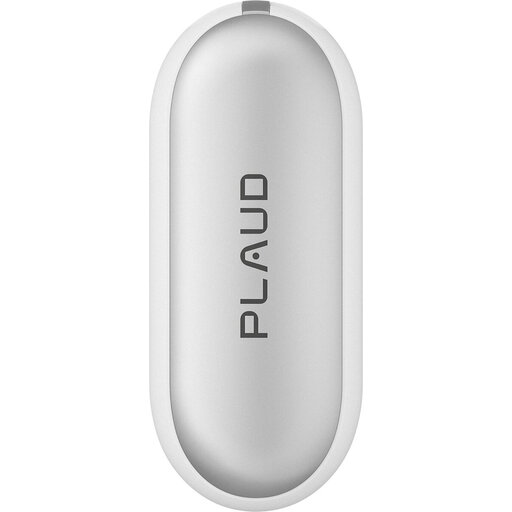 Image unavailable
PLAUD NotePin S wearable AI voice recorder, 64 GB
For short voice recordings you want to process later. It has WAV recording, 64 GB of internal storage and USB.
View at Joybuy
 Image unavailable
Rexsun L810 digital voice recorder, 64 GB
For a straightforward recording and transfer process. It has 64 GB of storage and one-button recording; the product description lists WAV, USB-C and compatibility with Windows, Mac and Android.
View at Joybuy
Frequently asked questions
Will a noise filter remove conversations from the next room?
Don’t rely on it. A filter feature doesn’t prove that voices speaking at the same time will reliably disappear from your recording. For a test, speak as close to the microphone as you can and listen back in the place where you plan to record.
What do I need to make my first recording with a Zoom H1essential?
You’ll need a compatible microSD card inserted and a power supply. Zoom states that recording and playback aren’t possible without a microSD card. For positioning, Zoom also recommends avoiding a table surface that reflects sound directly, among other things.
Do I need cloud transcription for audio flashcards?
No, not if you only want to record and play back audio files. Philips describes transcription on the DVT4115 as an additional process that involves uploading files to the Sembly application.
How can I check whether a recording will work with my flashcard software?
Before choosing a device, check which file formats your software accepts and how it handles transfers. A short test recording that you transfer and open will show whether the process works for your flashcards.
Can I secretly record other people in Germany?
It’s best to record only your own voice for your flashcards. Section 201 of the German Criminal Code covers unauthorised recording of another person’s private spoken words, so get the people concerned to agree before making such a recording.


